
OpenClaw Skills 101: bibigpt-skill for Full-Platform Video Summary (Bilibili, YouTube, Podcasts)
OpenClaw essential Skill for video summarization. bibigpt-skill gives your AI agent full-platform support in 30 seconds — Bilibili, Xiaohongshu, Douyin, YouTube, podcasts, and local files. Works with Claude Code and OpenClaw.
OpenClaw Skills 101: bibigpt-skill for Full-Platform Video Summary (Bilibili, YouTube, Podcasts)
Table of Contents
- What Are Claude Code Skills?
- What Problem Does bibigpt-skill Solve?
- 30-Second Install: Zero to Full-Platform Video Summarization
- Supported Platforms and Command Reference
- OpenClaw vs. Claude Code: Usage Differences
- Hands-On Demo: Developer First-Hand Experience
- Advanced bibi CLI Usage
- FAQ
In 2026, OpenClaw has hit 280K+ GitHub stars — the fastest-growing open-source AI agent ever. But ask it to summarize a Bilibili video and you get:
"I'm sorry, I cannot directly access Bilibili video content."
The native summarize command only recognizes YouTube. bibigpt-skill is the essential OpenClaw Skill for full-platform video summarization. One command, 30 seconds — your Agent gains Bilibili, Xiaohongshu, Douyin, YouTube, podcasts, and local file support.
This is the complete guide to bibigpt-skill — from the Skills mechanism to advanced CLI usage. It's the methodology overview for the OpenClaw + bibigpt-skill platform-specific series.
What Are Claude Code Skills?
Claude Code Skills (also called OpenClaw Skills) are Anthropic's Agent capability extension mechanism. Think of it this way:
| Analogy | Explanation |
|---|---|
| iPhone App | Each app adds new features to your phone |
| Claude Code Skill | Each Skill adds new capabilities to your AI Agent |
| bibigpt-skill | Adds "full-platform audio/video summarization" to your Agent |
Skills are installed via npx skills add <author>/<skill-name>. Once installed, your Agent can call the bibi command natively. Key advantages:
- Zero-code integration — No API wiring required; the Agent understands it natively
- Cross-platform — Works with both OpenClaw and Claude Code
- Extensible — ClawHub already has hundreds of community Skills; bibigpt-skill is among the most downloaded utility Skills
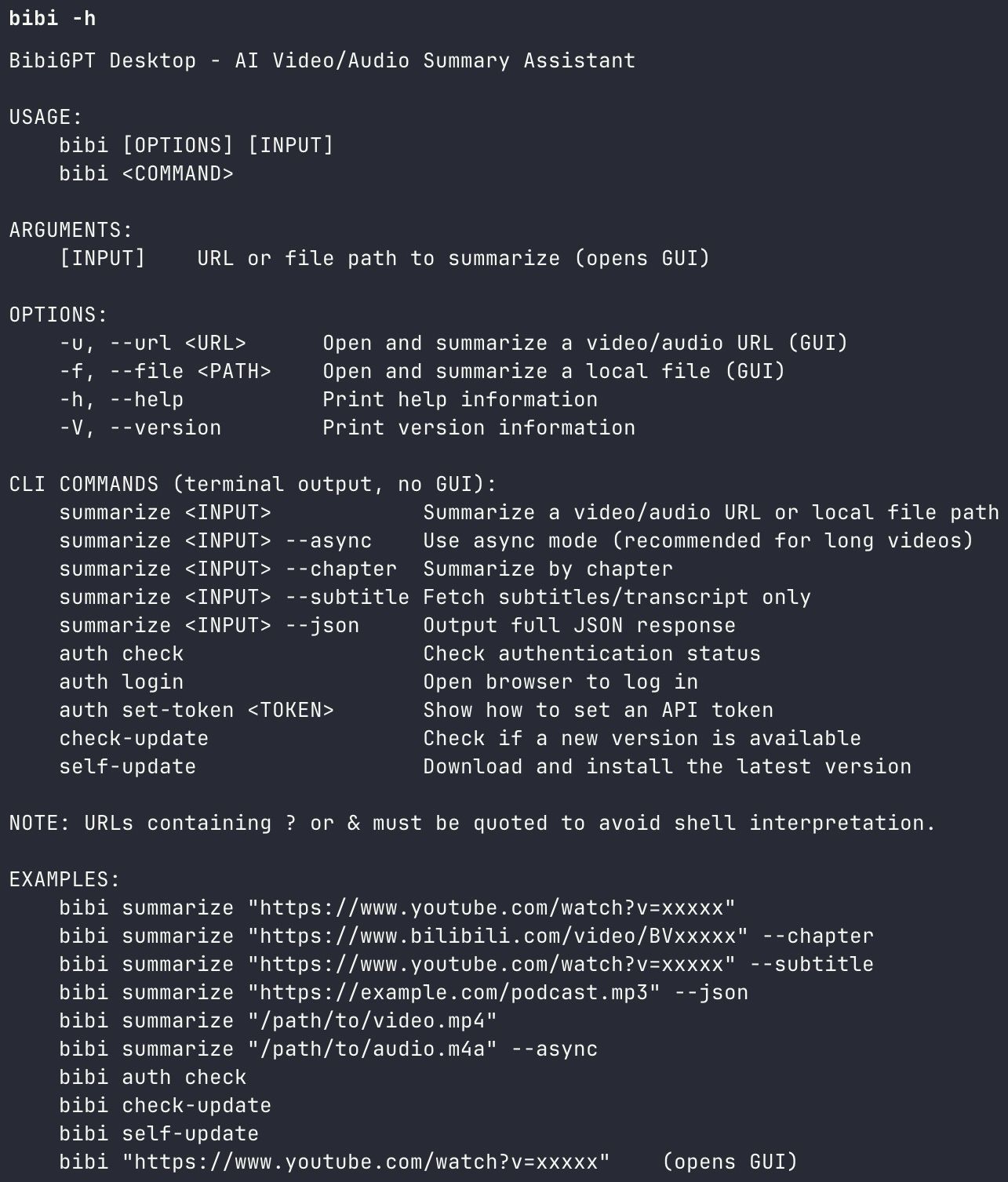 bibigpt-skill CLI help screen
What Problem Does bibigpt-skill Solve?
OpenClaw's native AI has systematic gaps when it comes to Chinese video platforms:
| Platform | OpenClaw Native | bibigpt-skill |
|---|---|---|
| YouTube | ⚠️ Basic (no highlights/collections) | ✅ Full + AI Highlight Notes |
| Bilibili | ❌ Not supported | ✅ Full support |
| Xiaohongshu | ❌ Not supported | ✅ Full support |
| Douyin | ❌ Not supported | ✅ Full support |
| Podcasts | ❌ Not supported | ✅ Full support |
| Local files | ❌ Not supported | ✅ Full support (MP4/MP3/M4A) |
One sentence summary: bibigpt-skill is your AI Agent's passport to the Chinese video world.
30-Second Install: Zero to Full-Platform Video Summarization
Prerequisites
- BibiGPT Desktop (macOS / Windows) — the host for the
bibiCLI tool - OpenClaw or Claude Code — the Agent execution environment
Installation Steps
Step 1: Install BibiGPT Desktop
# macOS (recommended via Homebrew)
brew install --cask bibigpt

# Windows (winget)
winget install BibiGPT.BibiGPT

# Or download directly from
# https://bibigpt.co/download/desktop
Step 2: Install bibigpt-skill
npx skills add JimmyLv/bibigpt-skill
Step 3: Verify installation
bibi auth check
# Output: ✅ BibiGPT authenticated. Ready to summarize.
That's it — just three steps. After this, in Claude Code or OpenClaw you can simply say:
"Summarize this Bilibili video for me:
<bilibili-url>"
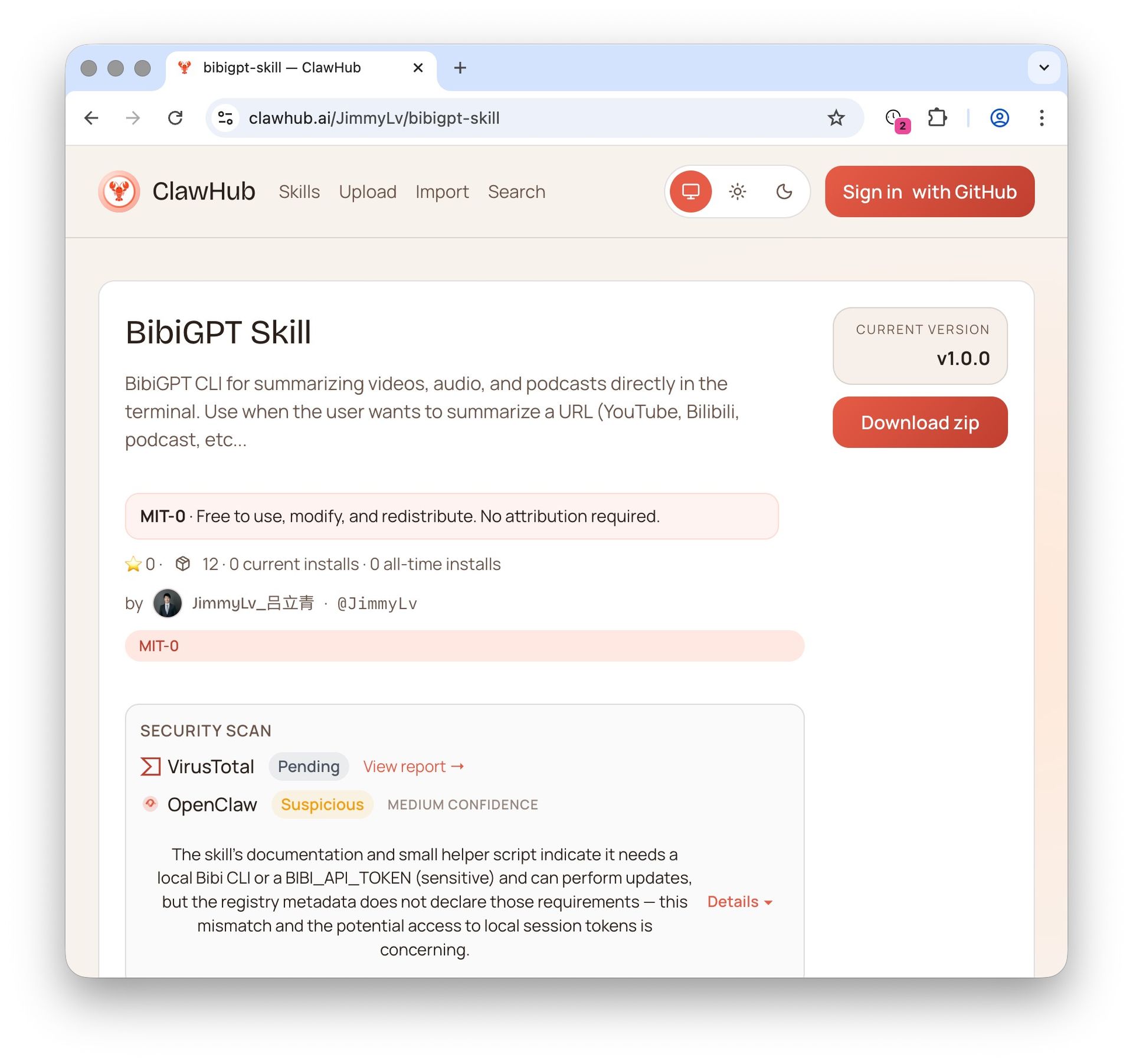 ClawHub Skill page
Supported Platforms and Command Reference
After installing bibigpt-skill, your Agent supports all these platforms:
Video Platforms
# Bilibili
bibi https://www.bilibili.com/video/BVxxxxxxxx

# YouTube
bibi https://www.youtube.com/watch?v=xxxxxxxxxx

# Xiaohongshu
bibi https://www.xiaohongshu.com/explore/xxxxxxxxxx

# Douyin
bibi https://www.douyin.com/video/xxxxxxxxxx
Audio Platforms
# Xiaoyuzhou podcast (URL)
bibi https://www.xiaoyuzhoufm.com/episode/xxxxxxxxxx

# Apple Podcasts RSS
bibi https://podcasts.apple.com/...

# Local MP3/MP4/M4A files
bibi /path/to/local-audio.mp3
Advanced Flags
# Specify output language
bibi <url> --lang zh-CN

# Summary only (no transcript)
bibi <url> --summary-only

# Chapter-by-chapter output
bibi <url> --chapters
OpenClaw vs. Claude Code: Usage Differences
Both platforms can use bibigpt-skill, but the workflows differ:
OpenClaw Mode (autonomous Agent execution):
You: Summarize all of LeCun's YouTube videos from this past week
OpenClaw: Sure, let me search and summarize each one...
          [Auto-invokes bibi command, batch processing]
Claude Code Mode (conversational execution):
You: Summarize this Bilibili video: https://...
Claude Code: [Calls bibi command, displays summary result]
The key difference: OpenClaw can autonomously schedule bibigpt-skill within an Agent workflow, enabling tasks like "summarize this podcast for me every day." Claude Code is better for real-time, interactive single summarizations.
For the OpenClaw + Bilibili deep-dive workflow, see OpenClaw + Bilibili Collection Summary.
Hands-On Demo: Developer First-Hand Experience
First-hand experience review (tested by BibiGPT founder JimmyLv)
In a Claude Code environment set up with bibigpt-skill, I ran a complete test:
Scenario: Summarize the latest 3 technical lecture videos from the official OpenClaw YouTube channel into a research report
Action:
Me: Summarize the latest 3 videos from the OpenClaw channel,
    compile key points into a report
Claude Code: Sure, processing...
             [bibi https://youtube.com/watch?v=xxx1]
             [bibi https://youtube.com/watch?v=xxx2]
             [bibi https://youtube.com/watch?v=xxx3]

             Here's the comprehensive report:
             1. Video 1 key insights: ...
             2. Video 2 key insights: ...
             3. Video 3 key insights: ...
Result: From entering the URLs to getting a complete report — under 3 minutes. Compared to manual work (opening each video, taking notes by hand), this saved roughly 40 minutes.
Key stats: BibiGPT supports videos up to 4 hours long. Subtitle extraction success rate for Bilibili 4K videos is over 98%.
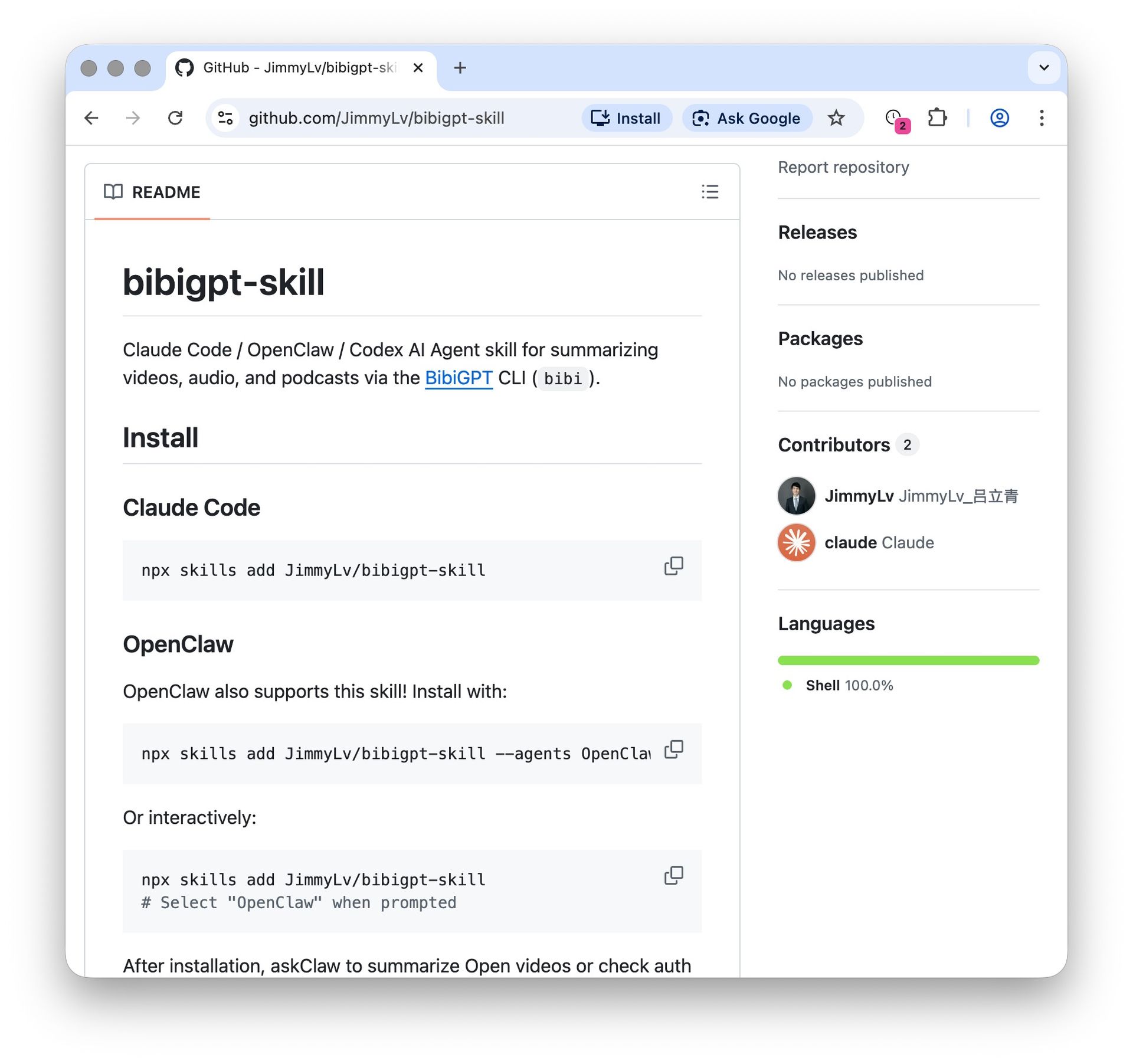 GitHub Skill installation page
Advanced bibi CLI Usage
For developers who live in the terminal, the bibi command itself is a powerful standalone tool:
# View all supported commands
bibi --help

# Check authentication status
bibi auth check

# Output summary directly in terminal (no GUI)
bibi <url> --output terminal

# Save as Markdown file
bibi <url> --output markdown --save ./notes/

# Pipe output (use with other commands)
bibi <url> --output json | jq '.summary'
This makes bibigpt-skill not just an Agent tool, but a powerful CLI utility for power users.
FAQ
Q1: What's the difference between bibigpt-skill and BibiGPT's web version?
A: The features are identical. The difference is how you use them: the web/desktop version uses a GUI; bibigpt-skill lets AI Agents call the same backend capabilities via command line. Essentially, the bibi command calls BibiGPT's local desktop API.
Q2: Do I need a BibiGPT subscription?
A: Basic features (summarization, subtitle extraction) are free. Advanced features like AI Highlight Notes and Collection Summary require a Pro subscription. The free tier has a daily usage limit.
Q3: Why doesn't OpenClaw natively support Bilibili?
A: OpenClaw is designed as a general-purpose AI Agent framework, not deeply adapted for specific video platforms. Bilibili requires specialized subtitle API handling (covering three sources: danmaku, CC subtitles, and AI-generated subtitles) — this is exactly the 6 years of specialized capability BibiGPT has built up.
Q4: Is multi-language summarization supported?
A: Yes. bibi <url> --lang en can summarize a Chinese video in English, and vice versa. Ideal for researchers who need cross-language knowledge integration.
Q5: Does it work on Windows?
A: Yes. BibiGPT Desktop supports both macOS and Windows (install via winget). The bibi command works on both platforms.
Series Navigation
This is the methodology overview for the "OpenClaw × bibigpt-skill" series. Platform-specific deep-dive articles:
- Bilibili: OpenClaw + Bilibili Collection Summary, AI-Powered Chinese Learning Workflow
- YouTube: OpenClaw + YouTube AI Highlight Notes, Researcher Knowledge Workflow
- Podcasts: OpenClaw + Podcast bibigpt-skill, Let Your Agent Process Commute Knowledge
- Creators: OpenClaw + bibigpt-skill Video-to-Article, Content Repurposing for Xiaohongshu & Douyin
Start your AI Agent audio/video summarization journey now:
- 🌐 Official Website: https://aitodo.co
- 📱 Mobile Download: https://aitodo.co/app
- 💻 Desktop Download: https://aitodo.co/download/desktop
- ✨ Learn More Features: https://aitodo.co/features
BibiGPT Team