
OpenClaw Can't Do Podcasts? bibigpt-skill Auto-Digests Your Commute Knowledge
OpenClaw can't process podcast audio. bibigpt-skill + Flashcard lets your Agent auto-summarize podcasts — turn commute listening into Anki-ready knowledge.
OpenClaw Can't Do Podcasts? bibigpt-skill Auto-Digests Your Commute Knowledge
Table of Contents
- The Podcast Dilemma for Commute Learners
- bibigpt-skill's Podcast-Specific Support
- Commute Workflow Design: Let Your Agent Process Knowledge While You Sleep
- Flashcards: Turn Podcast Insights into Long-Term Memory
- Case Study: Hardcore Chatting + Lex Fridman Agent Automation Pipeline
- Complete Podcast Learning Workflow Setup
- FAQ
Ever had this experience: you commute for an hour, listen to a one-hour podcast, step off the train, and realize you can barely remember anything?
Podcasts are among the highest-knowledge-density, lowest-retention content formats. Audio is hard to review and reference like text. And OpenClaw simply cannot handle podcast audio:
"I'm sorry, I cannot process podcast URLs or audio content."
bibigpt-skill completely changes this. It doesn't just summarize podcasts — combined with OpenClaw's automation capabilities, it lets your Agent automatically process each new podcast episode, generate reviewable flashcards, and seamlessly sync them to Anki. Your commute time becomes knowledge that actually sticks.
For basic bibigpt-skill installation, see the Claude Code Skills Complete Guide.
The Podcast Dilemma for Commute Learners
The unique challenges of podcast content:
- Can't pause to take notes: Hear a great insight while driving or running — can't record it immediately
- Highly linear: Unlike videos with chapters, hard to quickly locate a specific argument
- Low memory retention: Passive listening retains only 10-15% of content (far below active reading's 30-40%)
- Fast accumulation: 5-10 new episodes per week quickly piles up
What OpenClaw can't do with podcasts:
- ❌ Doesn't support podcast URLs (RSS feeds, Spotify, Xiaoyuzhou)
- ❌ Doesn't support local MP3/M4A files
- ❌ Cannot generate timestamps
- ❌ Cannot implement scheduled automatic processing
bibigpt-skill's Podcast-Specific Support
bibigpt-skill fully supports all major podcast platforms:
# Xiaoyuzhou (China's largest podcast platform)
bibi https://www.xiaoyuzhoufm.com/episode/xxxxxxxxxx

# Apple Podcasts (via share link)
bibi https://podcasts.apple.com/...

# Spotify podcast
bibi https://open.spotify.com/episode/...

# RSS direct link
bibi https://feeds.example.com/episode/xxx.mp3

# Local recording files
bibi /path/to/recording.mp3
Processing pipeline: bibigpt-skill calls BibiGPT's speech recognition engine (supports OpenAI Whisper and ElevenLabs Scribe) to transcribe the audio, then performs AI summarization.
Commute Workflow Design: Let Your Agent Process Knowledge While You Sleep
This is the unique advantage of podcast learning — Agent automation that requires zero manual intervention.
Automated workflow design (daily schedule):
Configured: auto-run every morning at 6:00 AM

OpenClaw task:
1. Check if subscribed podcasts (Hardcore Chatting, Lex Fridman)
   have new episodes
2. If so, auto-process with bibi command
3. Generate summary and flashcards
4. Send to my Notion/Obsidian knowledge base

Result (waiting for you at 6:00 AM):
📻 Today's podcast digest:
- Hardcore Chatting EP.312: "The Eve of Quantum Computing Commercialization"
  Key insights: ... (3 points)
  8 flashcards generated

- Lex Fridman #468: "OpenAI after Ilya's Return"
  Key insights: ... (5 points)
  12 flashcards generated
Why podcast automation has a special advantage over YouTube:
Podcasts update on a regular schedule (weekly releases), making them ideal for OpenClaw's scheduled task dispatch. Your Agent finishes all processing while you sleep — when you step onto the subway in the morning, organized summaries are already waiting for you.
Flashcards: Turn Podcast Insights into Long-Term Memory
This is the unique feature combination for the podcast scenario — bibigpt-skill + Flashcard.
Podcast content often contains knowledge points worth retaining long-term: concept definitions, research data, expert arguments. The Flashcard feature automatically extracts these from podcast summaries and generates Q&A cards:
 Generated flashcard interface
Example output (from a Lex Fridman episode on AI):
Q: What is the definition of "quantum advantage" in quantum computing?
A: The ability of a quantum computer to outperform the best classical
   computers on a specific type of task.
   Source: Lex Fridman #468 [00:15:30]

Q: How many qubits does IBM's latest quantum processor have?
A: IBM's Heron processor reached 156 qubits by end of 2025.
   Source: Lex Fridman #468 [00:28:45]
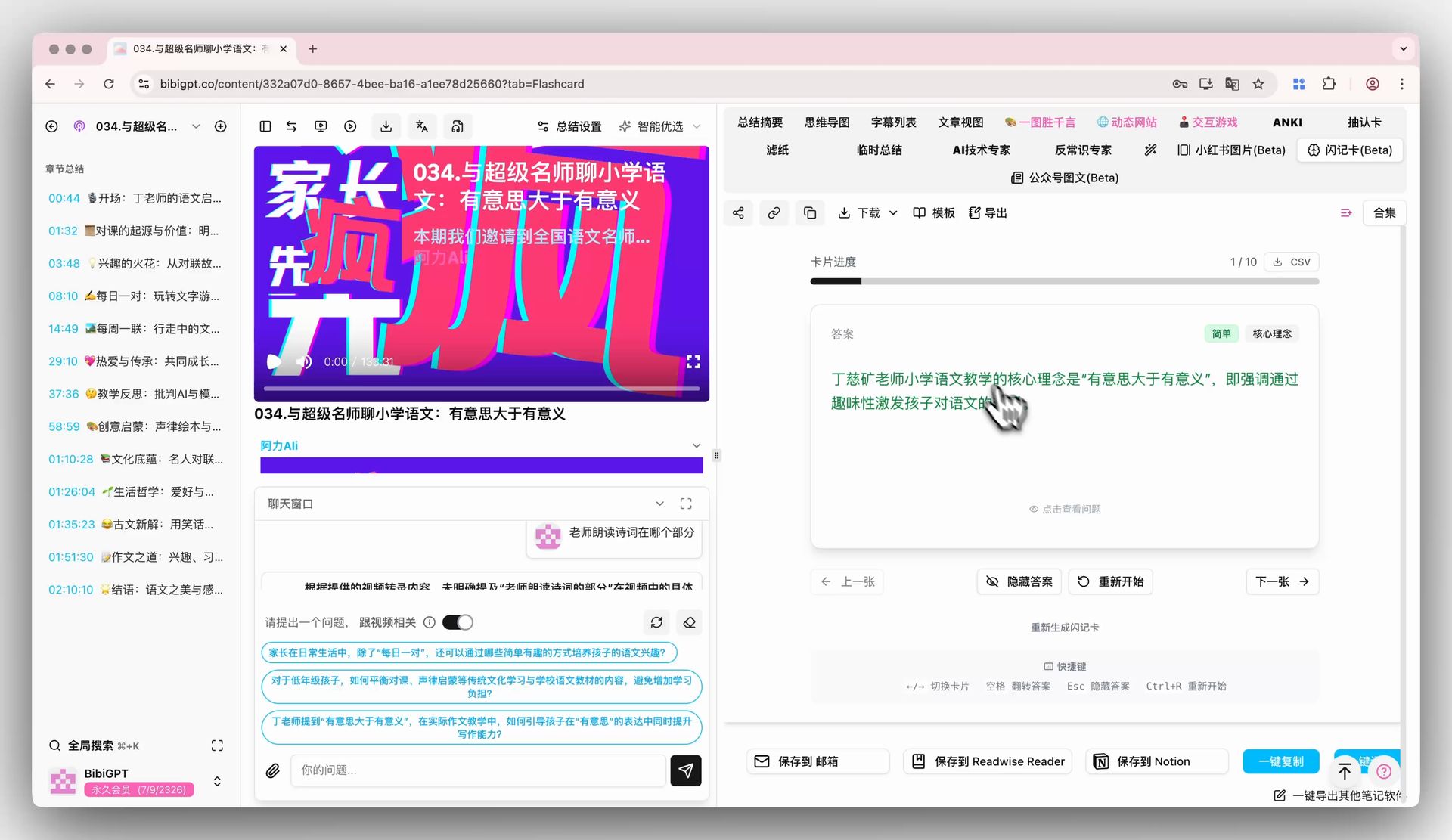 Flip card to reveal answer
Export to Anki:
One-click CSV export. Import into Anki for spaced repetition review. 5 minutes a day — podcast knowledge actually sticks for the long term.
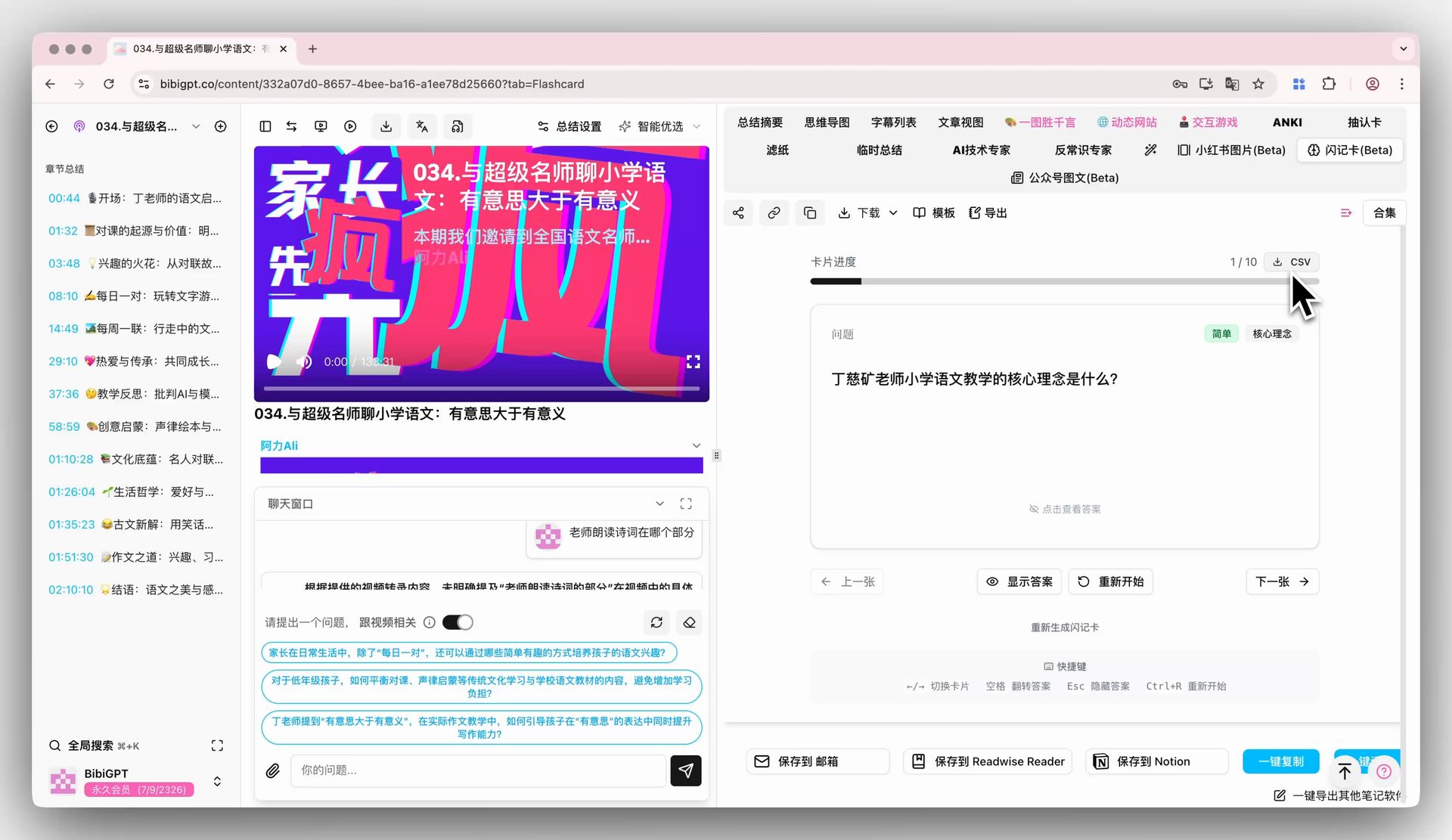 Export as CSV option
Case Study: Hardcore Chatting + Lex Fridman Agent Automation Pipeline
Background: A user (let's call him Wang) commutes 80 minutes daily (40 min each way). He subscribes to Hardcore Chatting (2-3 episodes/week, 1-1.5 hours each) and Lex Fridman Podcast (1-2 episodes/week, 2-4 hours each). Previously relied on "passive listening" — almost zero knowledge retention.
Configured Agent automation pipeline:
Every morning at 5:30 AM (auto-runs before he wakes up):

Step 1: Check for new content
OpenClaw → bibi checks subscription updates
→ Found: Hardcore Chatting EP.314 published (last night 10PM)

Step 2: Auto-summarize
bibi https://xiaoyuzhoufm.com/episode/EP314
→ Transcribes 87-minute audio (takes 4 minutes)
→ Generates structured summary + 11 flashcards

Step 3: Push notification
At 6:00 AM, phone notification:
"📻 Hardcore Chatting EP.314 processed
  Core theme: Neural plasticity and learning
  Key insights: [3 points]
  11 flashcards added to Anki sync queue"
First-hand experience review:
"After 3 weeks using the bibigpt-skill automation pipeline, I realized I actually 'own' this podcast content now. Before, I'd listen and forget. Now I review flashcards during my commute, and two weeks later I can still clearly recall key arguments. The most magical part is that the whole process requires zero intervention — the Agent handles everything while I sleep, and I just use the results when I wake up."
— User comment on Xiaoyuzhou "AI Tools" topic (March 2026)
Complete Podcast Learning Workflow Setup
# Install BibiGPT + bibigpt-skill
brew install --cask bibigpt
npx skills add JimmyLv/bibigpt-skill
bibi auth check
OpenClaw scheduled task configuration:
schedule: "0 5 * * *"  # Every day at 5:00 AM
task: |
  Check if the following podcasts have new episodes:
  - Xiaoyuzhou: Hardcore Chatting
  - Lex Fridman Podcast (YouTube)

  For new episodes:
  1. bibi <url> to summarize
  2. Generate flashcards
  3. Save summary to Obsidian /Podcast Notes/ directory
  4. Send desktop notification
Anki integration flow:
- BibiGPT → generate flashcards
- Export as CSV (one-click)
- Anki → import CSV (drag and drop)
- Spaced repetition review, 5-10 minutes daily
FAQ
Q1: Which podcast platforms are supported?
A: Xiaoyuzhou, Apple Podcasts (share link), Spotify, RSS direct links, and local MP3/M4A/WAV files. Exclusive paid podcast platforms requiring account authentication are not currently supported (e.g., some Himalaya paid content).
Q2: How accurate is the speech recognition?
A: BibiGPT defaults to OpenAI Whisper, with >95% accuracy for Mandarin/Cantonese/English. For conversational podcasts (multiple speakers), ElevenLabs Scribe is recommended — it supports speaker separation.
Q3: How does it work without subtitles?
A: Podcasts are typically pure audio. bibigpt-skill calls the speech recognition engine (Whisper/ElevenLabs Scribe) directly to transcribe, without relying on subtitles. This differs from the Bilibili/YouTube processing pipeline.
Q4: Does flashcard generation require manual action?
A: In the Agent automation workflow, flashcard generation can be configured to trigger automatically (auto-generates after summarization completes). In manual mode, click "Generate Flashcards" in the BibiGPT interface.
Q5: Does it support local recordings (meetings, classes)?
A: Absolutely. bibi /path/to/recording.mp3 works with any local audio file — great for meeting recordings or classroom recordings.
Start turning your podcast listening into knowledge that sticks with BibiGPT:
- 🌐 Official Website: https://aitodo.co
- 📱 Mobile Download: https://aitodo.co/app
- 💻 Desktop Download: https://aitodo.co/download/desktop
- ✨ Learn More Features: https://aitodo.co/features
BibiGPT Team