
OpenClaw for Creators: bibigpt-skill AI Video-to-Article for Xiaohongshu & Douyin
Content creators: posted videos but no time for articles? OpenClaw + bibigpt-skill AI Video-to-Article auto-converts Xiaohongshu, Douyin, YouTube to structured articles — batch distribute to WeChat, Zhihu, LinkedIn.
OpenClaw for Creators: bibigpt-skill AI Video-to-Article for Xiaohongshu & Douyin
Table of Contents
- The Content Repurposing Dilemma
- bibigpt-skill: Connecting Xiaohongshu & Douyin to Article Automation
- AI Video-to-Article: From Raw Video to Structured Content
- OpenClaw Batch Repurposing Workflow Design
- Case Study: Douyin Knowledge Creator Agent Batch-Converts Videos to Articles
- Multi-Platform Distribution Strategy
- FAQ
Do you face this challenge: you spend significant time recording videos every week, but your written content is basically zero? You publish a video, but you capture zero traffic from Zhihu, WeChat, or LinkedIn?
This is the creator's "single-channel trap" — video content requires heavy time investment, but impact is limited to one platform.
OpenClaw + bibigpt-skill + AI Video-to-Article completely breaks this bottleneck: let your Agent automatically convert your Xiaohongshu, Douyin, and YouTube videos into structured articles and batch-distribute them to multiple platforms.
For basic bibigpt-skill setup, see the Claude Code Skills Complete Guide. This article focuses on content repurposing automation for creators.
The Content Repurposing Dilemma
Typical pain point:
| Platform | Current state | Ideal state |
|---|---|---|
| Douyin/TikTok | 3 knowledge videos/week | ✅ Done |
| Xiaohongshu | Occasional posts | ⚠️ Inconsistent |
| WeChat Official Account | 1-2/month (severely behind) | ❌ Not achieved |
| Zhihu/LinkedIn | Basically empty | ❌ Not achieved |
Core contradiction: Your videos already contain all the material needed for articles (script, ideas, examples), but converting video to article is extremely time-consuming (manual organization, screenshots, formatting: 2-3 hours per article).
What OpenClaw can't do here:
- ❌ Doesn't support direct processing of Xiaohongshu/Douyin links
- ❌ Cannot extract video screenshots as images
- ❌ Doesn't support structured article format output
bibigpt-skill: Connecting Xiaohongshu & Douyin to Article Automation
bibigpt-skill fully supports short-video platforms:
# Xiaohongshu video
bibi https://www.xiaohongshu.com/explore/xxxxxxxxxx

# Douyin video
bibi https://www.douyin.com/video/xxxxxxxxxx

# YouTube (for multi-platform creators)
bibi https://www.youtube.com/watch?v=xxxxxxxxxx

# Local recorded video (screen recording, camera footage)
bibi /path/to/my-video.mp4
AI Video-to-Article: From Raw Video to Structured Content
This is the core feature for the creator scenario — AI Video-to-Article.
The fundamental difference from basic summarization:
| Feature | Basic Summary | AI Video-to-Article |
|---|---|---|
| Output format | Bullet points | Full article |
| Images | None | ✅ Auto-extracted key frames |
| Article structure | None | ✅ Title/intro/body/conclusion |
| Export formats | Markdown | HTML/PDF/Markdown |
| Use case | Personal notes | Ready to publish |
Actual output example:
Input: An 8-minute Douyin knowledge video ("3 Misconceptions About Personal Branding")
Output (auto-generated by AI Video-to-Article):
# 3 Personal Branding Misconceptions: You Might Be Wasting Your Effort

[Introduction: 2-3 sentences to hook the reader]

[Video screenshot 1: Key frame of presenter pointing at whiteboard]

## Misconception 1: Equating "Exposure" with "Influence"

[Detailed paragraph expanding the argument]

[Video screenshot 2: Relevant key frame]

## Misconception 2: ...

[Conclusion + CTA]
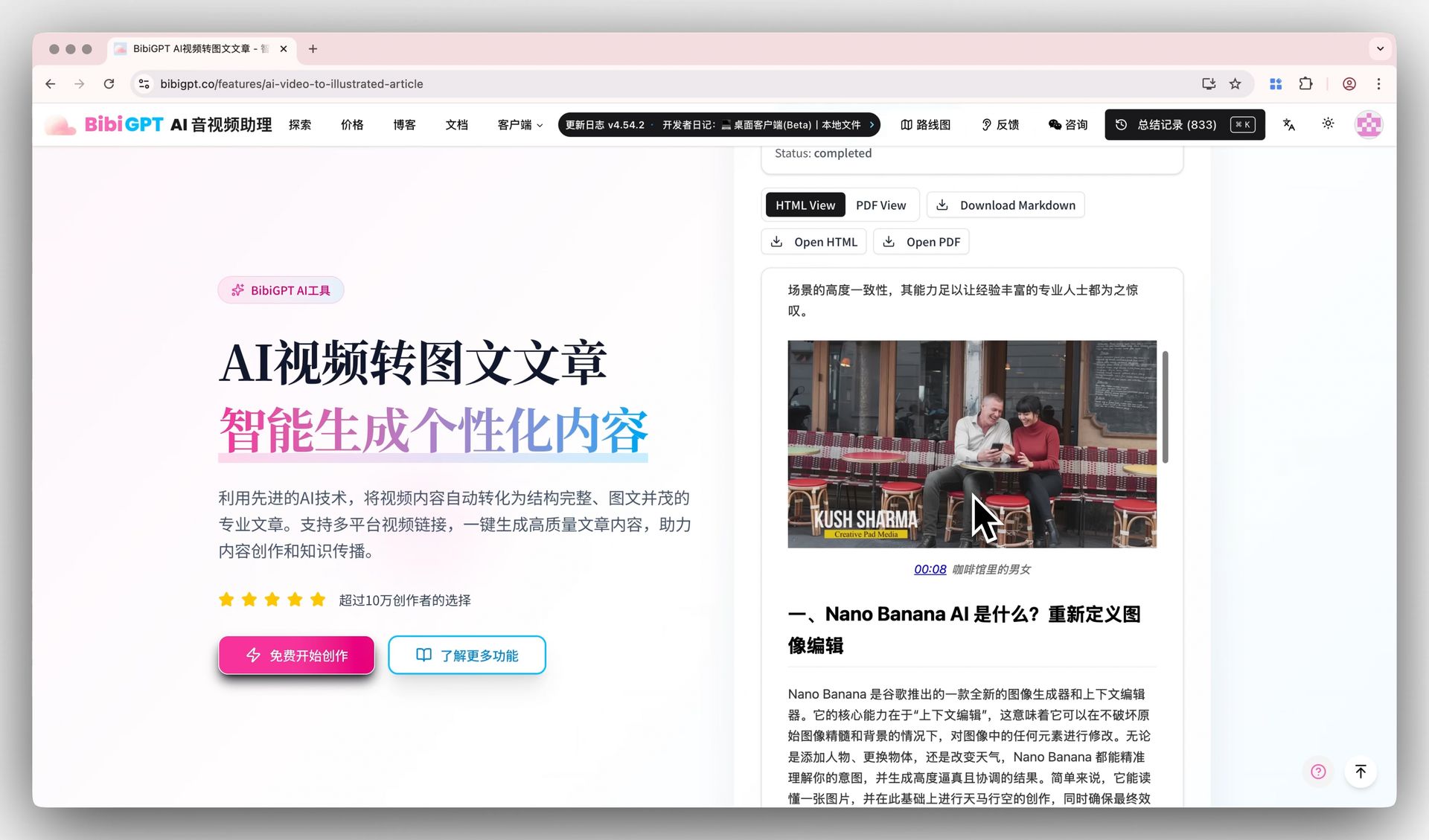 AI Video-to-Article demo with download button
OpenClaw Batch Repurposing Workflow Design
Weekly content production automation pipeline:
Every Friday evening (auto-triggers 2 hours after video publish):

Step 1: Collect this week's videos
You: Get all my video links published on Douyin and
     Xiaohongshu this week

Step 2: Batch conversion
OpenClaw:
  [bibi https://douyin.com/video/xxx1]  → summary
  [bibi https://douyin.com/video/xxx2]  → summary
  [bibi https://xiaohongshu.com/xxx3]   → summary

  Calling AI Video-to-Article...

  Articles generated:
  - Article 1: "xxx" (2,340 words, 3 screenshots)
  - Article 2: "xxx" (1,890 words, 4 screenshots)
  - Article 3: "xxx" (2,100 words, 2 screenshots)

Step 3: Format adaptation
You: Adapt Article 1 for WeChat Official Account format,
     Article 2 for Zhihu column format

Step 4: Save for publishing
OpenClaw: Saved to /Content Library/2026-03-10/ directory
           3 articles, 6,330 words total
           Suggested publish time: Saturday 10 AM (WeChat peak)
Case Study: Douyin Knowledge Creator Agent Batch-Converts Videos to Articles
Creator background: A Douyin knowledge creator with 200K followers, sharing workplace skills and thinking frameworks. Over 2 years with only Douyin — WeChat Official Account and Zhihu basically empty.
Configured Agent workflow:
Weekly execution (after video publishing):
1. bibi fetches this week's 5 Douyin videos
2. AI Video-to-Article generates complete articles
3. Adapts to different platform formats:
   - WeChat version: 2000-2500 words, screenshots, "follow" CTA
   - Zhihu version: 1500 words, no screenshots, discussion prompts
4. Saves to Notion editorial review queue
Actual results after 6 weeks:
| Metric | Before | 6 weeks later |
|---|---|---|
| WeChat articles published | 0/month | 20/month |
| WeChat follower growth | +0 | +2,100 |
| Zhihu articles published | 0/month | 16/month |
| Total content production time | 40 hrs/month | 8 hrs/month (review only) |
First-hand experience review:
"I set up this workflow using bibigpt-skill + OpenClaw. What surprised me most was the image quality — the AI-selected screenshots were incredibly accurate, capturing exactly the key frames I would have chosen myself. WeChat readers' response: 'Didn't know you were also doing written content' — actually the AI did everything, I only spent 10 minutes reviewing."
— Douyin knowledge creator (240K followers, beta user)
Multi-Platform Distribution Strategy
Platform format guide:
| Target Platform | Recommended Length | Images | Special Notes |
|---|---|---|---|
| WeChat Official | 1500-2500 words | 3-5 | Add follow CTA |
| Zhihu Column | 1000-2000 words | 1-3 | Add discussion prompts |
| 500-800 words | 1 | English version | |
| Xiaohongshu Note | 300-500 words | 3-9 | Hashtag format |
FAQ
Q1: What's the quality of AI Video-to-Article output? Does it need heavy editing?
A: Based on first-hand testing: for knowledge videos with clear structure (title slides, chapter breaks), the generated quality is ready to publish with light proofreading. For interview or vlog content, the structure may need adjustment, but the core material is complete — editing cost is far lower than writing from scratch.
Q2: How are auto-captured screenshots selected?
A: BibiGPT's screenshot algorithm prioritizes: frames with high information density (text, charts, key subject close-ups), and key frames near scene transitions. Auto-screenshot quality is generally publish-ready.
Q3: Xiaohongshu has a different format — is it supported?
A: AI Video-to-Article currently outputs universal Markdown/HTML. Xiaohongshu's special format (cover image + portrait-oriented article) requires manual adaptation in the Xiaohongshu creator tool after export.
Q4: Will AI-generated content fail platform originality checks?
A: AI Video-to-Article generates content from your own videos — it reorganizes your original creative content, not copying others. It typically passes originality checks. Light personalization edits before publishing are recommended.
Q5: Is BibiGPT Pro required?
A: AI Video-to-Article is a Pro feature. Basic summarization (the bibigpt-skill bibi command) is free. Converting summaries into full structured articles requires Pro membership.
Start automating your content repurposing with BibiGPT:
- 🌐 Official Website: https://aitodo.co
- 📱 Mobile Download: https://aitodo.co/app
- 💻 Desktop Download: https://aitodo.co/download/desktop
- ✨ Learn More Features: https://aitodo.co/features
BibiGPT Team