
OpenClaw + bibigpt-skill Complete Guide: Collection Summary, Flashcards & Advanced Workflows for Bilibili/YouTube AI Summarization
OpenClaw went viral with 180K+ Stars. bibigpt-skill lets your OpenClaw or Claude Code AI-summarize Bilibili, Xiaohongshu, YouTube and more. This complete guide covers installation, structured output (--json/--chapter), collection summaries, flashcard + Anki integration, and 3 advanced workflow paths.
OpenClaw + bibigpt-skill Complete Guide: Collection Summary, Flashcards & Advanced Workflows for Bilibili/YouTube AI Summarization
Dear BibiGPT users,
OpenClaw has taken the world by storm — 180K+ GitHub Stars, 10 days to go viral, and "raising your crayfish" has become the new geek culture meme. OpenClaw gives AI agents real-world hands: sending emails, managing calendars, operating files. But for Chinese-speaking users, there's a critical gap: its native summarize command simply can't process Bilibili, Xiaohongshu, or Douyin videos.
BibiGPT v4.263.2's bibigpt-skill Agent Skill fills that gap — and goes far beyond it. This guide covers everything: from basic installation to advanced workflows, from structured output to collection summaries, flashcards, and Anki integration.
Experience BibiGPT now
Ready to try these powerful features? Visit BibiGPT and start your intelligent audio/video summarization journey!
Get startedPart 1: Installing bibigpt-skill — The Agent-Native Way
Method 1: Let AI Install It
Tell your OpenClaw or Claude Code directly:
@OpenClaw Please read and install https://github.com/JimmyLv/bibigpt-skill
Claude Code reads the README and executes all setup steps automatically. No manual intervention required.
Method 2: CLI Installation
npx skills add JimmyLv/bibigpt-skill
Then in OpenClaw / Claude Code:
@OpenClaw Use the bibi skill to summarize https://www.bilibili.com/video/BV1Sk4y1x7r2
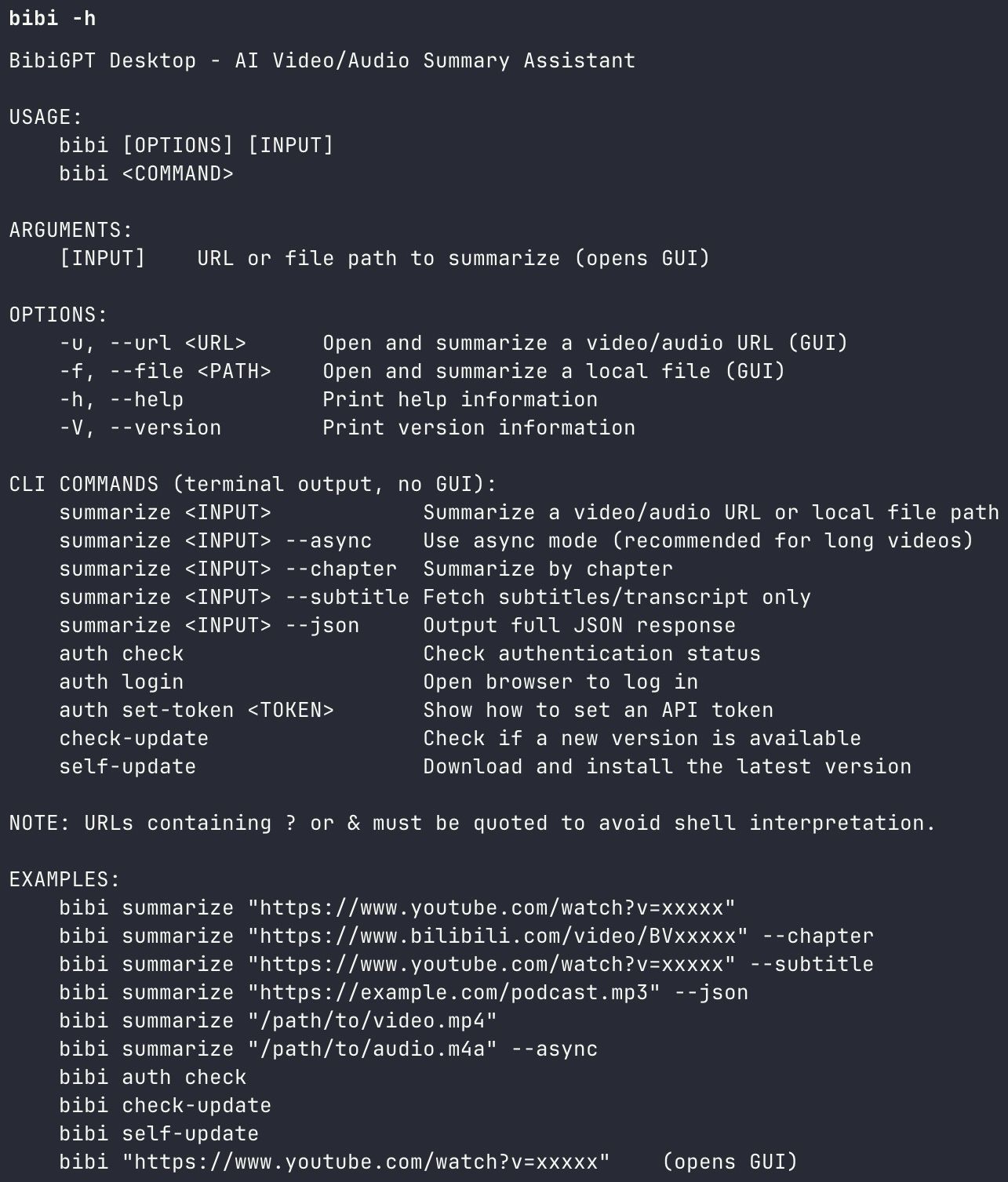 BibiGPT Agent Skill - bibi CLI demo
Supported platforms: Bilibili ✅ · Xiaohongshu ✅ · Douyin ✅ · YouTube ✅ · Podcasts ✅ · Local media files ✅
Full installation guide and API configuration: aitodo.co/user/integration
Part 2: Structured Output — Make Agent Workflows Programmable
Regular summary tools give you a wall of text. bibigpt-skill gives you programmable structured data that integrates natively into OpenClaw's task pipelines:
| Flag | Output Format | Best Agent Use Case |
|---|---|---|
| Default | Markdown summary | Reading, conversation output |
--chapter | Chapter-by-chapter breakdown | Course knowledge mapping |
--json | Machine-readable JSON | Batch processing, databases, reports |
--subtitle | Full subtitle text | Precise quotes, secondary AI processing |
Real workflow example:
You: Batch-process this 50-episode Python course, output --json for each, save to Notion
OpenClaw: [calls bibi --json in parallel for each episode]
          [parses JSON, formats and saves to Notion API]
For developer users, --json turns bibigpt-skill into a native data source for agent workflows — not just human-readable summaries.
Part 3: Collection Summary × OpenClaw — Master an Entire Course in Hours
This is the most powerful combination of bibigpt-skill and BibiGPT's advanced features: Collection Summary.
Once you've added a creator's series (e.g., 30-episode Java course) to a BibiGPT collection, click "Summarize Now" and the system:
- Analyzes all videos in the collection (not individual episodes)
- Generates a structured knowledge system overview for the entire series
- Outputs an interactive mind map (expandable/collapsible nodes)
- Every reference point links back to the original video timestamp
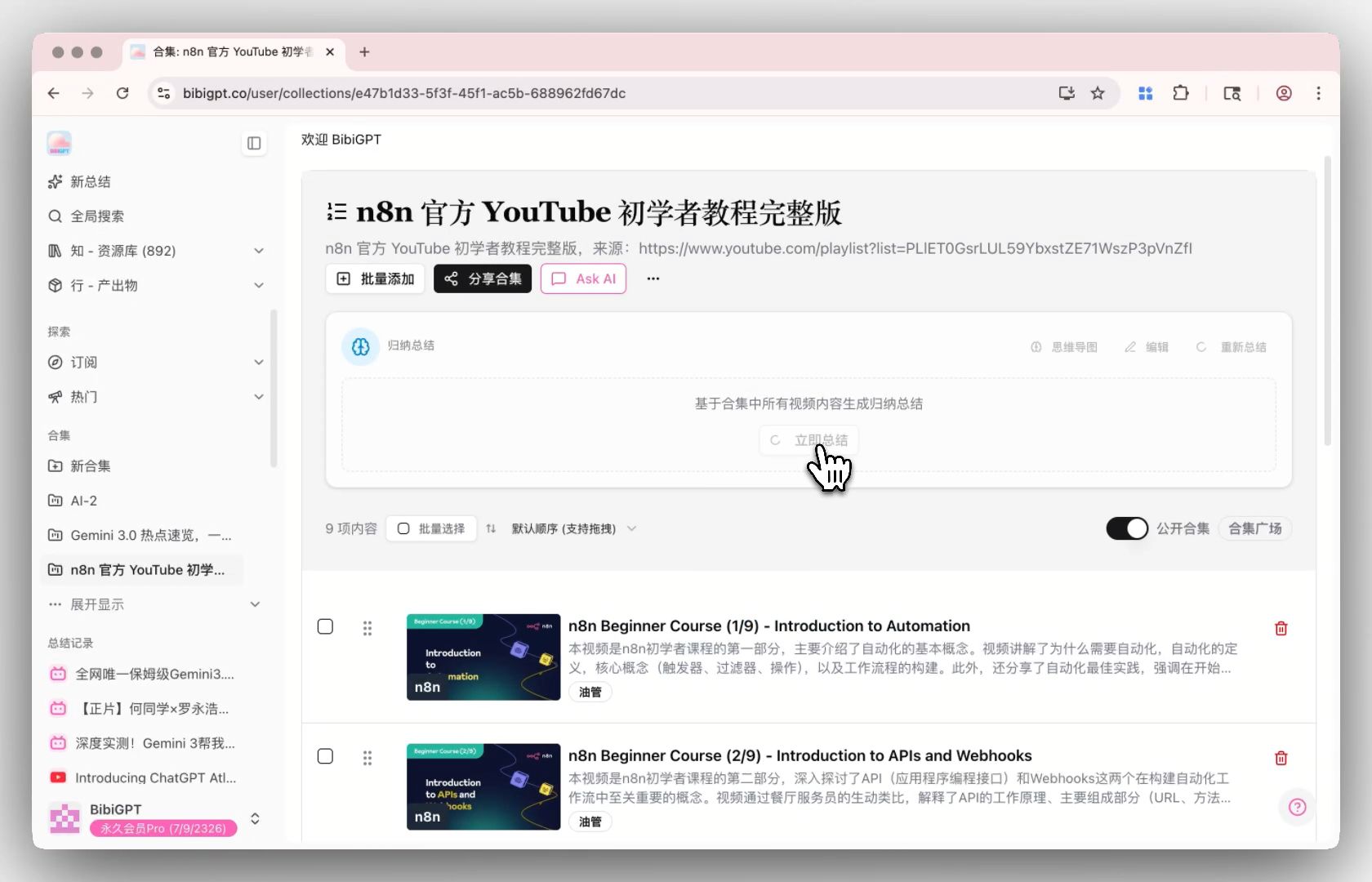 Collection Summary entry point
Full OpenClaw × Collection Summary workflow:
Step 1: Targeted collection
You: Add the first 30 episodes of this Java tutorial to my "Java Learning" collection
OpenClaw: [calls bibi for each episode sequentially]
          ✅ Episodes 1-30 complete

Step 2: Generate holistic knowledge system
You: Generate a summary for the "Java Learning" collection
BibiGPT: Analyzing 30 episodes...
         ✅ Structured knowledge map generated
         ✅ Mind map with 23 core themes
         ✅ High-frequency concept extraction
         ✅ Every point links to source video
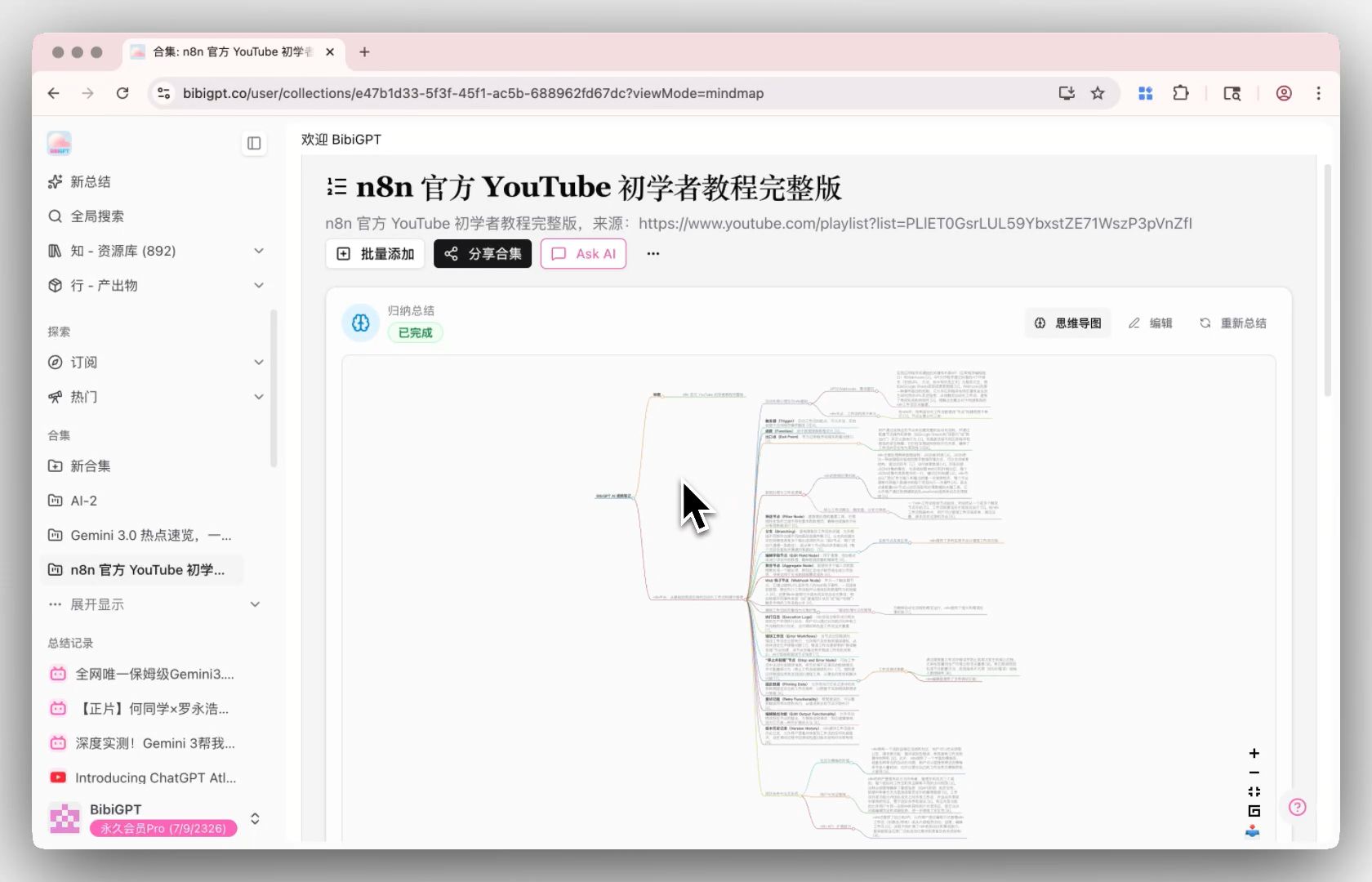 Collection summary mind map
What used to require 25+ hours of course preview now takes: 2 hours reading the structured summary + focused review of key episodes.
Part 4: Flashcard + Anki Integration — Auto-Generate Memory Cards
BibiGPT's Flashcard feature automatically generates question-answer cards from video content and exports them as CSV for direct import into Anki.
Combined with OpenClaw, you get a fully automated "watch video → generate flashcards → import to Anki" pipeline:
You: Summarize this English listening video and generate Anki flashcards
OpenClaw: [calls bibi to summarize video]
          [triggers BibiGPT flashcard generation]
          [exports CSV]
          ✅ Generated 18 memory cards, ready to import to Anki
 BibiGPT Flashcard interface
For language learners and exam prep, this workflow is a multiplier on AI learning efficiency. For more active recall techniques with BibiGPT, see: Active Recall AI Video Learning Method: Reshape Your Study Efficiency with BibiGPT.
Part 5: Three Advanced OpenClaw Workflow Paths
Path 1: Developer Daily — On-Demand Summaries
The lightest use case. In any Claude Code or OpenClaw conversation:
Summarize this Bilibili tech video: https://www.bilibili.com/video/BV1xxx
Structured summary in 30 seconds. Your coding flow stays uninterrupted.
Path 2: Spawn Mode — Parallel Batch Research
OpenClaw supports spawning parallel subprocesses:
You: Process these 10 videos in parallel, each with --json output
OpenClaw: [spawns 10 subprocesses, calls bibi concurrently]
          [waits for all to complete, merges results]
          [generates comprehensive research report]
10 videos, 10 parallel processes: from "10 × 30 seconds" to "~30 seconds."
Path 3: Heartbeat Tasks — Fully Automated Information Digest
Set up a timed heartbeat for hands-free content digestion:
Every morning at 7:30, auto-summarize new videos added to my "AI Frontier"
collection in the last 24 hours. Format: 3 key points + priority recommendation.
Send to my Slack/Telegram.
Completely autonomous information pipeline. Every morning you get AI-processed insights — not an unread video list.
For deep-dive on the Bilibili-specific workflows, see: OpenClaw Can't Summarize Bilibili? bibigpt-skill Collection Summary Fixes That.
Part 6: Four Feature Upgrades at a Glance
Windows winget Installation
winget install BibiGPT
macOS users: Homebrew still available:
brew install --cask jimmylv/bibigpt/bibigpt
 winget installation success
Siyuan Notes Integration Overhaul
AI-generated video summaries, outlines, and subtitles now sync directly to your Siyuan Notes library. Configure at: aitodo.co/user/accounts?tab=siyuan
Mobile Image Creation
Generate AI images from video content directly on mobile in the "Create" tab. Multiple AI models (Seedream, Nano Banana), multi-image batch generation, instant save to album or share.
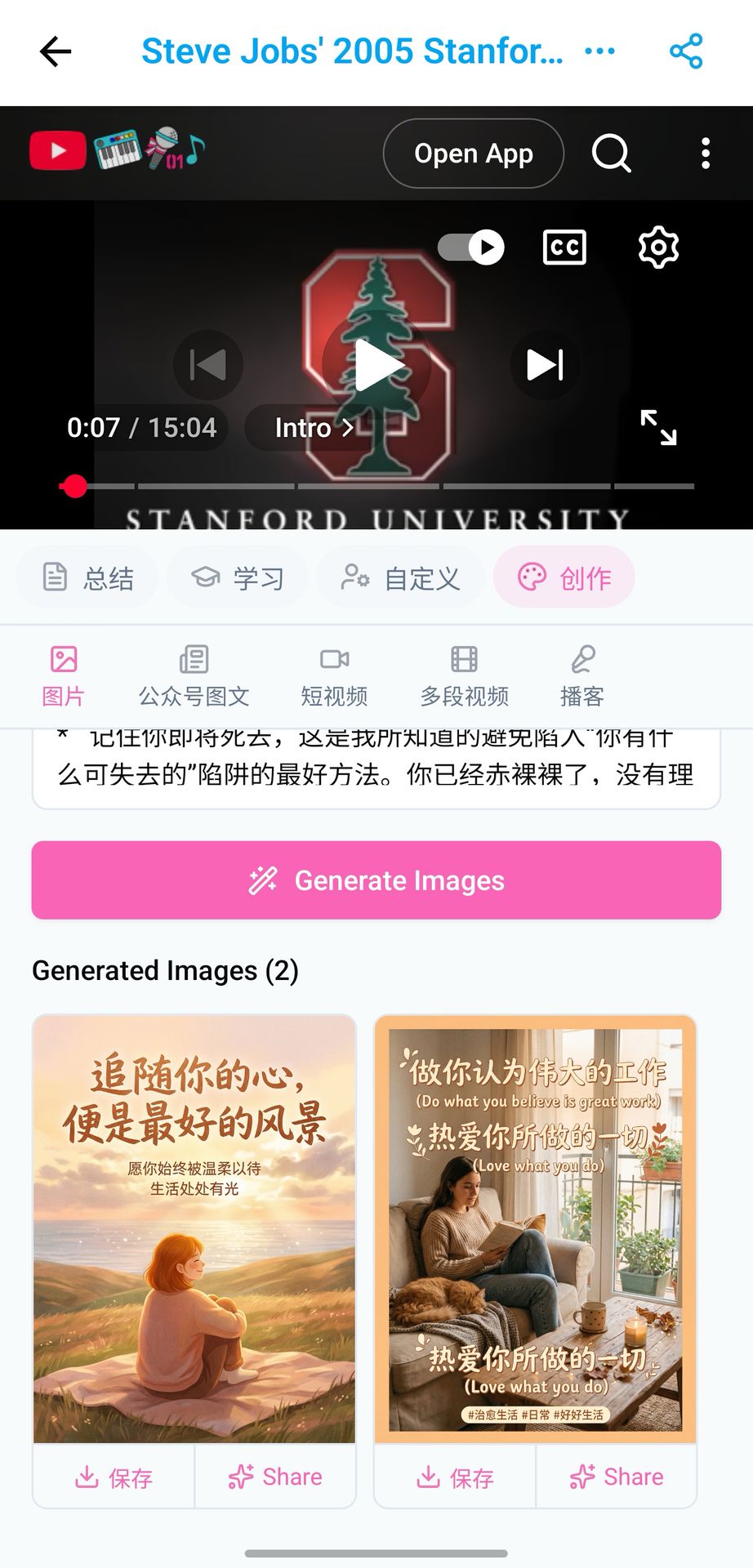 Mobile AI image generation
Part 7: Full Capability Comparison
| Capability | OpenClaw Native | bibigpt-skill + BibiGPT |
|---|---|---|
| YouTube summaries | ✅ | ✅ More accurate (6 years optimized) |
| Bilibili summaries | ❌ | ✅ 3 subtitle sources, >98% success rate |
| Xiaohongshu summaries | ❌ | ✅ Full support |
| Douyin summaries | ❌ | ✅ Full support |
| Podcast summaries | ❌ | ✅ Audio transcription |
| Collection mind map summary | ❌ | ✅ Cross-video knowledge system |
| Flashcards / Anki export | ❌ | ✅ One-click CSV export |
| Structured JSON output | ❌ | ✅ Agent-programmable |
| Siyuan Notes / Notion sync | ❌ | ✅ Native integration |
Have feedback or ideas?
We value your input! If you encounter issues or have suggestions, please let us know anytime.
Submit feedbackbibigpt-skill resources:
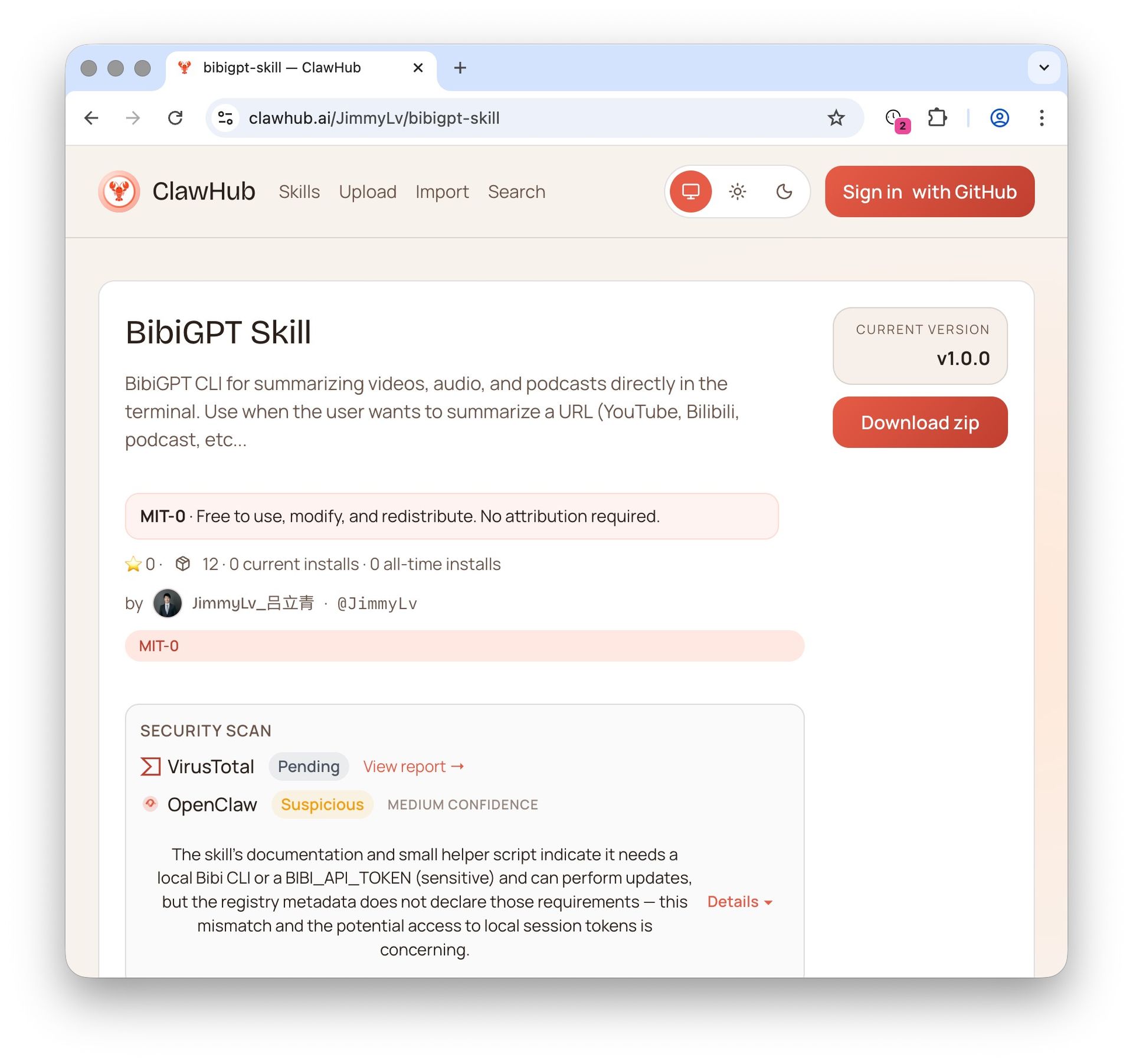 ClawHub skill page
Always shipping. Thank you for being with us 🙏
Visit BibiGPT today and start your AI-powered video workflow:
- 🌐 Website: https://aitodo.co
- 📱 Mobile: https://aitodo.co/app
- 💻 Desktop: https://aitodo.co/download/desktop
- ✨ All features: https://aitodo.co/features
Experience BibiGPT now
Ready to try these powerful features? Visit BibiGPT and start your intelligent audio/video summarization journey!
Get startedBibiGPT Team