
Forget What You Watch on Bilibili or YouTube? Use BibiGPT + Active Recall to Lock It In
Learn BibiGPT’s three-step active recall method and turn video binge-watching into durable knowledge. Move from passive viewing to intentional learning in minutes.
Forget What You Watch on Bilibili or YouTube? Use BibiGPT + Active Recall to Lock It In
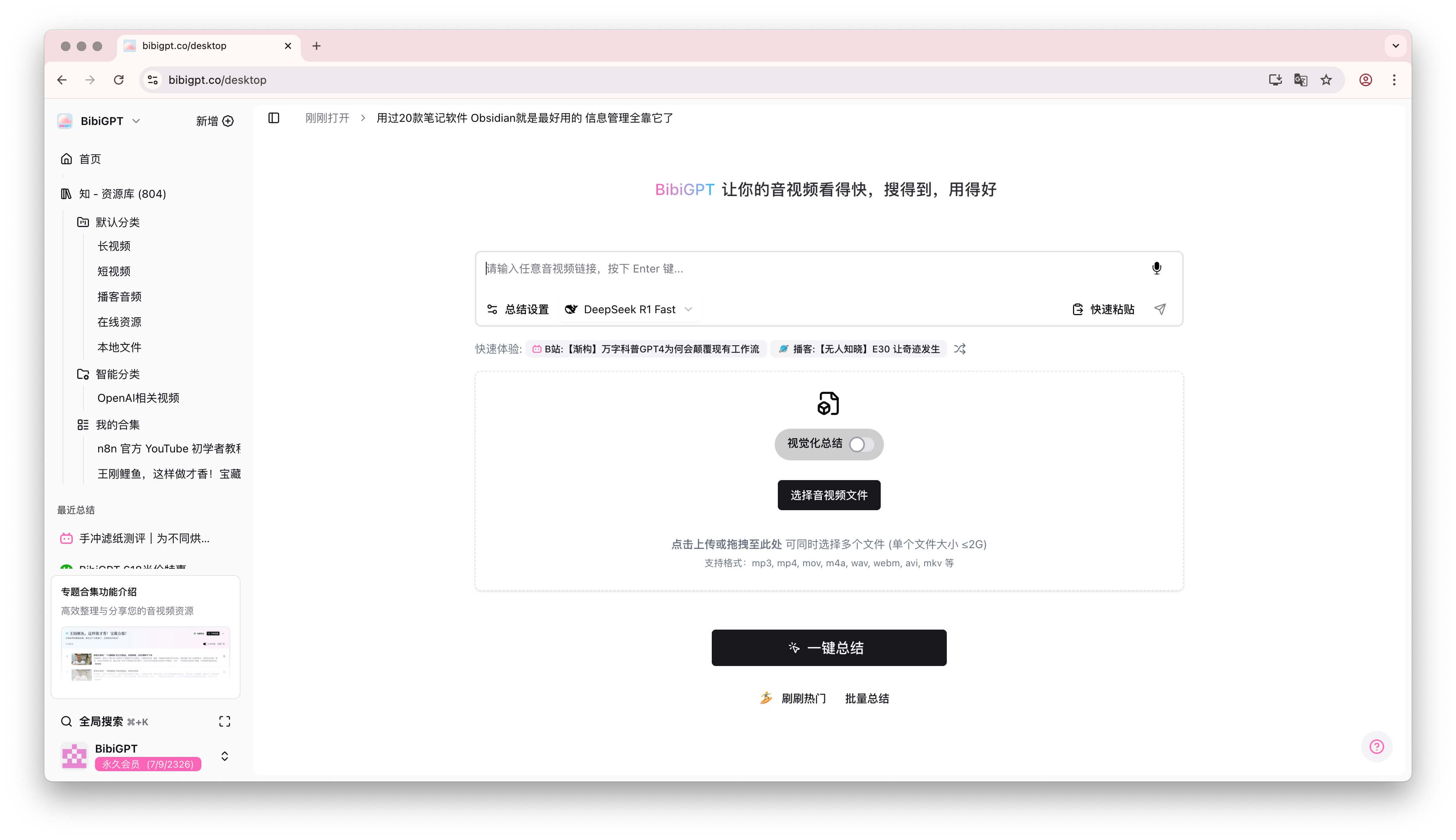 BibiGPT active recall workflow
Table of Contents
- Introduction: Your Memory Is Fine—Your Method Isn’t
- Three Steps to Practice Active Recall with BibiGPT
- Conclusion: Stop Passive Intake—Start Interacting with Knowledge
- FAQs
- Get Started
Introduction: Your Memory Is Fine—Your Method Isn’t
Hundreds of “must-watch” videos saved, hours spent watching and pausing, only to forget everything days later? That’s not a memory problem. It’s a workflow problem—specifically, passive viewing.
Active recall is the most effective learning technique because it forces you to retrieve knowledge rather than just consume it. Today we’ll show you how to run a three-step active recall routine with BibiGPT. It transforms you from a passive viewer into a focused learner who actually retains what matters.
Need more AI learning inspiration? Read Boost the Feynman Technique with AI. Want richer, interactive study companions? Explore BibiGPT’s revolutionary features.
Three Steps to Practice Active Recall with BibiGPT
Forget complex rituals. Nail these three steps and you will own the knowledge.
Step 1: Skip the Full Video—Grab the Framework First
Watching an entire video before learning is a time trap. BibiGPT’s first superpower is “watch faster,” so start here:
- Paste the link from Bilibili or YouTube into BibiGPT.
- Generate the summary and mind map instantly.
- Scan the output for five minutes to capture the structure and key arguments—no need to memorize details yet.
This primes your brain, giving you a mental map before you dive deeper.
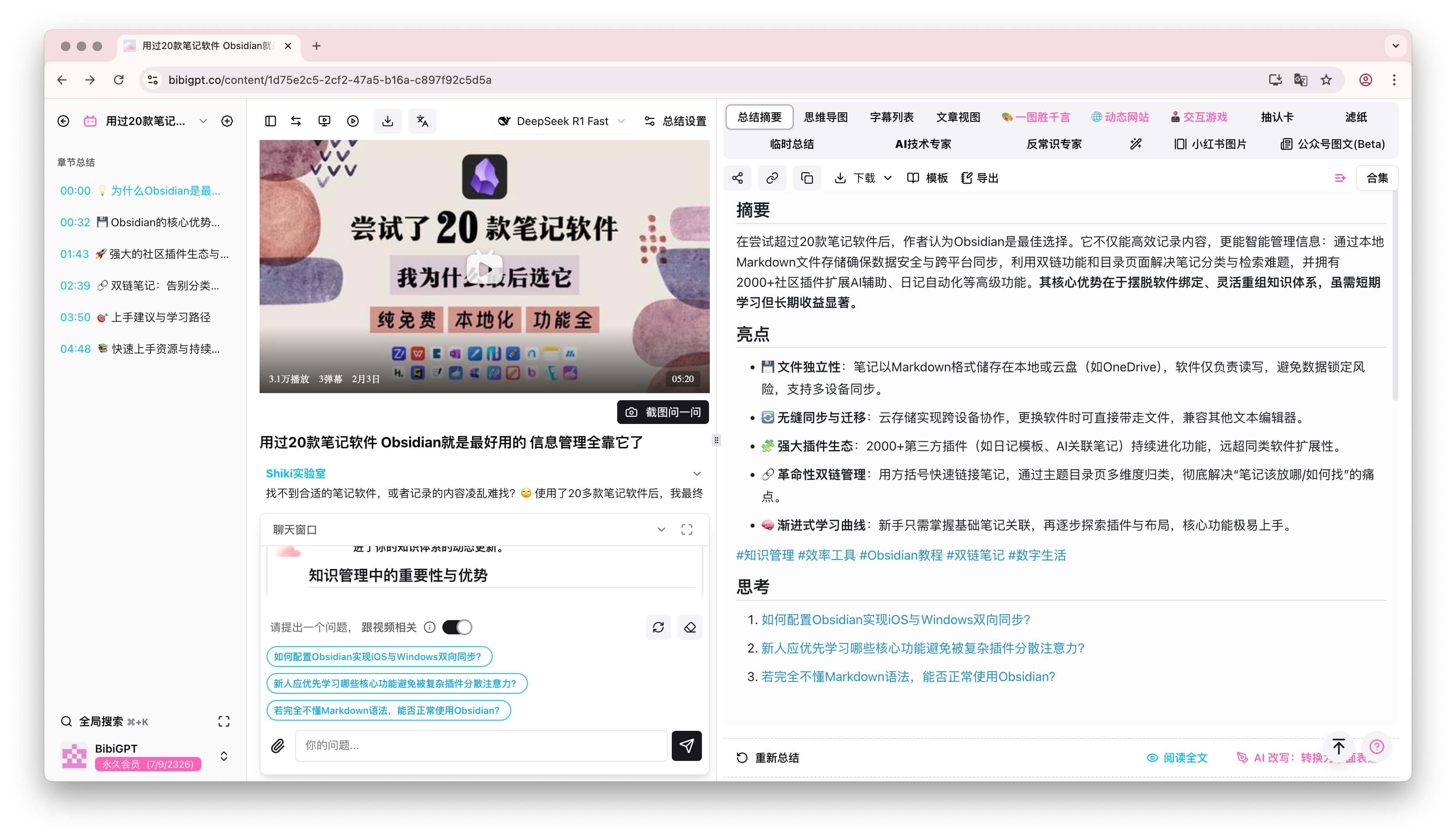 BibiGPT summary overview
The summary includes core points, timestamps, and highlights:
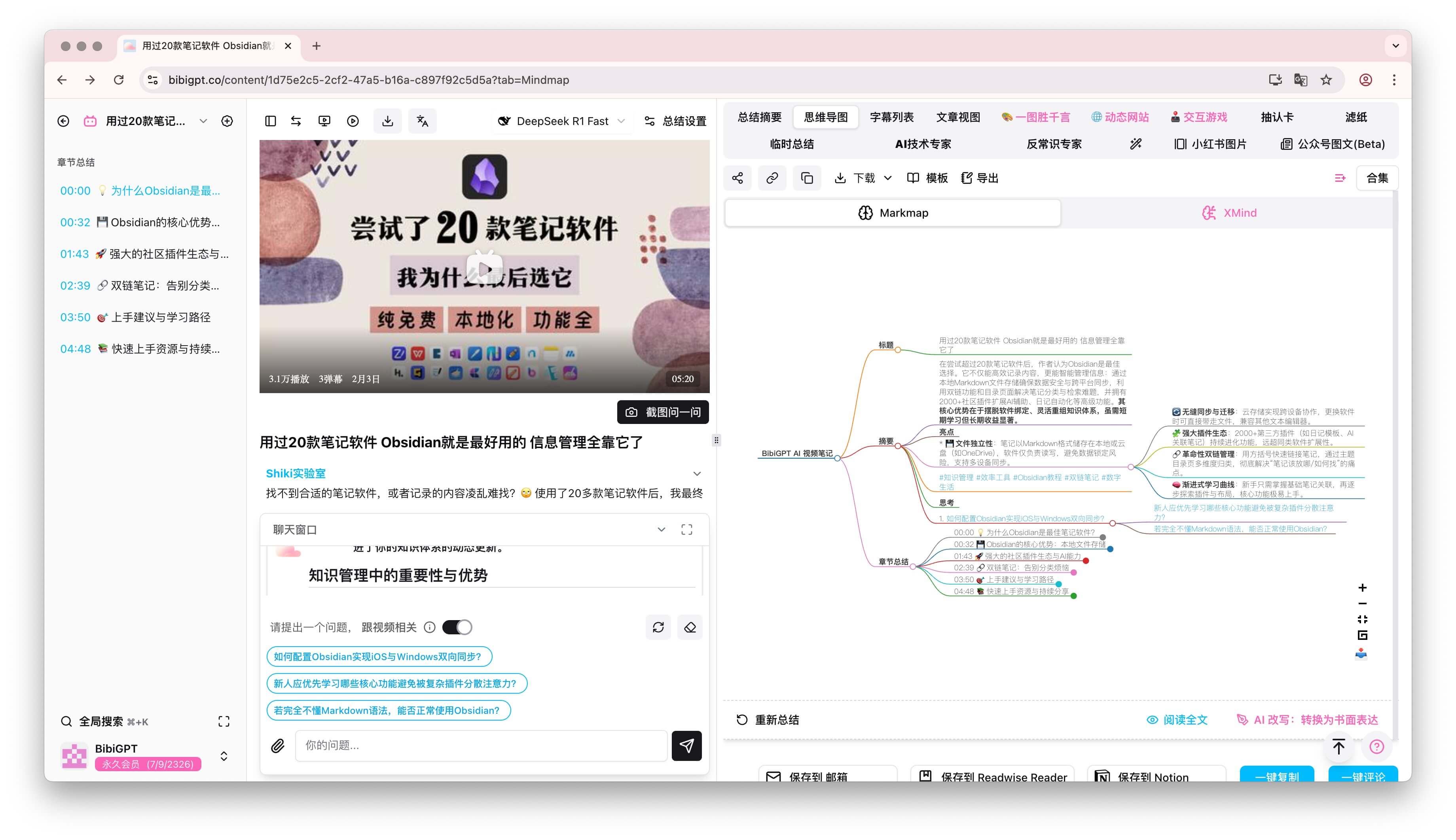 Detailed summary view
Switch formats as needed:
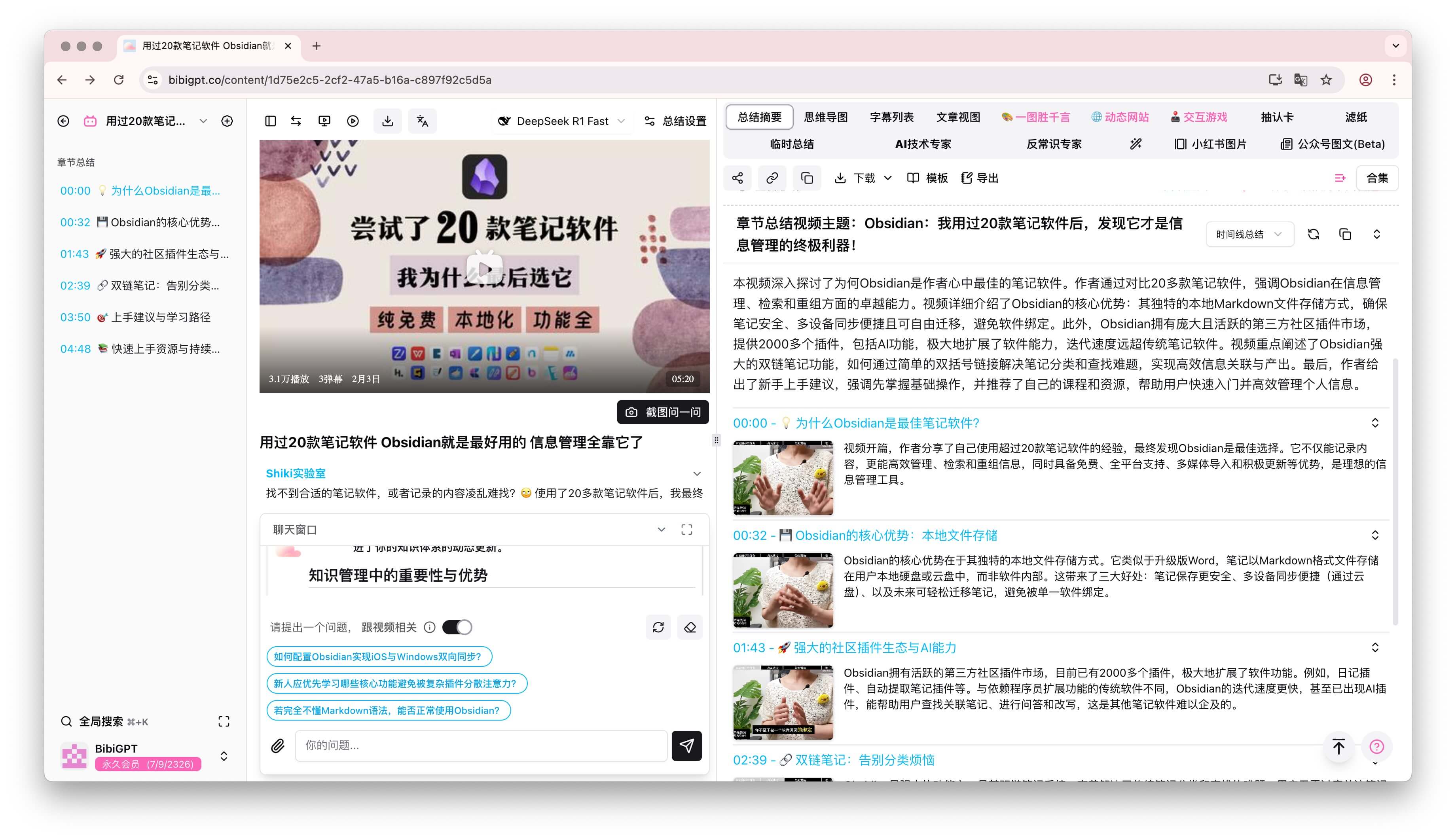 Additional summary formats
Step 2: Let the AI Tutor Hit You with the Hard Question
Now test your understanding. Turn BibiGPT into a strict tutor by pasting this prompt into the chat:
Act as a demanding mentor. Ask me one critical question that will reveal whether I truly understand the core insight of this video. Do not reveal the answer yet.
Close the summary tab and answer from memory. That retrieval is pure active recall. If you’re not sure you understood the content deeply, this step will make it obvious.
Step 3: Build Flashcards with Custom Prompts for Long-Term Memory
The final step is to create reusable flashcards with BibiGPT’s custom prompt feature. Open Settings → Custom prompt and add a new configuration. Here’s a template you can adapt:
## 指示
你是一位顶尖的学习教练,需要帮助我基于BibiGPT总结的内容进行主动回忆练习。

## 输出要求
请严格按照以下格式输出:

---
### 主动回忆问答卡片

**问题 1**
问题内容……

(请生成 3 个问题,每个问题后单独提供“参考答案”)

---
Save the prompt, return to the summary, and choose the new custom output. BibiGPT will produce a flashcard-style layout: three core questions at the top, followed by answers below a divider so you can self-test first.
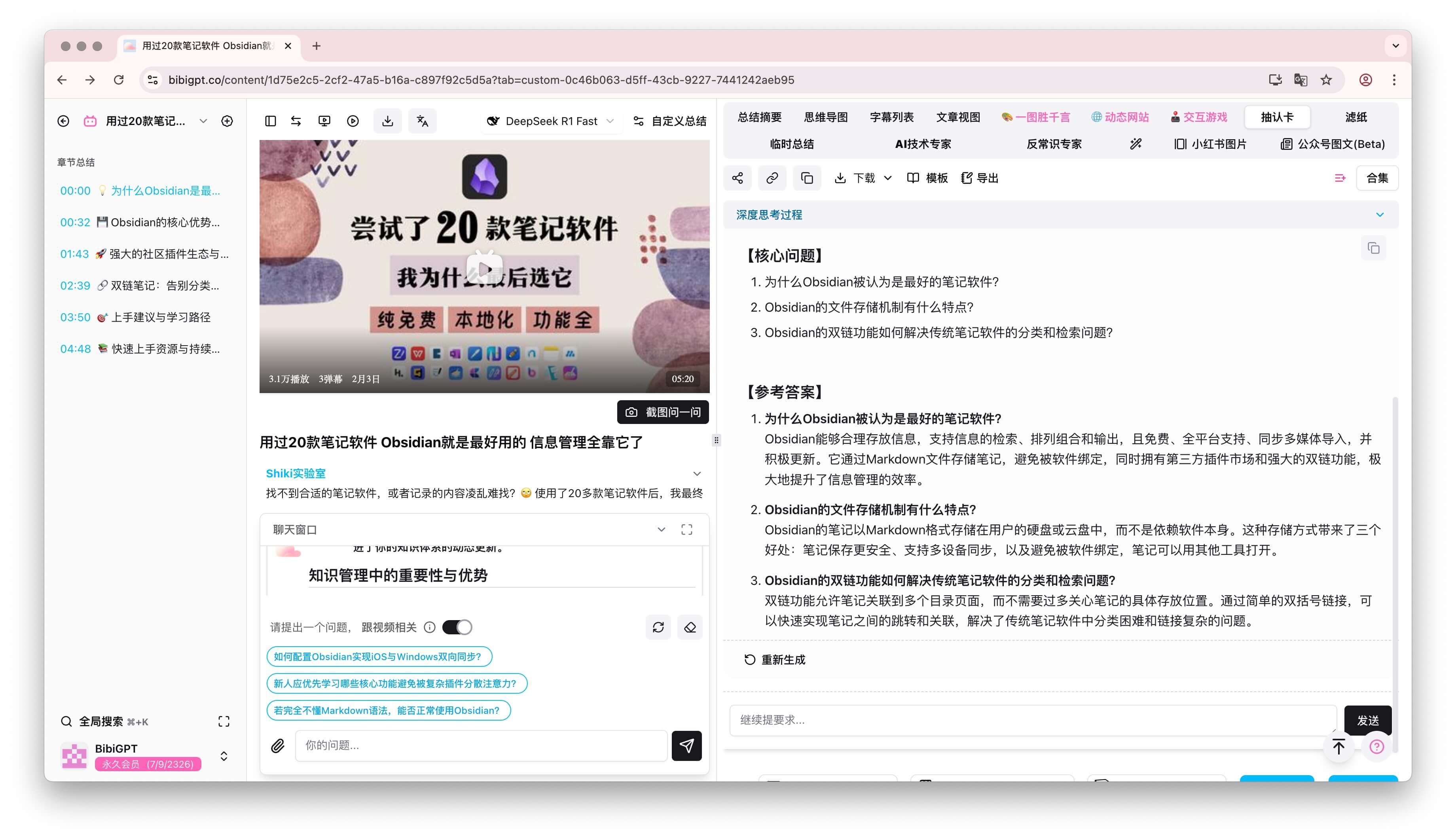 Flashcard tab preview
No extra apps, no manual formatting. Copy the Q&A pairs into your notes—or push them into spaced repetition tools like Anki using the BibiGPT + Anki workflow.
Conclusion: Stop Passive Intake—Start Interacting with Knowledge
Recap the process:
- AI summary first: Grab the framework instantly.
- Mentor question: Validate your understanding through retrieval.
- Flashcards on demand: Generate practice materials without leaving BibiGPT.
You can internalize any video in 15 minutes or less with this loop. BibiGPT isn’t just a summary tool—it’s a catalyst for active learning. Want to compare it with other AI summarizers? Check Top 5 AI Audio/Video Summary Apps in 2024.
FAQs
Q1: Does this work for every kind of video?
Best for knowledge-dense content: technical tutorials, academic lectures, industry deep dives, product walkthroughs. Pure entertainment doesn’t need this much structure.
Q2: How long before I get comfortable with the process?
Most people master it after 3–5 runs:
- Runs 1–2: learn the interface and custom prompt setup.
- Runs 3–4: feel the boost from active recall.
- Run 5+: lock in the habit; every video takes about 15 minutes.
Q3: Can I tailor prompts for different topics?
Absolutely. Customize prompts for coding, business analysis, history, science—anything. Focus on definitions, processes, cause-and-effect, or data interpretation depending on the subject.
Q4: What if I can’t answer the tutor’s question?
That’s the point! When you hit a blank:
- Stay calm—this is part of learning.
- Revisit the summary and fill the gap.
- Adjust your prompt to include graduated difficulty.
- Try again after a short break or on another day.
Q5: Does this make learning too “serious”?
No—it makes it rewarding. Every correct recall is a win, you spend less time rewatching, and the knowledge is truly yours.
Get Started
Don’t let the next video you save gather dust. Open BibiGPT now, set up your flashcard prompt, and convert your viewing time into lasting knowledge. Active recall plus AI is the fastest route from “I watched it” to “I can use it.”