
5 AI Video Summary Workflows That Actually Boost Your Productivity
5 proven AI video summary workflows for learning, meetings, content creation, competitive analysis, and podcasts. Build an efficient video-to-action pipeline with BibiGPT.
5 AI Video Summary Workflows That Actually Boost Your Productivity
Table of Contents
- What Is an AI Video Summary Workflow?
- Workflow 1: Learning — Turn Video Courses into a Searchable Knowledge Base
- Workflow 2: Meetings — Recorded Video to Structured Minutes in 5 Minutes
- Workflow 3: Content Creation — One Video, Multiple Content Formats
- Workflow 4: Competitive Analysis — Batch-Track Industry Trends
- Workflow 5: Podcasts — Digest 20+ Hours of Audio in Under 4 Hours
- FAQ
Quick Answer: An AI video summary workflow is a systematic method for extracting, summarizing, and structuring video/audio content so it flows seamlessly into your daily work. Unlike basic "video-to-text" tools, a workflow emphasizes the complete loop — from input to actionable output. BibiGPT, trusted by 1M+ users with 5M+ summaries generated, makes building these workflows effortless across 30+ platforms.
What Is an AI Video Summary Workflow?
Core Answer: An AI video summary workflow is not a single tool — it is a complete chain: Input → Process → Output → Apply. A well-designed workflow compresses video consumption time by 80% without sacrificing information quality.
Traditional video consumption has three fundamental problems:
- High time cost — A 1-hour video requires 1.5+ hours to watch and take notes
- Low information density — Core insights typically occupy only 20-30% of the content
- Knowledge fragmentation — Notes scatter across apps, impossible to search later
The value of an AI video summary workflow: replace repetitive mental labor with compute power, so you can focus on the parts that actually require deep thinking.
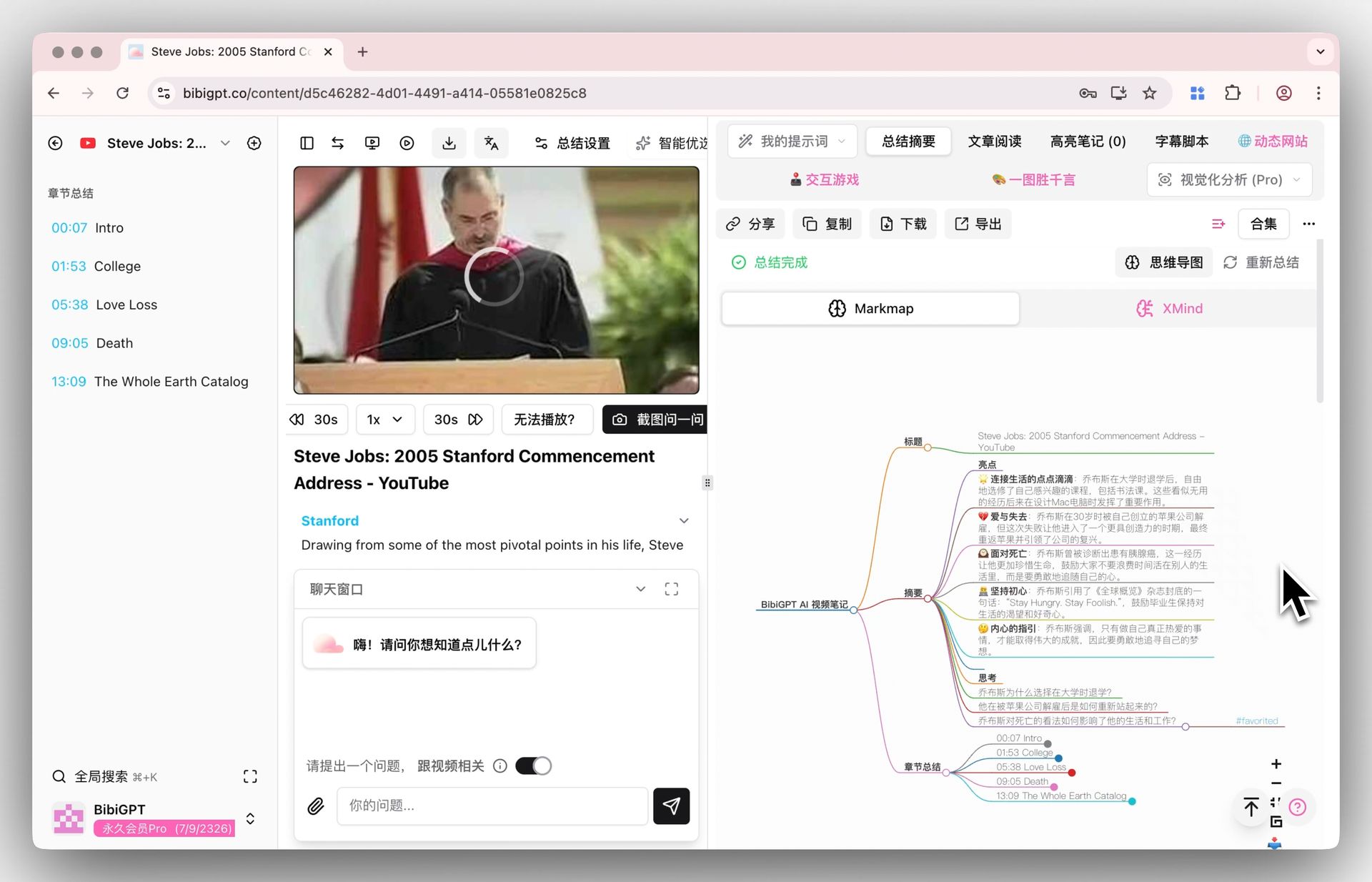 Mind map display
See BibiGPT's AI Summary in Action

Bilibili: GPT-4 & Workflow Revolution
A deep-dive explainer on how GPT-4 transforms work, covering model internals, training stages, and the societal shift ahead.
Want to summarize your own videos?
BibiGPT supports YouTube, Bilibili, TikTok and 30+ platforms with one-click AI summaries
Try BibiGPT FreeWorkflow 1: Learning — Turn Video Courses into a Searchable Knowledge Base
The Problem: You are taking an online course with 50 video lectures, each 30-60 minutes long. Watching everything takes 40+ hours, and you only have 1 hour per day. Even if you finish, you will forget 70% within a week.
The Solution: Build a Preview-Study-Review learning loop with BibiGPT
Step 1: Batch preview for big-picture understanding
Paste all course video links into BibiGPT using Shift+Enter to submit multiple links at once. The system generates structured summaries for each lecture, including key points, concepts, and terminology.
Pro tip: Spend 30 minutes reading all summaries first. Use the mind map feature to visualize the full course structure. When you start watching each video, you already know where the important parts are — skip basics at 2x speed, slow down only for critical sections.
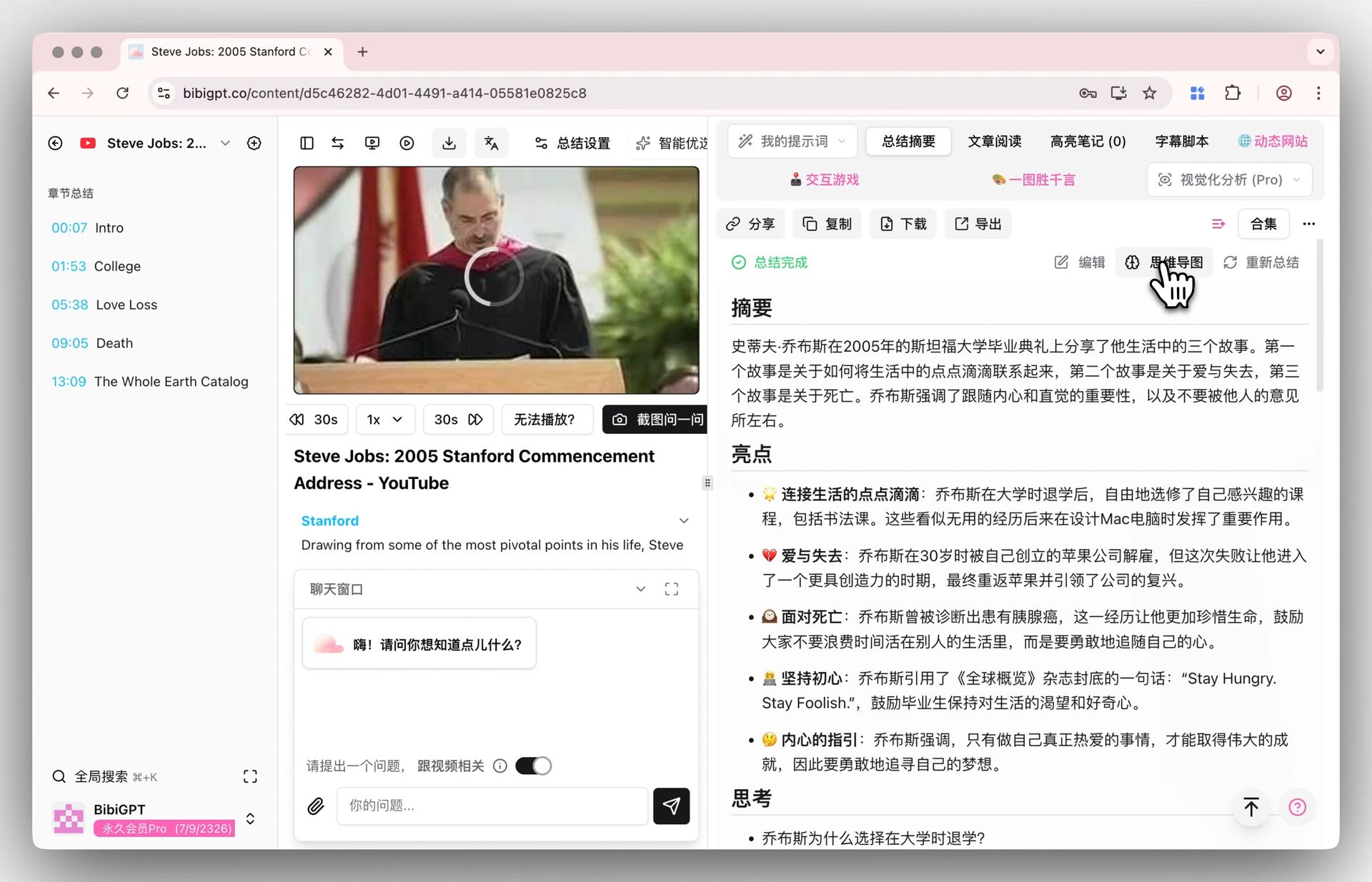 Mind map entry
Step 2: Deep processing with custom prompts
For core chapters, use BibiGPT's custom prompt feature for deeper extraction:
- "Counter-intuitive Expert" — Finds claims that challenge conventional wisdom
- "Anki Flashcards" — Generates import-ready flashcards automatically
- "Knowledge Connections" — Analyzes how this video connects to your existing knowledge
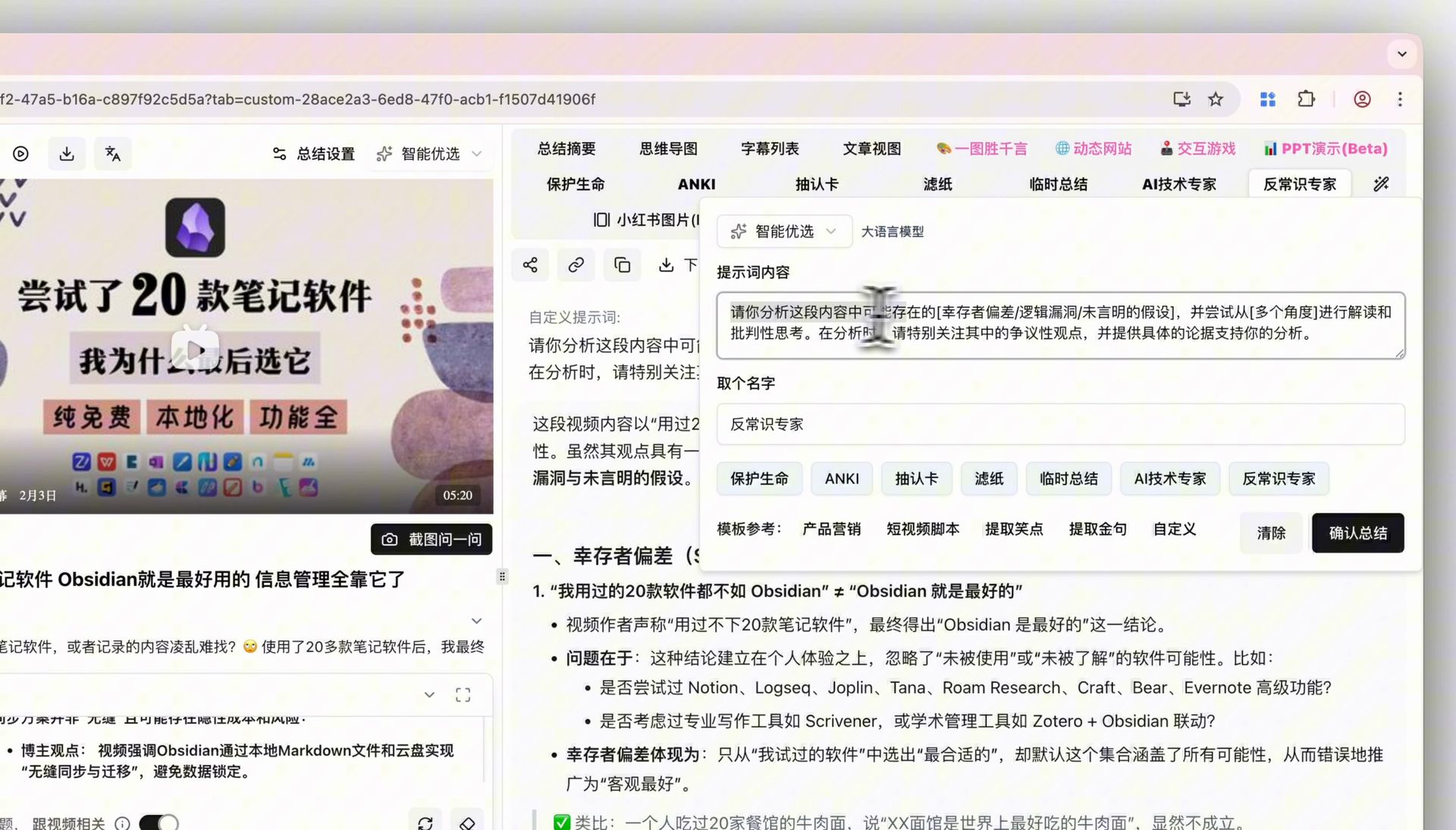 Custom prompt display
Step 3: Sync to your note-taking system
Export summaries to Notion or Obsidian with one click. BibiGPT's deep integration with these tools means your video notes automatically include source links, timestamps, and tags — searchable forever.
For a complete Bilibili-to-Notion workflow, see our Bilibili to Notion Knowledge Base tutorial.
Result: 50 lectures compressed from 40 hours to roughly 15 hours, with a searchable knowledge base that compounds over time.
Workflow 2: Meetings — Recorded Video to Structured Minutes in 5 Minutes
The Problem: You missed a critical cross-timezone meeting. A colleague sends you a 1.5-hour Zoom recording. You need to know all key decisions and action items within 30 minutes.
The Solution: Upload-Extract-Distribute in three steps
Step 1: Upload the recording directly
No meeting bot needed — this is what sets BibiGPT apart from Otter.ai, Fireflies, and similar live-meeting tools. Upload recordings from Zoom, Teams, Google Meet, Lark, or any local file. The desktop app supports drag-and-drop.
For a detailed comparison of meeting transcription tools, see our AI Meeting Transcription Guide.
Step 2: Generate structured minutes with custom prompts
The default summary is already useful, but for meetings, use a custom prompt template:
Format the meeting content as:
1. Meeting overview (3 sentences max)
2. Key decisions (numbered list)
3. Action items (with owners and deadlines)
4. Agenda for next meeting
Step 3: Distribute to your team
Export the structured minutes as Markdown and paste into your team's collaboration tool — Notion, Lark Docs, Confluence, or Slack. Action items can become task cards immediately.
Result: A 1.5-hour recording processed into shareable minutes in under 5 minutes. See more at our AI Meeting Notes feature page.
Workflow 3: Content Creation — One Video, Multiple Content Formats
The Problem: You are a content creator who just published a 30-minute YouTube video. You want to repurpose it into a blog post, social media threads, and newsletter content — but manual rewriting takes 3-4 hours.
The Solution: Generate once, distribute everywhere
Step 1: Generate a rich article with screenshots
Paste the video link into BibiGPT and use the AI Video-to-Article feature. The system automatically selects key frames as article images, eliminating manual screenshot work.
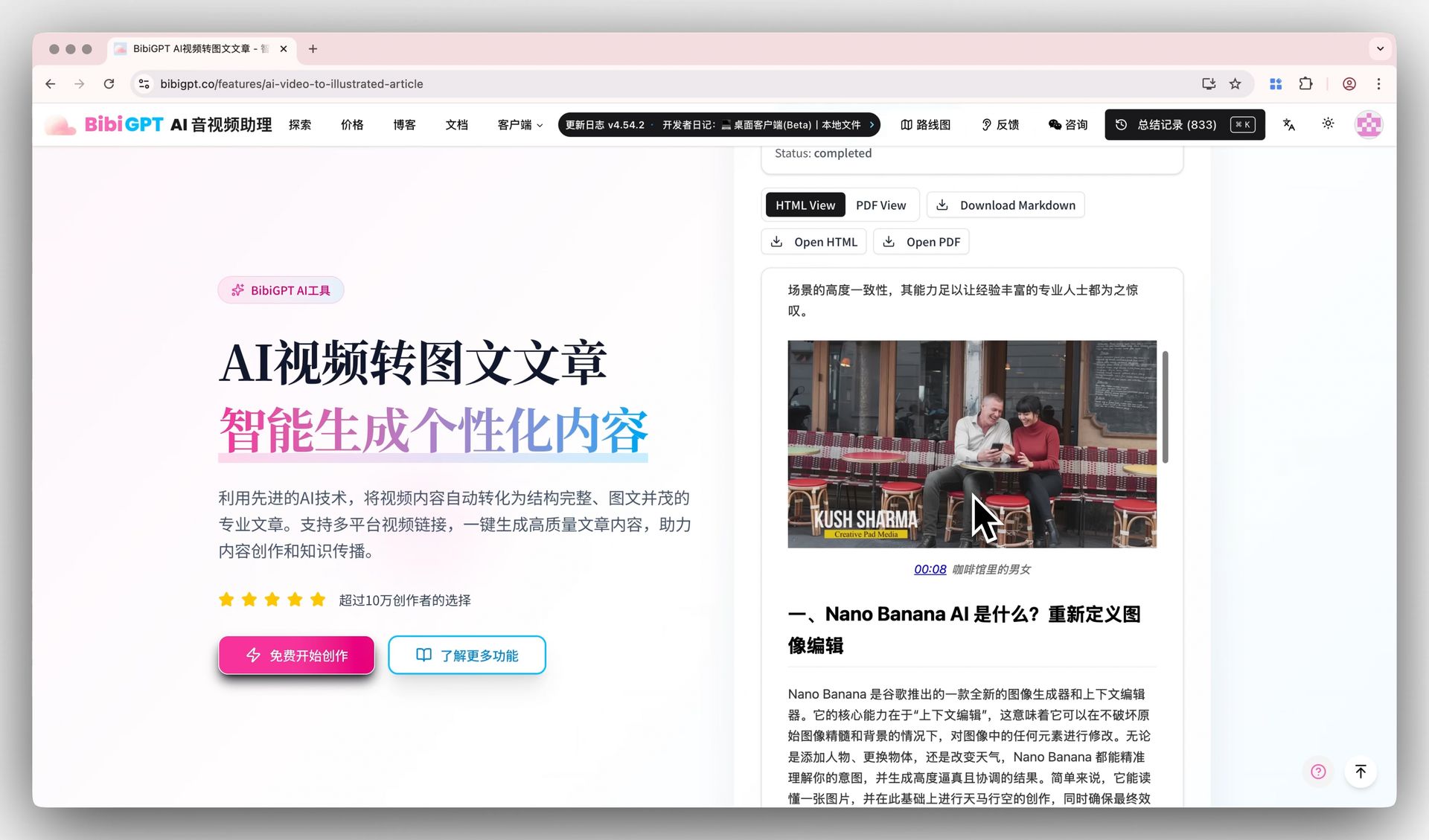 Video to article demo
Step 2: Adapt for each platform with different prompts
- Blog version: Use a "Deep Analysis" prompt for a 2,000+ word long-form article
- Social media version: Use a "Thread" prompt for bite-sized, shareable insights
- Newsletter version: Use a "Key Takeaways" prompt for a curated highlight reel
Step 3: Generate companion visuals
Use BibiGPT's mind map feature to create visual knowledge structure diagrams — perfect as blog headers or social media images.
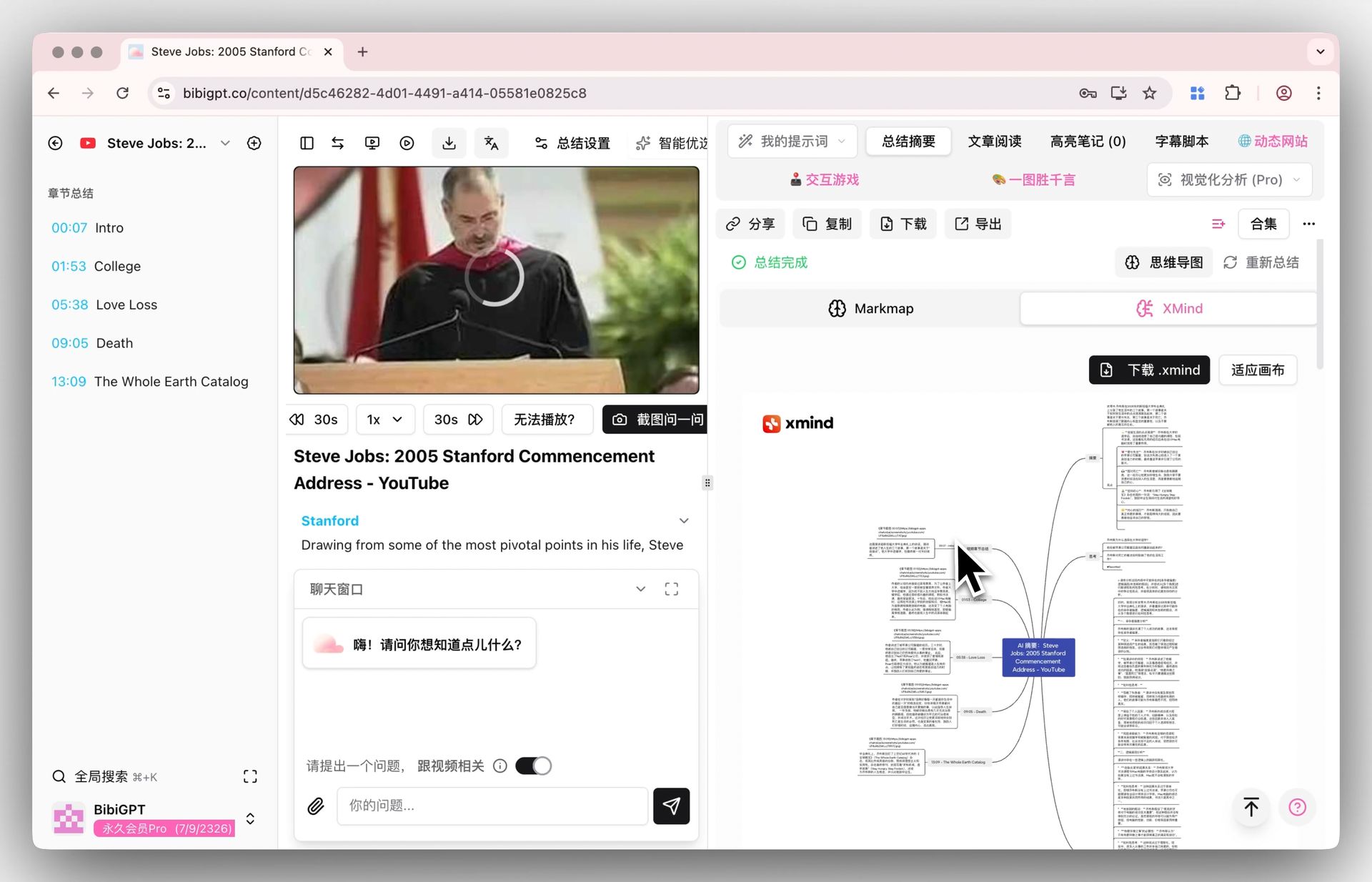 XMind display
Result: Multi-platform content repurposing compressed from 3-4 hours to under 30 minutes. Explore YouTube Summary and Bilibili Summary features for more.
Workflow 4: Competitive Analysis — Batch-Track Industry Trends
The Problem: As a product manager or analyst, you need to track 5-10 competitor YouTube channels for product launches, tech talks, and strategy shifts. Watching competitor videos consumes 8+ hours per week.
The Solution: Subscribe-Batch Summarize-Compare
Step 1: Organize competitor channels
Create dedicated Collections in BibiGPT, categorized by competitor brand. Collect new video links weekly.
Step 2: Batch-process a week of competitor content
Paste all collected links at once. For YouTube specifically, you can use the BibiGPT Chrome extension to summarize directly on the watch page.
Step 3: Extract competitive intelligence with custom prompts
Design a reusable competitive analysis template:
Analyze this video across these dimensions:
1. Product/feature updates announced
2. Market positioning or target audience shifts
3. Technical approach or methodology highlights
4. Strategies worth adopting
5. Potential threats or opportunities
Step 4: Compile into a weekly brief
Export all analyses and compile into a structured competitor weekly report. BibiGPT's Collection Summary feature can generate cross-video summaries, helping you spot trends across competitors.
Result: Weekly competitive tracking compressed from 8+ hours to under 2 hours, with better coverage and more structured analysis.
Workflow 5: Podcasts — Digest 20+ Hours of Audio in Under 4 Hours
The Problem: You subscribe to 10+ podcasts. Over 20 hours of new episodes drop each week. Your commute only covers 1-2 episodes, leaving a growing backlog of unplayed content.
The Solution: Screen-Listen-Archive
Step 1: Summarize everything, then pick what matters
Submit all new podcast links to BibiGPT. Spend 10 minutes scanning summaries to identify the 2-3 episodes truly worth a full listen. BibiGPT supports 30+ platforms, including Apple Podcasts, Spotify, and more. See our AI Podcast Summary feature.
Step 2: Deep-process your selections
For the episodes you selected, use custom prompts for richer extraction:
- Extract guest's core arguments and supporting evidence
- Compile a list of books, tools, and resources mentioned
- Generate a shareable collection of key quotes
Step 3: Build a podcast knowledge archive
Sync processed notes to your knowledge management system. Organize by topic (not by show) — this lets you cross-reference discussions on the same subject from different podcasts, generating deeper insights.
If you are also learning from video courses, see our AI Course Slides Study Kanban tutorial to integrate podcasts and courses into one learning system.
Result: 20+ hours of weekly podcast content covered in 3-4 hours, with a growing searchable archive.
FAQ
Who are these workflows for?
Anyone who consumes large amounts of video/audio content: online learners, professionals, content creators, product managers, researchers, and freelancers. BibiGPT serves 1M+ users across all these use cases.
What platforms does BibiGPT support?
BibiGPT supports 30+ platforms including YouTube, Bilibili, TikTok, Apple Podcasts, Spotify, and more. It also accepts local video and audio file uploads in all major formats.
How accurate are the summaries? Can they fully replace watching?
BibiGPT uses industry-leading AI for high-accuracy summaries. We recommend using them as a "preview and filter" layer — understand the full picture first, then watch key sections in detail. This "summary first, deep-dive second" approach is more efficient than watching everything start to finish.
What makes a good custom prompt?
Effective custom prompts specify the output format and analysis dimensions clearly. For example, "List all tools mentioned in this video in a table with name, purpose, and link" produces far better results than "summarize this." BibiGPT's Prompt Marketplace has verified templates ready to use.
Can free users access these workflows?
BibiGPT offers a free tier for basic video summaries. Advanced features like custom prompts, mind maps, and video-to-article require a Plus or Pro subscription — ideal for heavy users who want the full workflow experience.
Start Building Your AI Video Summary Workflow
The power of a workflow is not in any single feature — it is in the compounding effect when features work together. When AI handles 80% of repetitive information processing, you can finally invest your energy in thinking, creating, and deciding.
Start your first workflow with BibiGPT today: