
MindMap AI vs BibiGPT: Best AI Video Mind Map Tool Comparison 2026
MindMap AI and BibiGPT both convert videos into mind maps, but which is the best AI video mindmap tool in 2026? This in-depth comparison covers features, platform support, export formats, and pricing.
MindMap AI vs BibiGPT: Best AI Video Mind Map Tool Comparison 2026
Video Mind Maps: A Must-Have for Knowledge Workers in 2026
MindMap AI is a recently launched AI video mindmap tool that converts video content into structured mind maps. BibiGPT, the leading AI audio-video assistant with 1M+ users and 5M+ summaries processed, has long offered mind mapping as a core component of its comprehensive AI video summary suite. Which one is right for you? This guide compares them across features, platform support, export formats, and pricing.
If you are looking for an AI tool that turns videos into visual mind maps, this comparison will help you make the best choice.
AI 마인드맵 미리보기

Bilibili: GPT-4 & Workflow Revolution
A deep-dive explainer on how GPT-4 transforms work, covering model internals, training stages, and the societal shift ahead.
Key Feature Comparison Table
| Dimension | MindMap AI | BibiGPT |
|---|---|---|
| Core Focus | Standalone mind map tool | Full AI audio-video assistant |
| Video Mind Map | Supported | Supported (inline within summary view) |
| Platforms Supported | Limited (mainly YouTube) | 30+ platforms (Bilibili, YouTube, podcasts, etc.) |
| Export Formats | PNG, PDF | Markmap, XMind, PNG |
| AI Summary | Basic summary | Advanced AI deep summary |
| AI Q&A Chat | Not supported | Supported (video-traced dialogue) |
| Flashcards | Not supported | Supported |
| Subtitle Translation | Not supported | Multi-language translation and hardcoding |
| Note Sync | Not supported | Notion, Obsidian, Readwise |
| Clients | Web | Web + Desktop + Mobile + Browser Extension |
| User Scale | Emerging tool | 1M+ users, 5M+ summaries |
BibiGPT Video Mind Map Deep Dive
Inline Mind Map: Summary Meets Visualization
BibiGPT's mind map feature is embedded directly in the summary view -- no need to switch to another page or tool. After pasting any video link and generating an AI summary, simply click the mind map entry to expand the full video knowledge structure in one click.
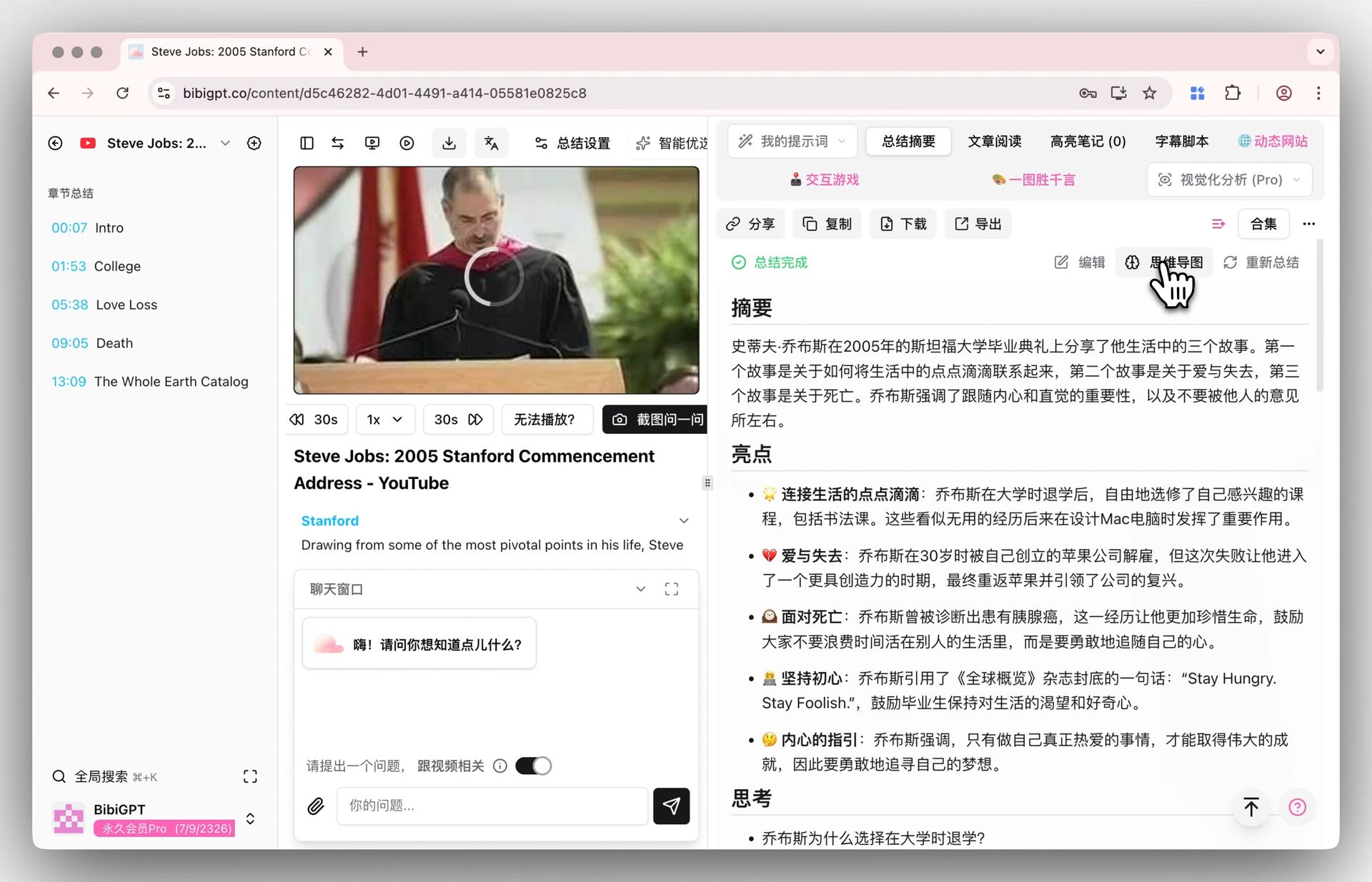 Mind map entry
This integrated "summary + mind map" design lets you access both text summaries and visual knowledge structures in a single interface, dramatically boosting learning efficiency. Learn more in our detailed guide on how BibiGPT's AI video summary improves learning with a 5-step system.
Professional Export: Markmap + XMind
BibiGPT supports exporting video mind maps to Markmap (interactive web format) and XMind files, allowing you to further edit and refine them in professional mind mapping software.
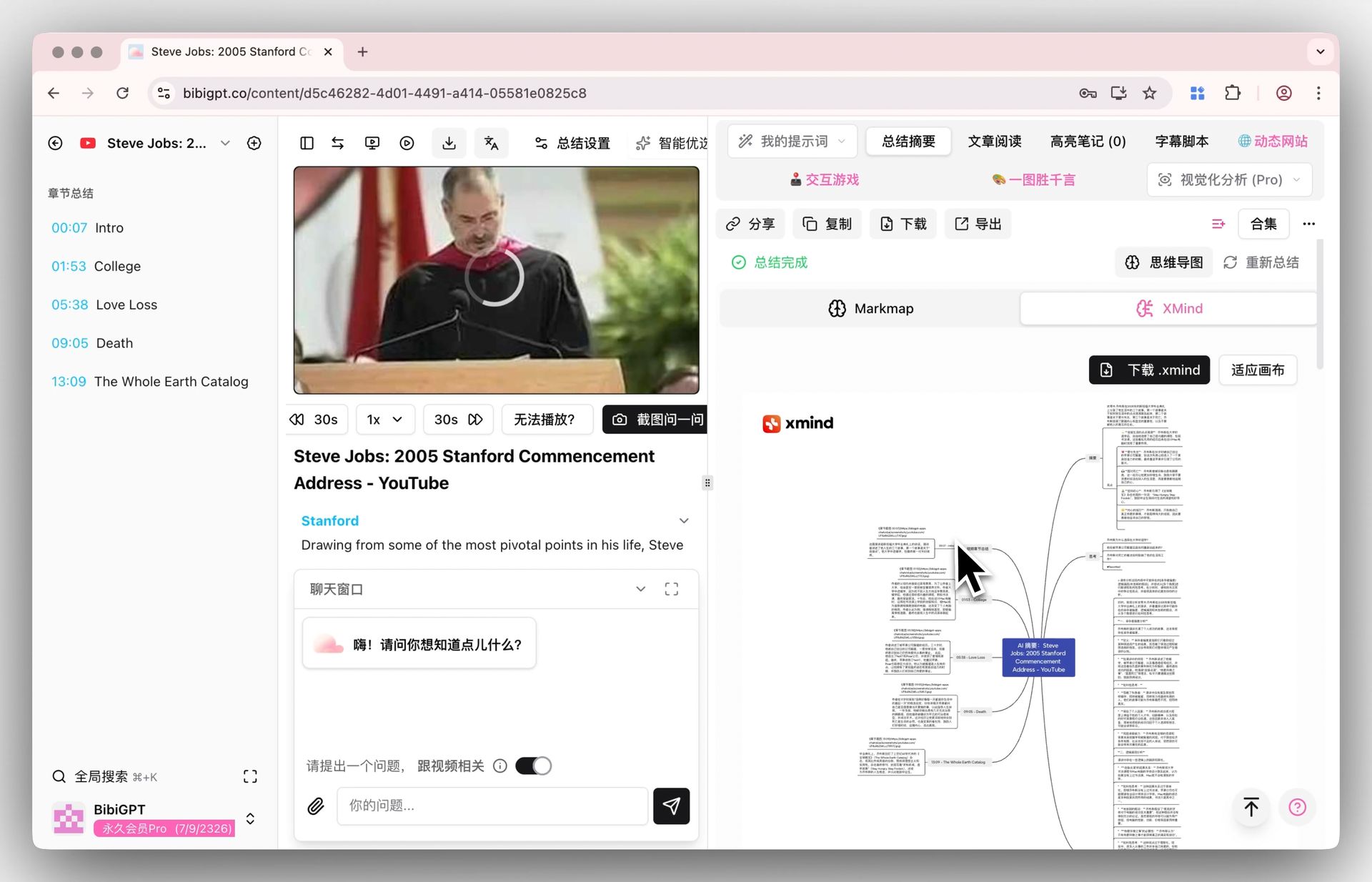 XMind display
Most competitors, including MindMap AI, only offer static image exports that cannot be re-edited in other tools. BibiGPT's XMind export lets your video knowledge truly integrate into your personal knowledge management system.
30+ Platform Coverage
BibiGPT supports Bilibili, YouTube, TikTok, Xiaohongshu, WeChat Channels, podcasts, and 30+ more platforms. This means every video content source you use can generate a mind map. MindMap AI currently supports only YouTube and a few other platforms, creating significant platform limitations for many users.
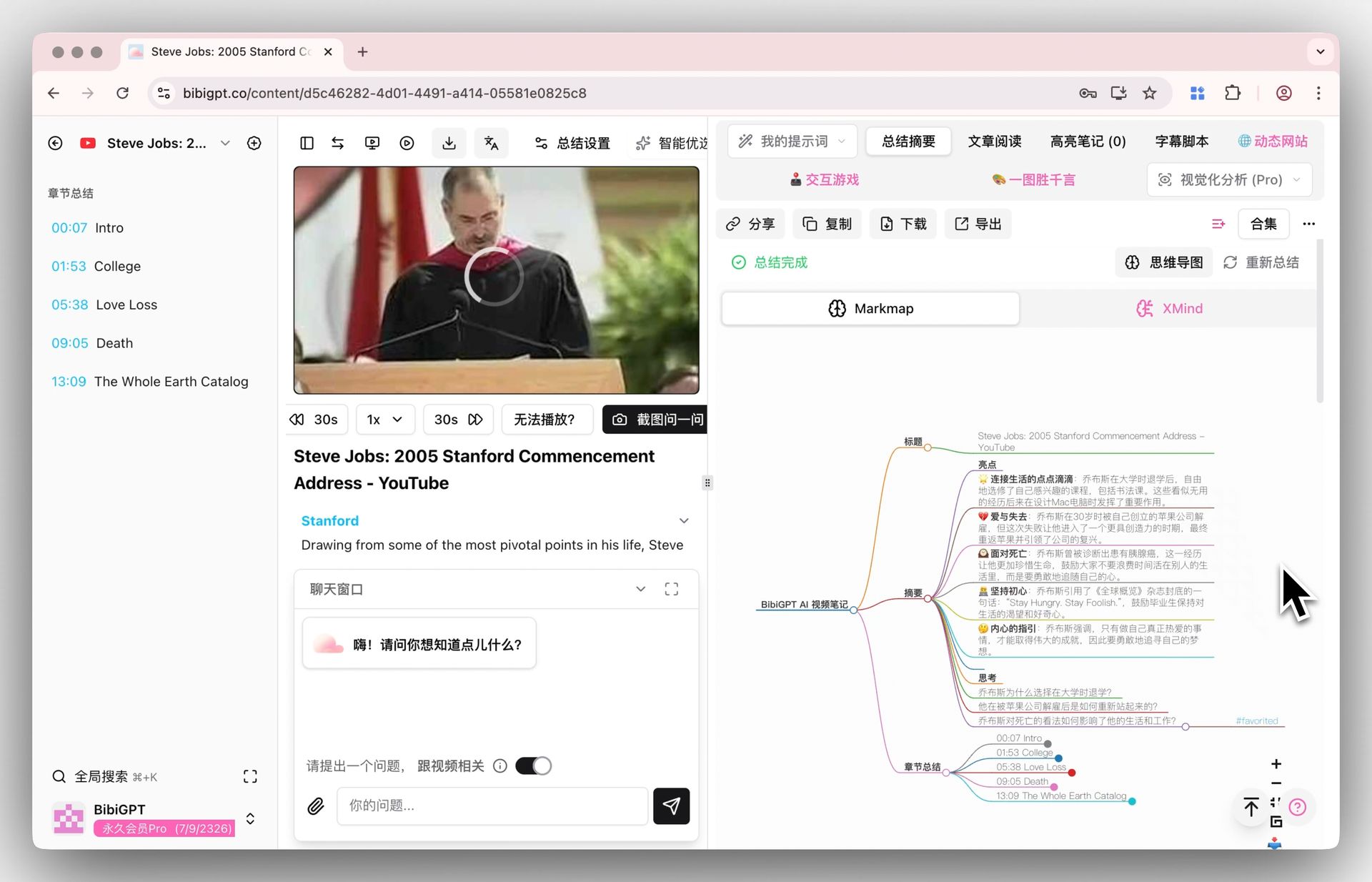 Mind map display
MindMap AI Analysis: Focused but Limited
MindMap AI, as an emerging tool, has its unique strengths:
- Pure mind map focus: Clean interface with a low learning curve
- Quick generation: Optimized specifically for the mind mapping use case
- Standalone usage: No dependency on other ecosystems
However, its limitations are equally notable:
- Limited platform support: Primarily covers YouTube; does not support Bilibili, Douyin, or other regional platforms
- Single-function: Only provides mind maps -- lacks AI summaries, Q&A chat, flashcards, and other deep learning tools
- Restricted export formats: No XMind or other professional formats for secondary editing
- No knowledge management integration: Cannot sync with Notion, Obsidian, or other note-taking systems
If you only need to occasionally convert YouTube videos into mind maps, MindMap AI is a lightweight option. But if you are a serious video learner or content creator, BibiGPT's full-stack capabilities are clearly a better match.
Use Case Scenarios
Students and Researchers
- Course learning: BibiGPT can batch-convert entire YouTube playlists into mind maps, combined with the AI study guide maker to generate flashcards for spaced repetition practice
- Video literature review: BibiGPT's collection feature can consolidate multiple related videos into one systematic mind map
- MindMap AI: Suitable for quick visualization of individual videos, but lacks batch processing and deep learning tools
Content Creators
- Video analysis breakdown: BibiGPT's mind map + AI rewrite features can quickly turn competitor videos into creative assets
- Multi-platform content collection: BibiGPT covers 30+ platforms, handling all inspiration sources in one place
- MindMap AI: Only supports limited platforms, restricting content collection scope
Professionals
- Meeting video organization: BibiGPT supports local audio-video files, converting meeting recordings directly into structured mind maps
- Knowledge accumulation: BibiGPT deeply integrates with Notion and Obsidian, automatically syncing mind map knowledge to your note-taking system
- MindMap AI: Does not support local files or note system integration
FAQ
Which generates mind maps faster, MindMap AI or BibiGPT?
Both tools generate mind maps in roughly 10-30 seconds. However, BibiGPT's advantage is that it simultaneously produces a complete AI text summary, timestamp markers, and AI dialogue functionality alongside the mind map -- delivering far greater information density than a standalone mind map.
What export formats does BibiGPT's mind map support?
BibiGPT supports three export formats: Markmap (interactive web), XMind files, and PNG images. The XMind format can be re-edited in professional software like XMind and MindNode, while the Markmap format supports interactive expanding and collapsing in any browser.
Does using BibiGPT's video mind map feature require a paid plan?
BibiGPT offers free credits, so new users can try the video mind map feature at no cost. For heavy users, Plus and Pro subscriptions provide more credits and advanced features.
Conclusion: Choose the Right AI Video Mind Map Tool in 2026
MindMap AI is a lightweight tool focused solely on video mind maps, suitable for occasional light users. BibiGPT integrates video mind maps as part of its comprehensive AI audio-video processing suite, delivering a complete loop from summaries, mind maps, and AI dialogue to knowledge management -- battle-tested by 1M+ users and 5M+ summaries.
If you want to maximize your video learning efficiency, BibiGPT is the more reliable choice in 2026.
Try BibiGPT's video mind map feature now:
- 🌐 Website: https://aitodo.co
- 📱 Mobile download: https://aitodo.co/app
- 💻 Desktop download: https://aitodo.co/download/desktop
- ✨ Explore features: https://aitodo.co/features