
BibiGPT v4.249.0 Update: Instant Large File Loading, Enhanced Mobile Experience, Cleaner Exports!
BibiGPT v4.249.0 brings local client large file performance optimization, optional custom prompt exclusion in exports, and comprehensive mobile UI synchronization
BibiGPT v4.249.0 Update: Instant Large File Loading, Enhanced Mobile Experience, Cleaner Exports!
Dear BibiGPT Users,
BibiGPT has been quietly rolling out some exciting updates! We've been working hard to make your audio and video learning experience smoother and more focused. This week, we're bringing you several important optimizations. Let's take a look!
Watch Faster
Large File Optimization for Local Client - Upgraded Smooth Experience!
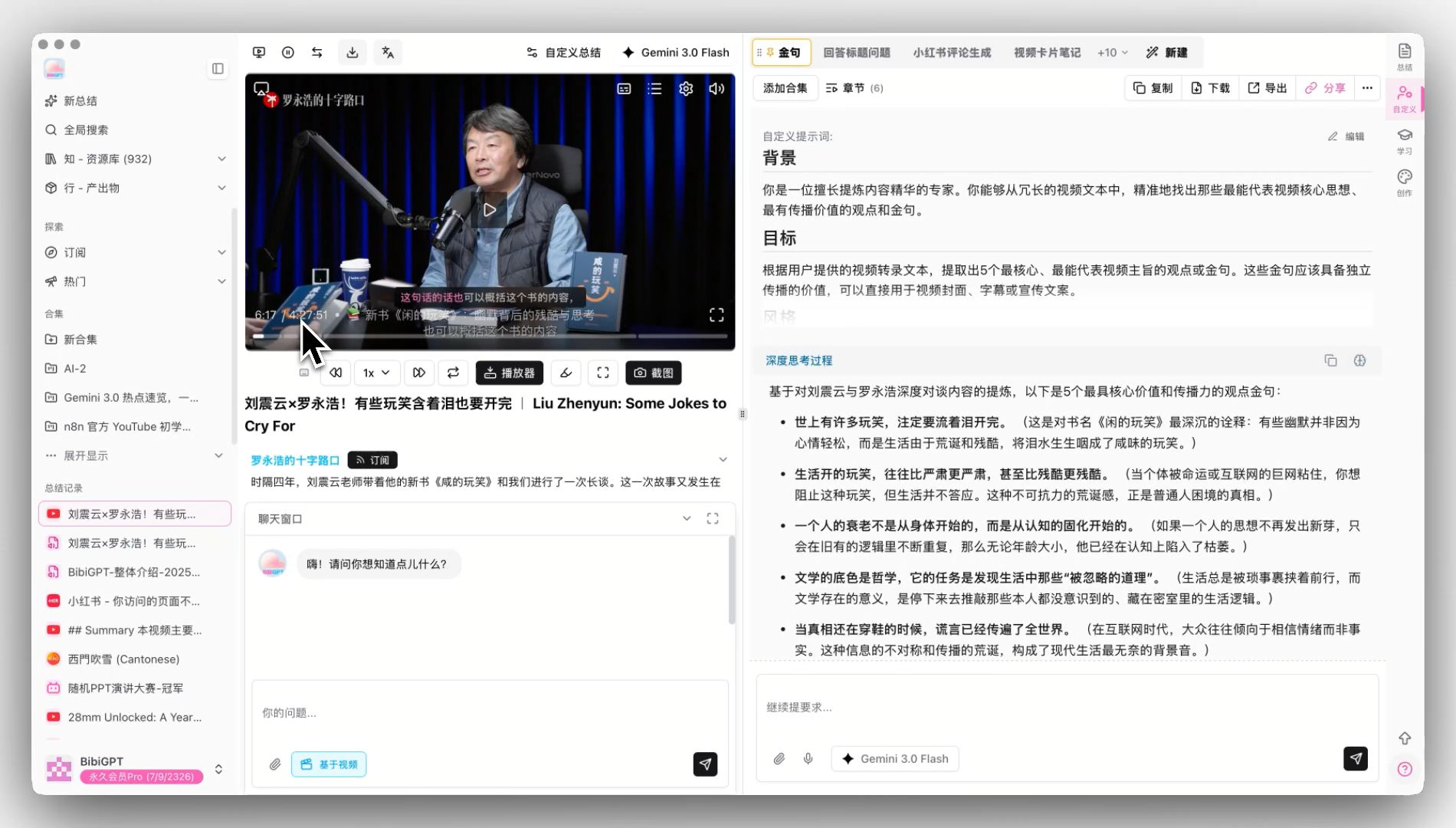
Ever experienced lag when importing large video files or waiting forever for the progress bar to respond? Now, we've deeply optimized the underlying performance of our local file AI summary feature! Even with videos over 4 hours long, you can achieve instant response, freely drag the progress bar, and play videos immediately. Say goodbye to long waits and enjoy silk-smooth browsing and analysis of local files.
 large-file-video-playback
Find Easily
Purer Exported Summaries with Optional Custom Prompt Exclusion!
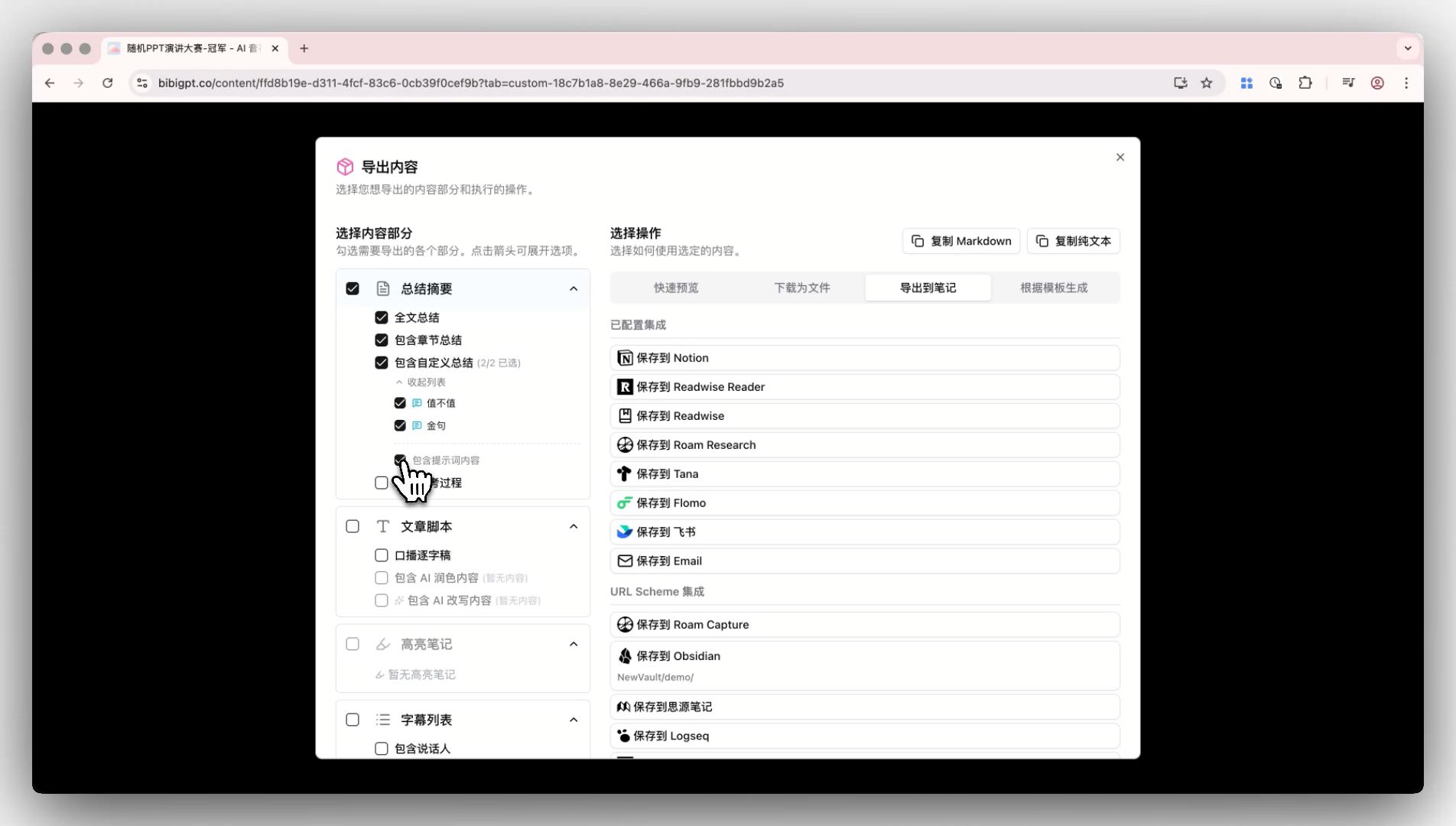
Previously, users reported that when exporting video summaries, custom prompts were automatically included, requiring manual deletion each time. We've fixed this little annoyance! Now, in the export and share panel, you can toggle off "Include custom summary prompt" with one click. Exported documents will only contain summary results, making content cleaner and more aligned with your needs.
 export-custom-prompt-toggle
Use Better
Mobile Experience Alignment - Seamless Multi-Platform Integration with Continuous Updates!
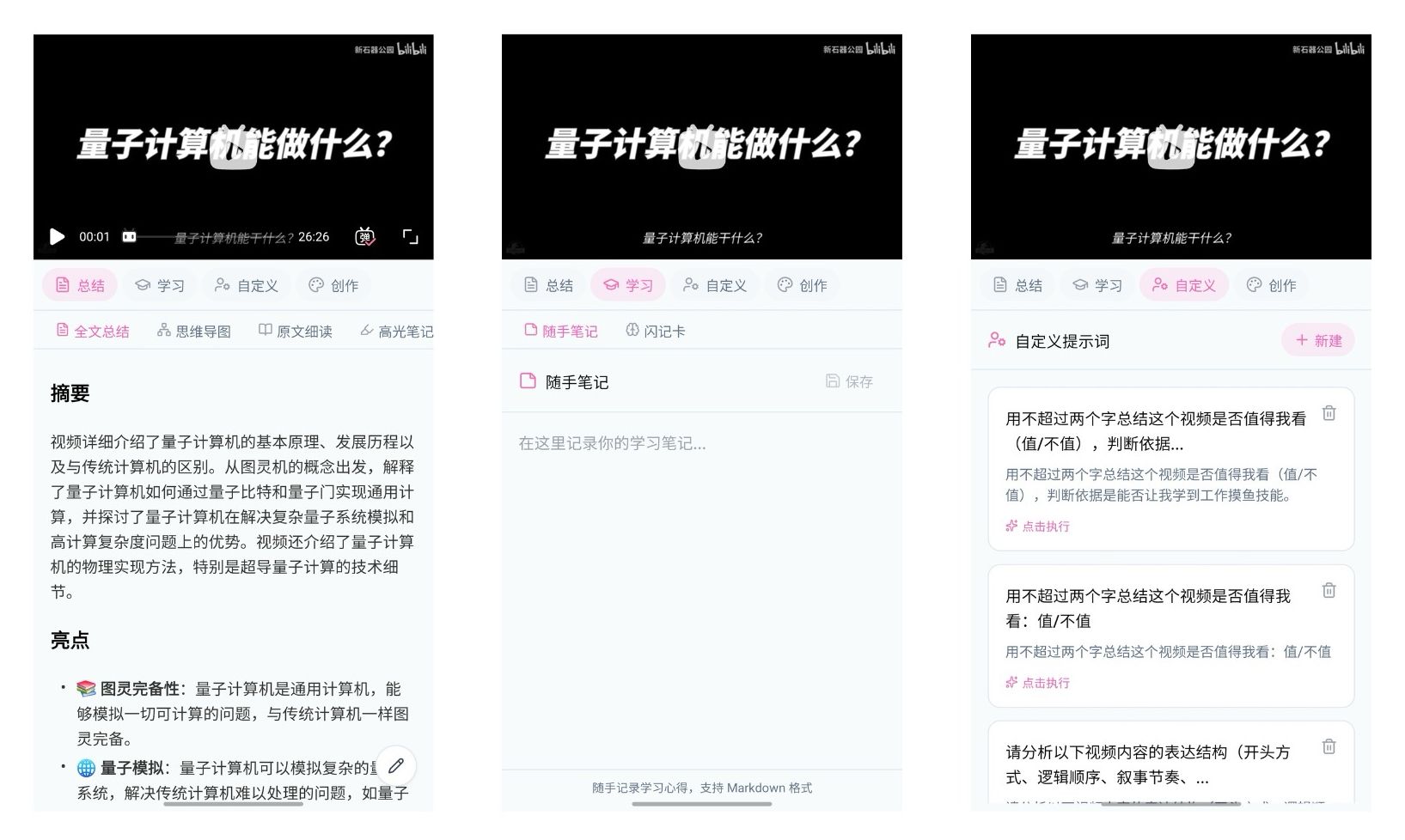
Using BibiGPT on your phone is now as convenient as on your computer! We've comprehensively synchronized the mobile (Android/iOS) video detail page interface, perfectly aligning with web and desktop client layouts. Now, whether it's AI video summary, learning, customization, or creation panels, you can find and use them on your phone, truly achieving seamless integration across platforms for efficient learning anytime, anywhere.
While the mobile version is still actively iterating and may have minor experience issues, please trust that we're working hard to optimize! We welcome everyone to download and experience it at https://aitodo.co/app, and look forward to more surprises ahead. Every time you use it, you fuel our progress!
 mobile-android-ui-demo
Optimized Login and Registration Experience - Starting Your New Journey Made Simple!
We've also carefully optimized the registration and login process, ensuring every step is smoother and more intuitive. Whether you're a new user or an old friend, you can easily enter the BibiGPT world and start your efficient learning journey!
We remain committed to improving your user experience. Thank you for your continued support and feedback!
Start your AI efficient learning journey now:
- 🌐 Official Website: https://aitodo.co
- ✨ Learn More Features: https://aitodo.co/features
Enjoy using BibiGPT!
BibiGPT Team