
How to Organize Notes After Converting Baidu Cloud Drive Videos to Text: An AI Audio-Video Summary Tool Guide
Explore the challenges of organizing notes after converting Baidu Cloud Drive videos to text, and learn how AI audio-video summary tools can help you manage content from multiple sources like Baidu Cloud Drive, Bilibili, and course platforms for efficient knowledge accumulation.
How to Organize Notes After Converting Baidu Cloud Drive Videos to Text: An AI Audio-Video Summary Tool Guide
If you've used Baidu Cloud Drive's video-to-text feature, you've probably noticed:
Converting video to text isn't really the hard part anymore.
Whether it's the built-in "Simple Transcription," AI Watch, segmented summaries, or AI Notes, Baidu Cloud Drive already offers a mature solution for turning video content into text. If you need to learn how to unify video-to-text solutions from multiple sources like Baidu Cloud Drive, Alibaba Cloud Drive, Dropbox, Bilibili, and screen recordings, you can refer to our Complete Guide to Video-to-Text.
However, after using it for a while, many people start encountering new challenges:
- You have the text, but rarely go back to review it
- Videos keep accumulating, but notes become increasingly disorganized
- When you want to review, you don't know where to start
- Content is scattered across Baidu Cloud Drive, Bilibili, course platforms, and local files
At this point, you realize that the real challenge isn't "converting to text" itself, but how to use it afterward.
Part 1: Baidu Cloud Drive's Text Conversion Capabilities Are Already Quite Robust
Before we continue, let's be clear about the facts.
If your needs are: quickly converting videos or audio in Baidu Cloud Drive to text, viewing and understanding content within the cloud drive, or using AI for one-time summaries or notes, then Baidu Cloud Drive itself can handle these tasks quite well.
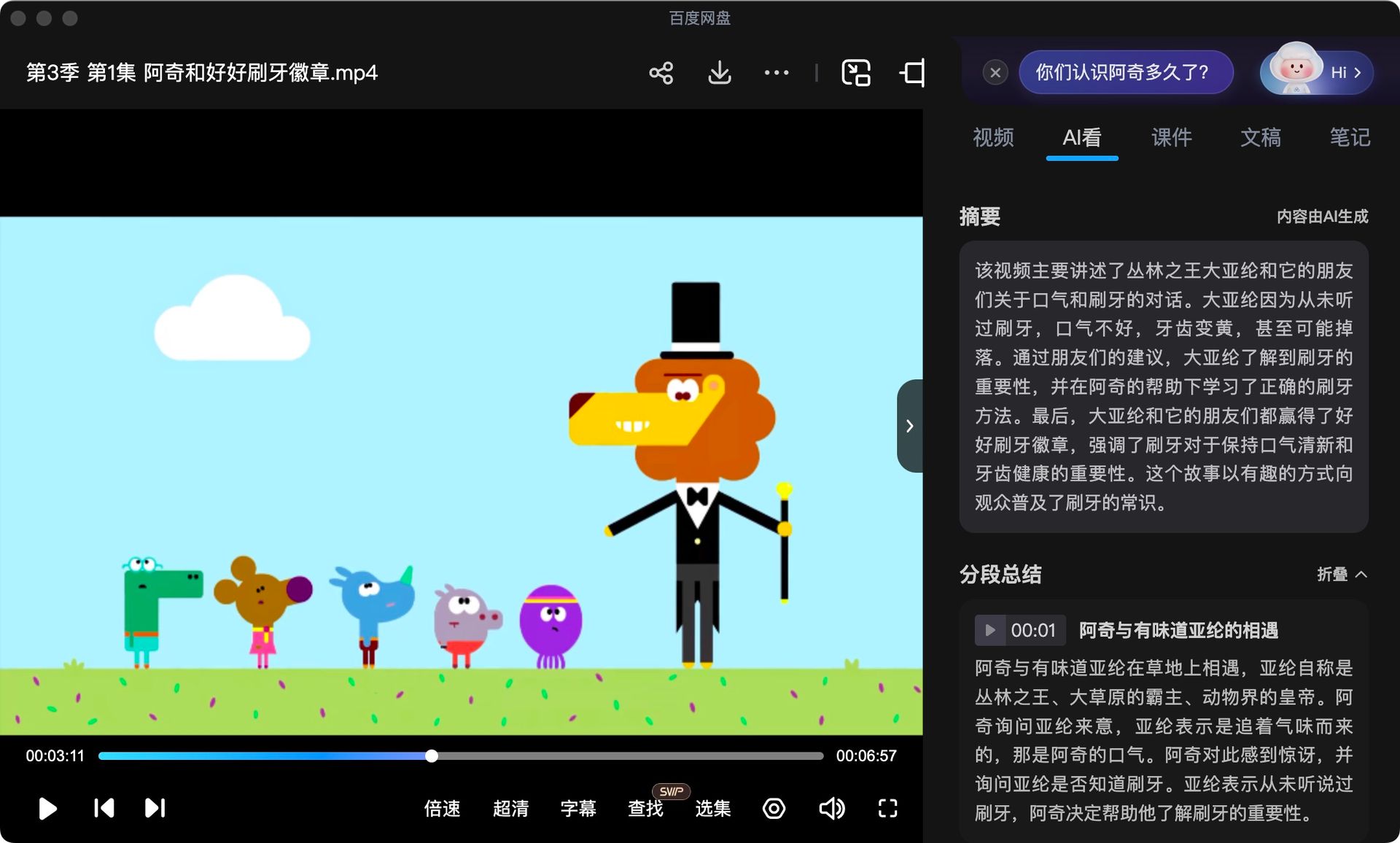 Baidu Cloud Drive Built-in Video-to-Text and AI Watch Features
Simple Transcription, AI Watch, and segmented summaries are essentially capabilities designed to serve "this current video" within Baidu Cloud Drive's closed learning environment, where they're already highly developed.
The issue isn't about feature strength, but rather that your usage goals have evolved.
Part 2: Why Is It Still Hard to Take Real Notes After "Converting to Text"?
When you start frequently using video-to-text features, you typically encounter several practical problems.
Transcribed Text Is Not the Same as Notes
Text converted from videos often has these characteristics: very long content, highly conversational language, uneven information density. It's more like a "record" than "organized knowledge."
Learning Content Starts Coming from Multiple Sources
In real-world usage, video content often doesn't exist solely in Baidu Cloud Drive: some come from Baidu Cloud Drive, some come from Bilibili or course platforms, some are local screen recordings or meeting videos.
When content sources multiply, single-platform organization methods start to feel inadequate.
Part 3: What Really Needs Solving Is "How to Unify Audio-Video Content Management"
At this point, we can reframe the problem.
What you're facing is no longer: "How do I convert Baidu Cloud Drive videos to text?" But rather: "How do I organize, review, and use an increasing amount of audio-video content from multiple sources?"
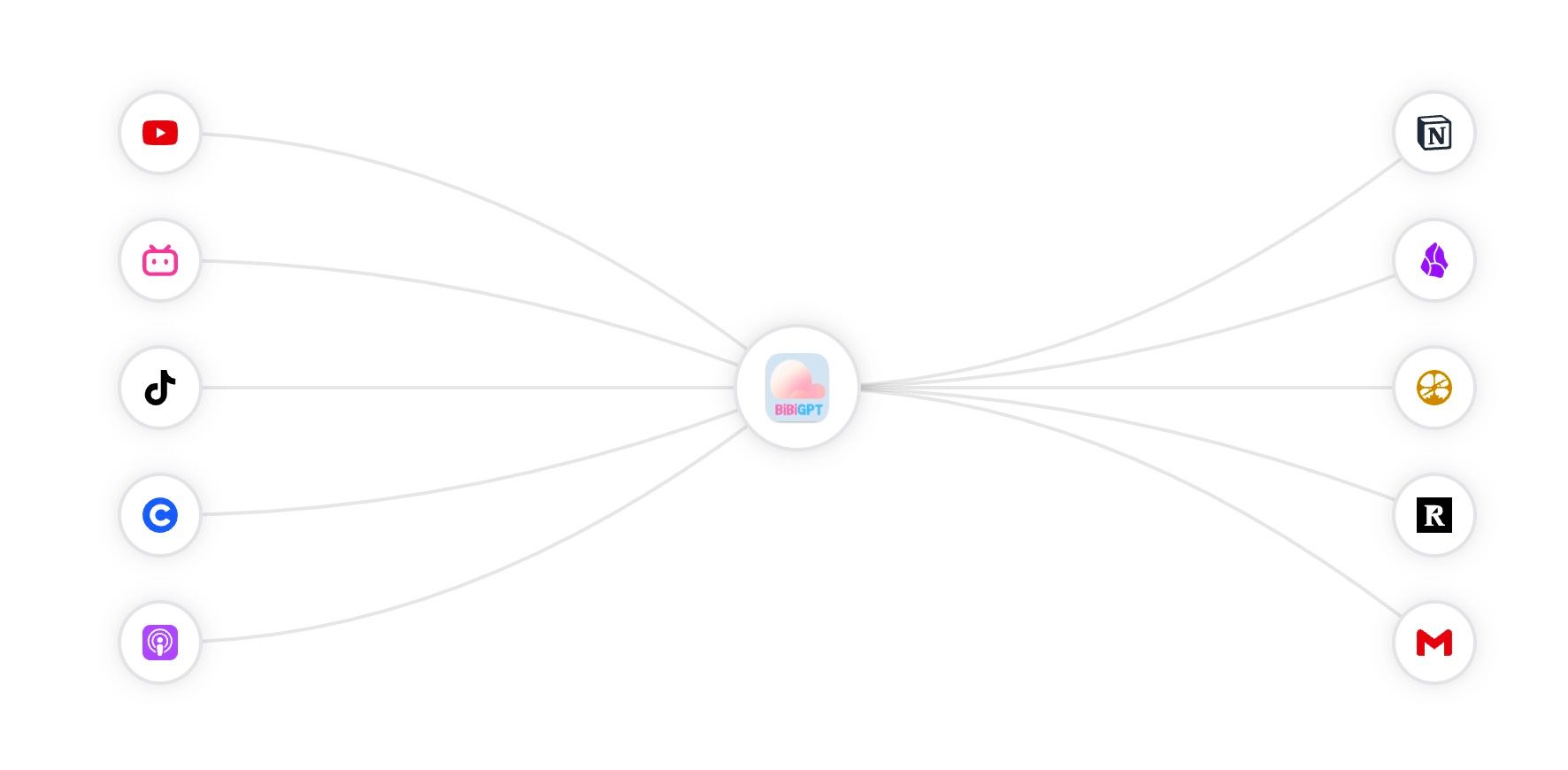 BibiGPT Multi-Platform Audio-Video Integration Capabilities
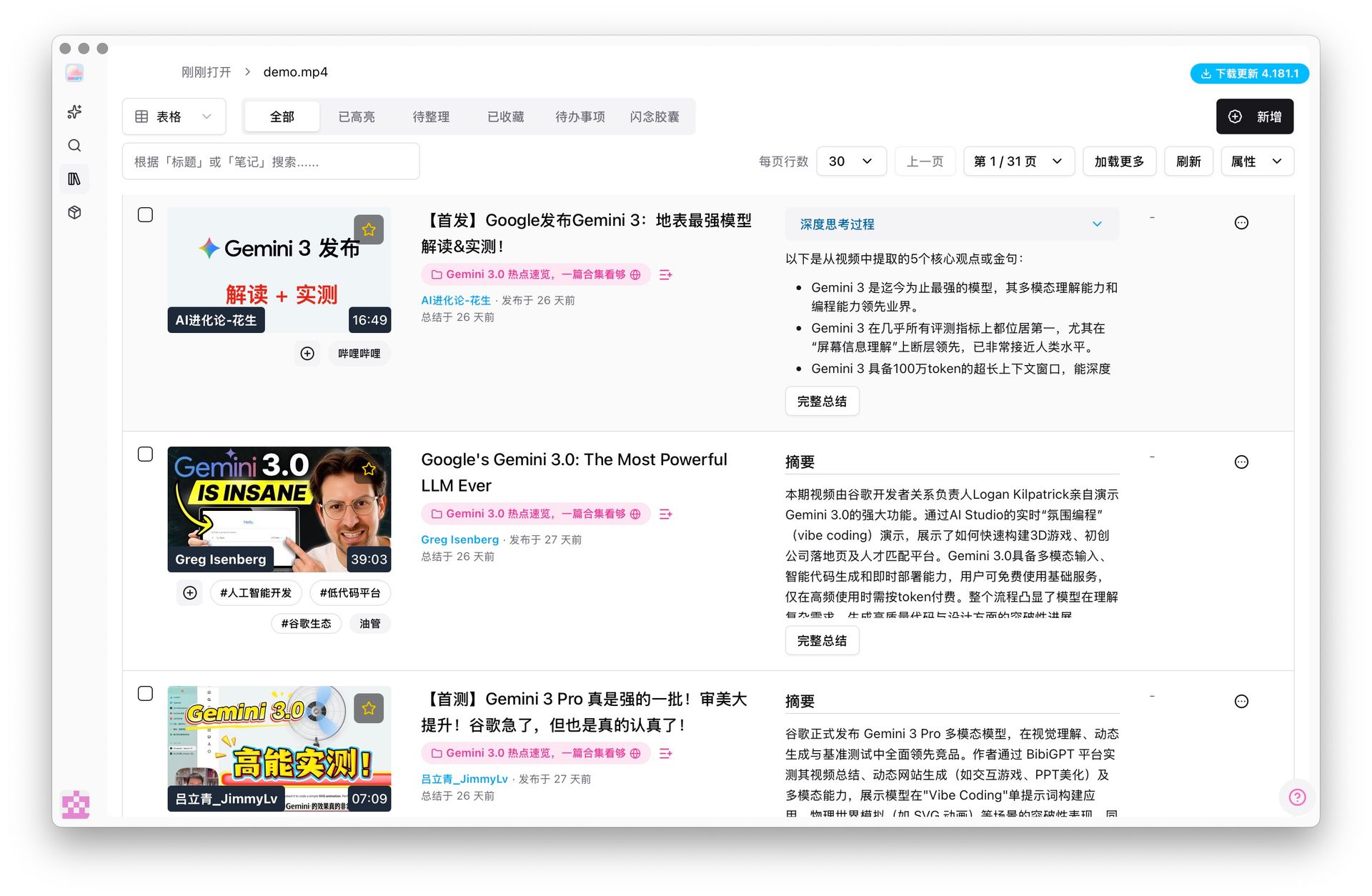 BibiGPT Unified Video Management Interface
At this stage, the problem has essentially become a content management challenge. By using AI audio-video assistant tools, you can unify audio-video content from different platforms for efficient knowledge accumulation.
Part 4: Three Common Approaches and Their Limitations
Approach 1: Only View and Understand Within Baidu Cloud Drive
Advantages: Lightweight, no learning curve
Limitations: Not suitable for long-term content accumulation, difficult to manage across platforms
Approach 2: Export Text and Organize Manually
Advantages: Flexible
Limitations: High cost, difficult to sustain
Approach 3: Integrate Text Conversion into a Unified Organization Workflow
More and more power users are choosing this approach: Baidu Cloud Drive handles storage and synchronization, text conversion is just one step, subsequent summarization, structuring, and management are handled by unified tools.
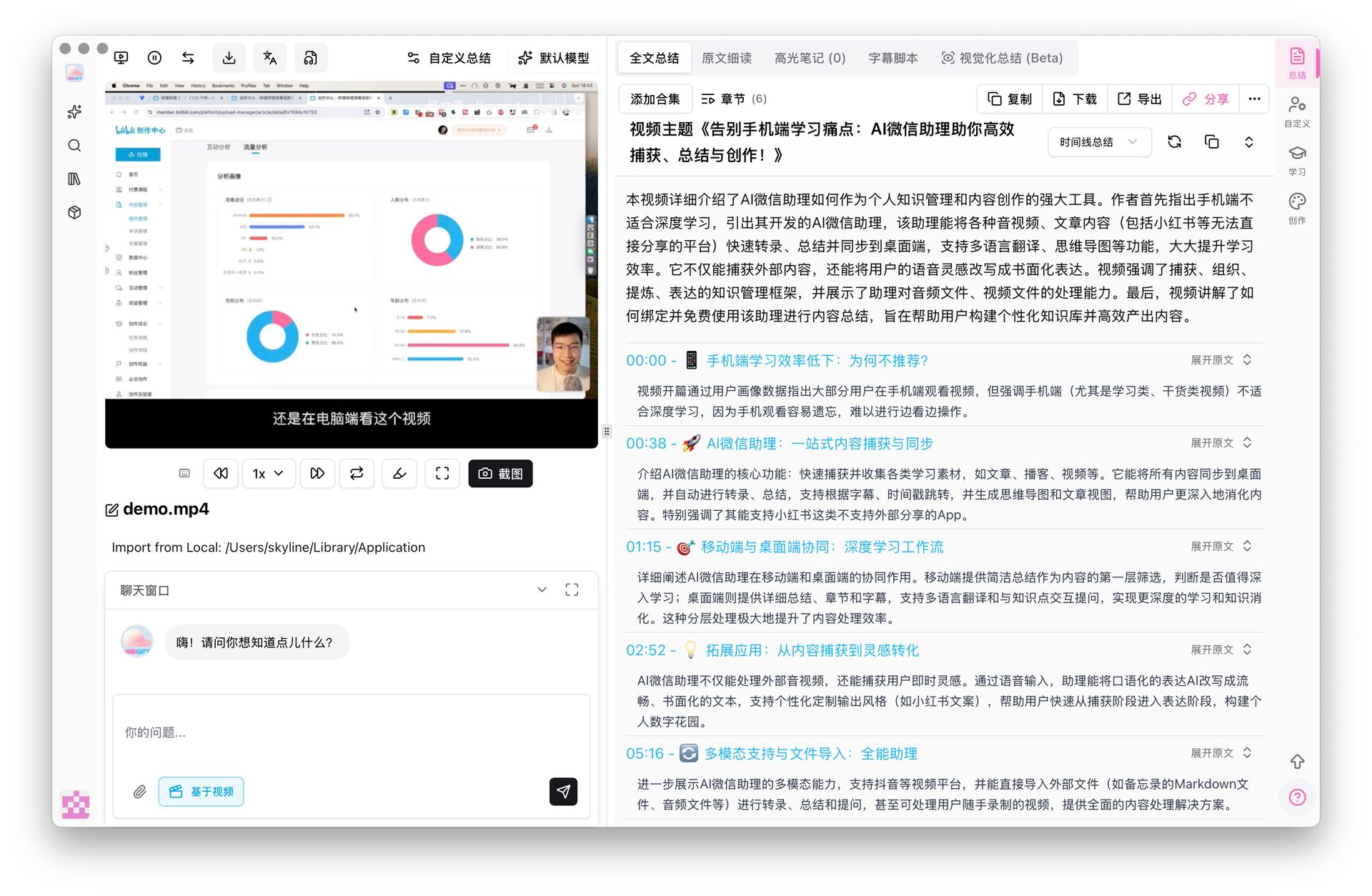 BibiGPT Integrating Baidu Cloud Drive for Unified Summarization
In this model, Baidu Cloud Drive isn't replaced—it's positioned in a more appropriate role.
Part 5: The Core of Systematic Organization Isn't "Feature Comparison"
It's important to emphasize: The goal of a unified organization solution isn't to compare which tool converts text faster or which AI is stronger, but to answer this question:
As content keeps growing, how do I ensure it won't be forgotten again?
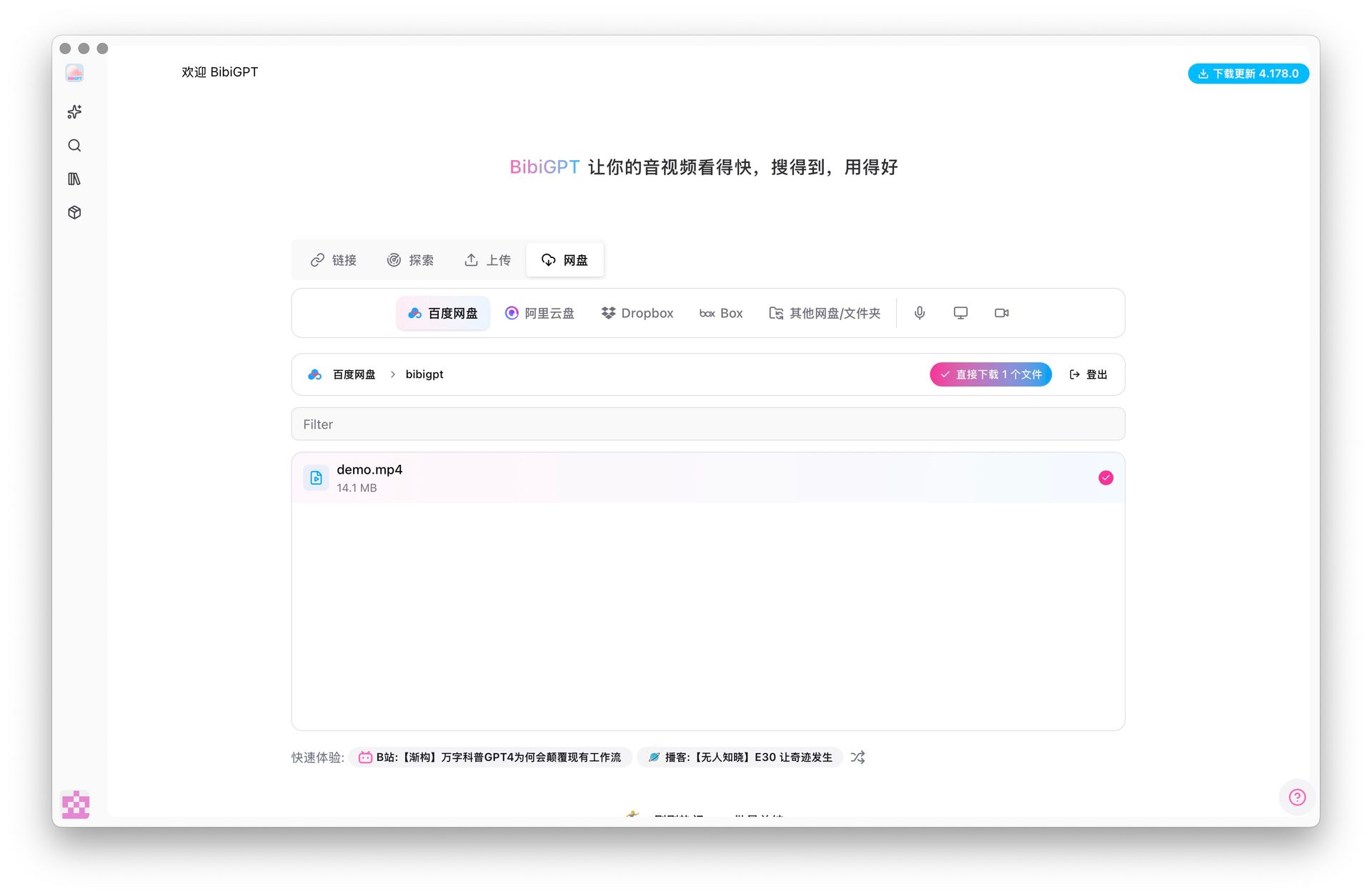 BibiGPT Cloud Drive Binding and Unified Content Entry
Part 6: Do You Need to Reach the "Systematic Organization" Stage?
You can use a simple way to decide:
- Occasional learning, occasional text conversion → Baidu Cloud Drive is sufficient
- Long-term learning, continuous accumulation, multi-source content → Systematic organization is needed
This is a natural evolution of usage stages, not a tool comparison.
Conclusion
Baidu Cloud Drive has already solved the problem of "how to convert video content to text."
But when you start caring about how to take notes, how to review, how to organize long-term, and how to manage audio-video content from different platforms, you're no longer facing just a feature, but a system.
Text conversion is the starting point, not the endpoint.
Experience BibiGPT now
Ready to try these powerful features? Visit BibiGPT and start your intelligent audio/video summarization journey!
Get startedIf you're looking for an AI summary tool that can unify multi-platform audio-video content management, BibiGPT can help you achieve this goal. BibiGPT supports integration with Baidu Cloud Drive, Bilibili, YouTube, podcasts, local files, and other sources, using AI technology to transform audio-video content into structured knowledge assets, enabling you to truly "watch faster, search smarter, and use better."
Whether you're a student, professional, or knowledge management enthusiast, BibiGPT can be your powerful assistant for learning and work. Start experiencing BibiGPT today and begin your efficient audio-video learning journey!
Want to learn more about AI audio-video summary tool features and usage tips? Visit our AI Audio-Video Assistant Tools to explore more powerful capabilities.
Have feedback or ideas?
We value your input! If you encounter issues or have suggestions, please let us know anytime.
Submit feedback