AI Music Video Maker — Gemini Omni × Suno
Paste your Suno song link. SunoMV writes the storyboard, generates per-scene images, and renders cinematic transitions with Google's brand-new Gemini Omni Flash. Refine any single shot with one sentence — characters stay consistent across the whole video.
Paste a Suno link, get a music video right here
Paste a Suno song URL — SunoMV writes the storyboard, renders scene images, generates Omni transitions, and lets you refine any shot with one sentence.
Workflow (5 steps)
Paste a Suno song URL → AI writes a per-lyric storyboard → batch-render scene images → pick Gemini Omni for transitions → refine any unhappy shot with one sentence. A full music video in 20-40 minutes.
Features
Why Gemini Omni changes AI music video forever
Most AI video models force you to regenerate the entire clip when one detail is off — losing 60s and $0.50 every retry. Omni rewrites only the frames you call out, keeping the rest pixel-stable. That alone makes it the first model fit for music-video iteration loops.
Chat-as-edit — change one thing, keep the rest
Tell Omni 'remove the watermark' or 'warmer lighting' — only the affected frames are rewritten. The protagonist's face, the camera angle, every other detail stays identical.
Cross-shot character consistency
Omni's long-context window lets you anchor a protagonist reference image. Across 20-40 scene segments in a 3-minute song, the protagonist's face, outfit, and posture stay locked — solving AI music-video face-swap drift for the first time.
Synchronized native audio in one pass
Omni outputs picture and spatial audio in a single forward pass — footsteps land on splash frames, dialogue matches lip movement, indoor reverb matches the scene. No separate audio model needed.
What SunoMV layers on top of Omni
Omni alone is a video model. SunoMV is a full music-video pipeline — storyboard, multi-shot images, transitions, refinement loop, exports — wired together with Suno as the entry point.
Paste a Suno link, get a full MV
SunoMV auto-fetches lyrics, timestamps, cover, and audio from your Suno song URL. AI generates a per-lyric-line storyboard, batch-renders scene images, and chains them with Omni transitions.
Protagonist anchoring as the 3rd reference
Upload one protagonist photo — SunoMV passes it as the 3rd image reference to Omni alongside the head/tail frames. Identity stays locked across every transition, not just within one shot.
4-model fallback when Omni isn't the right fit
Omni is the new flagship, but every scene type has its sweet spot. SunoMV ships 9 video models (Omni / Veo 3.1 / Kling v3 / Seedance 2.0 / Happy Horse / Wan 2.7) and lets you switch per-segment — never lock into one engine.
🪄 AI Refine (Beta) — Omni's killer dialog edit, in your editor
Generated transition's lighting is too cold? Watermark? Camera too fast? Click the AI Refine button below the video, type what to change in plain language, get a new version in ~40 seconds. Other shots untouched.
How SunoMV compares to other AI music video tools
Other tools either lock you to one model, force full regeneration on each retry, or skip music sync entirely. SunoMV is built specifically for the Suno-to-MV pipeline.
vs Veo 3 / Sora 2 standalone
Veo 3 and Sora 2 are single-shot premium models — gorgeous frames but no music-sync, no storyboard helper, no cross-shot identity. You'd manually stitch 30 prompts. SunoMV does the whole pipeline.
vs in-house AE / DaVinci editing
Manual editing for one 3-minute MV takes 4-8 hours. SunoMV with Omni transitions: 20-40 minutes total, including refinement passes. 95%+ time saved without losing creative control.
vs Suno's own export-as-video options
Suno's built-in MV export gives you a static cover with audio. SunoMV gives you 20-40 unique AI-generated scenes per song, with Omni transitions between them. Different category entirely.
5 steps from Suno song to Omni MV
No signup required for the free preview. The embedded tool above is the live SunoMV editor — paste a link and follow the flow.
- 1
Paste Suno song link
Drop a suno.com/song/<id> URL into the SunoMV editor. SunoMV auto-fetches lyrics, timestamps, cover image, and audio.
- 2
AI writes the storyboard
SunoMV auto-segments by lyric line and generates a per-segment visual prompt. Edit any prompt before generation.
- 3
Batch-generate scene images
20-40 scene images render in 2-3 minutes. Re-roll individual scenes; overall pacing stays. Upload one protagonist photo to lock identity across every shot.
- 4
Pick Gemini Omni for transitions
Open Score tab, select a transition, pick Gemini Omni from the model dropdown (look for the 🆕 Latest badge). Omni renders the transition in ~40 seconds using head/tail frames plus your protagonist reference.
- 5
Refine unhappy shots with one sentence
Click 🪄 AI Refine (Beta) below any Omni-generated transition. Type what to change in plain language — 'remove the watermark', 'warmer lighting', 'slower camera' — get a new version in ~40s. Other shots untouched.
4 typical scenarios
Built for Suno creators, music marketers, indie artists, and content teams shipping music videos at speed.
Suno creators shipping to TikTok / Reels / Shorts
Suno makes a 2-minute track in 60 seconds — but mp3-only doesn't get traction on short-video platforms. SunoMV turns it into a 30-shot MV with Omni transitions ready to upload.
Indie musicians without a video team
Hire a director / DP / editor for a music video: $5K-$20K and 2-6 weeks. Same output via SunoMV: under $20 and one afternoon. The protagonist consistency holds across all scenes.
Brand / agency creating sonic identity videos
Suno's custom voices + SunoMV's Omni transitions = a jingle plus a brand-aligned MV in one production cycle. Used by ad agencies for client jingle proofs-of-concept.
Content creators experimenting with AI music video styles
Test '22 viral MV styles' on the same song to see what hooks viewers. Omni's local refinement lets you iterate on color grade, camera speed, mood without burning a fresh generation each retry.
Loved by creators, students & researchers
Why people use BibiGPT to turn videos into text every day.
Trusted by 50,000+ users worldwide
“I paste a link and get clean captions in seconds — it saves me hours of retyping every single week.”
Maya R.
Content Creator · Repurposes short videos
“Exporting the transcript lets me review new words at my own pace instead of pausing the video constantly.”
Daniel K.
Language Learner · Studies with real videos
“Accurate, timestamped text I can quote directly. It has quietly become part of my daily workflow.”
Priya S.
Researcher · Cites public talks
FAQ'S
Frequently Asked Questions
Ask us anything!
Popular guides
 1
1 Bilibili AI Video Summary Tool: BibiGPT Summarizes 30+ Platforms Instantly (2026)
Best Bilibili AI video summary tool in 2026? Paste any link for an instant summary, mind map, and key points across 30+ platforms. See the top 5 compared.
 2
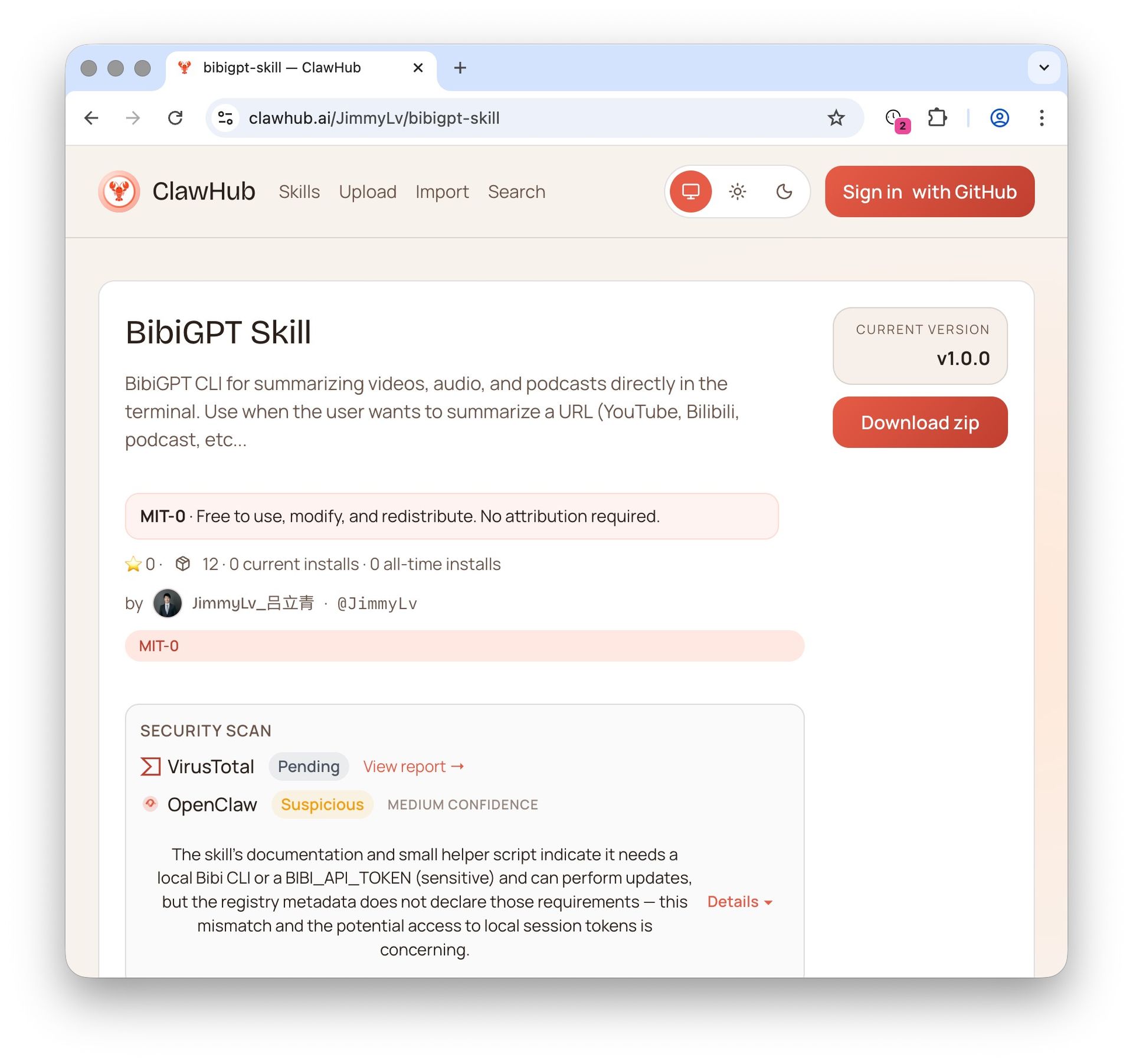
2 OpenClaw + BibiGPT Skill 2026: AI Video Summary for Bilibili, Xiaohongshu & 30+ Platforms
OpenClaw's native summarize skips Bilibili, Xiaohongshu, Douyin. bibigpt-skill is the one command that adds 30+ platform support for Claude Code / OpenClaw, plus highlight notes, collection summary and flashcards. Updated June 2026.
 3
3 Bilibili Transcript Tools Compared: Best Subtitle Extractors in 2026
Looking for the best bilibili transcript tool? We compare 5 top subtitle extractors for Bilibili videos — from free downloaders to AI-powered tools like BibiGPT that handle transcription, translation, and summarization.
Make your Suno song into a cinematic music video, in under 30 minutes
Paste a Suno link, watch SunoMV write the storyboard, generate per-scene images, and render Omni transitions. Refine any unhappy shot with one sentence. Free to try — Pro unlocks unlimited Omni transitions.