
Manage Video Study Notes Like a Pro: The 2025 Obsidian + BibiGPT Workflow
Build an AI-powered video learning and knowledge management system with Obsidian and BibiGPT. Step-by-step setup, sync strategies, and advanced optimization tips included.
The Challenge of Video-First Learning
Video has become the dominant format for learning in 2025. Platforms such as YouTube and Bilibili deliver endless value—but they also create problems: fragmented information, weak recall, and messy review workflows. Traditional note-taking interrupts focus and rarely captures the full picture. Bookmarking alone does not connect ideas or build durable knowledge.
Why Obsidian + BibiGPT Works
BibiGPT converts videos and audio into structured text with AI summaries, translations, and interactive dialogues. It supports advanced prompts for critical thinking and deep analysis—see our guide to custom prompts for more.
Obsidian then anchors those insights inside your knowledge graph. Bidirectional links, tags, and flexible metadata let you relate new notes to existing material and surface them when you need them most.
Prefer Notion? We have a dedicated tutorial: Build a high-efficiency video workflow with Notion + BibiGPT. Need multi-platform sync? Explore BibiGPT’s export guide for 10+ destinations.
Setup: Build the Workflow in Minutes
- Log into BibiGPT and open Account Settings → Bindings.
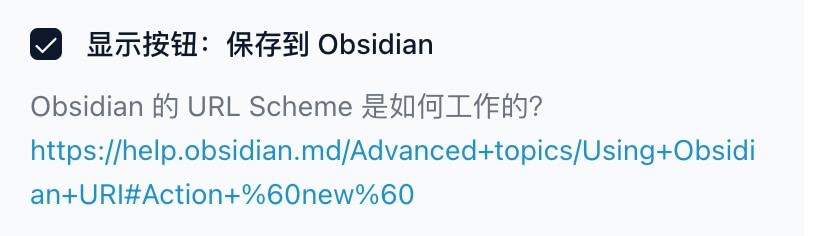
- Enable Save to Obsidian and click Save.
- Install the latest Obsidian client. BibiGPT communicates via URI schemes, so a proper install is essential.
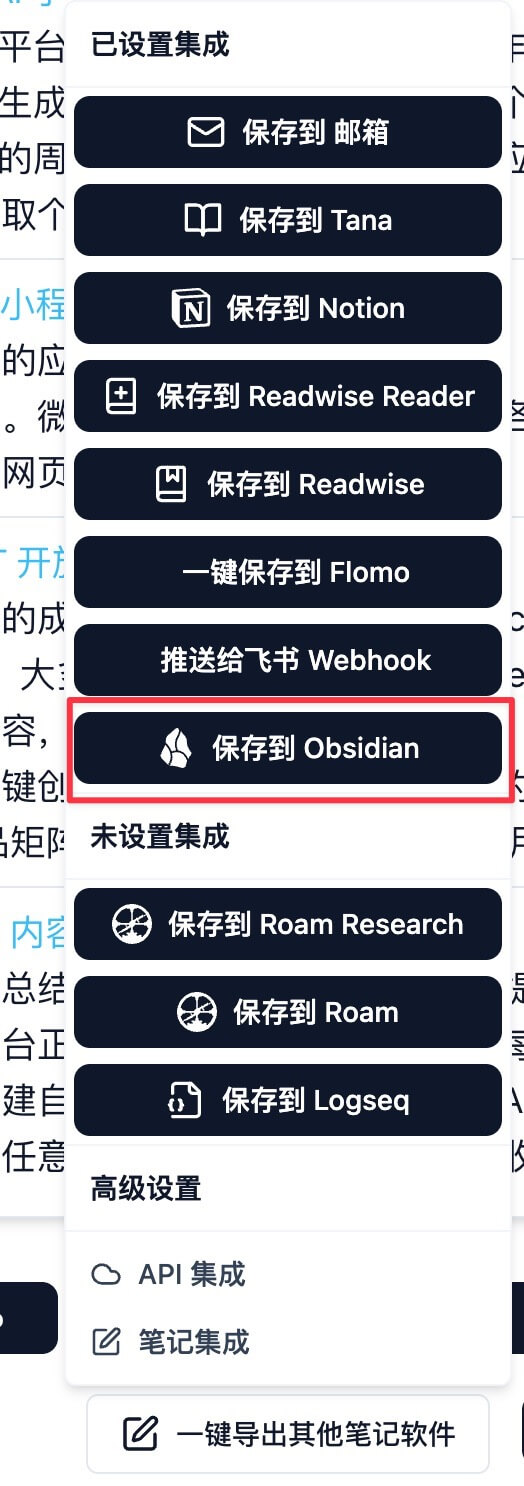
Run a summary in BibiGPT, then tap Save to Obsidian.
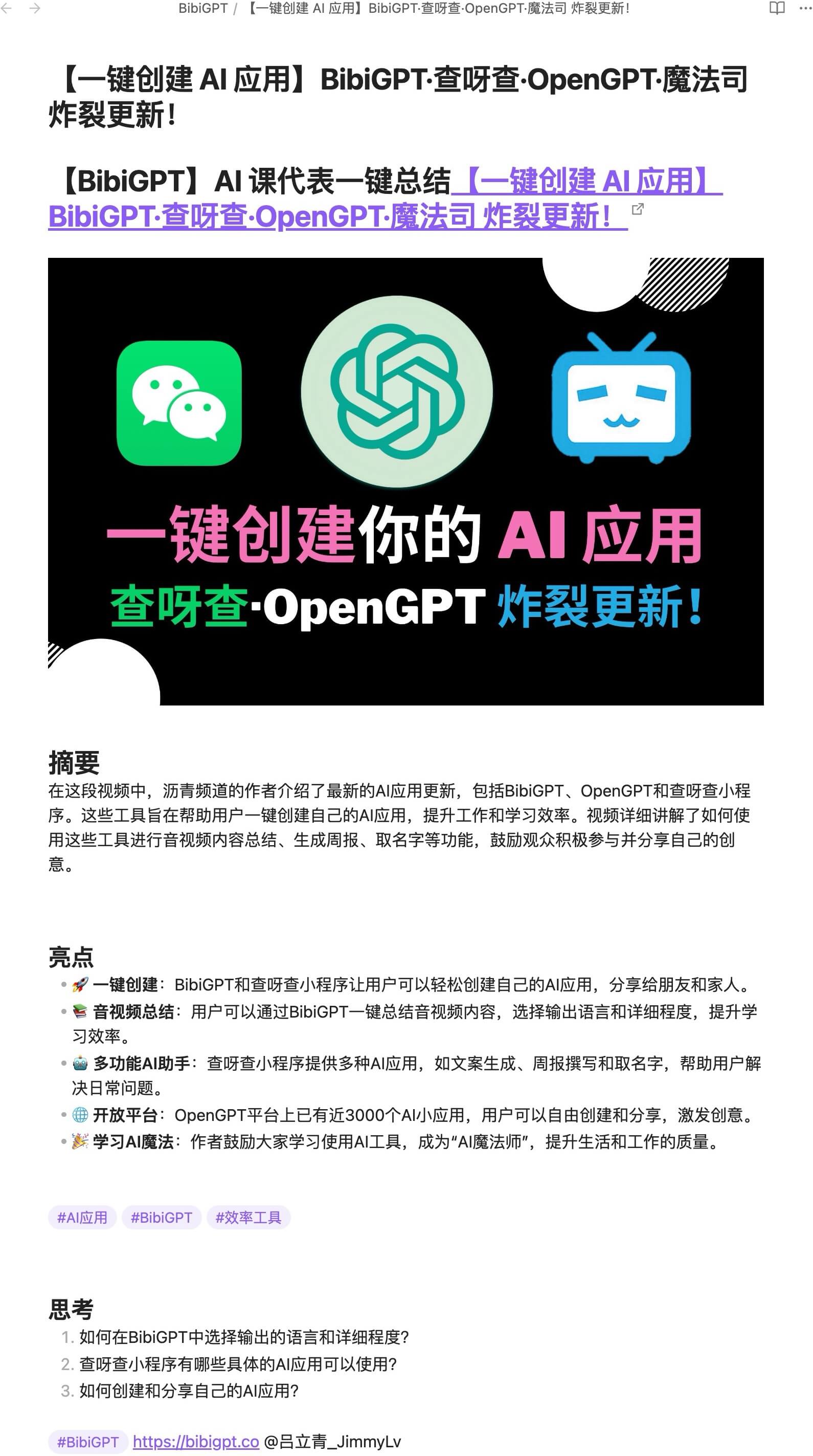
The first time you do this, macOS or Windows will request permission to open Obsidian—click Allow. BibiGPT creates a BibiGPT folder inside your vault and stores notes there automatically.
Need more detail? Review the official Obsidian sync instructions.
Daily Use: Capture, Sync, and Connect
Once configured, the workflow is effortless:
- Watch a video—BibiGPT handles transcription, translation, and structured summaries.
- Hit Save to Obsidian to send the note to your vault.
- Use backlinks, tags, and templates to connect new insights with existing knowledge.
- Leverage BibiGPT’s translation features to manage multilingual content without friction.
Advanced Tips for 2025
- Obsidian URI automation: Trigger note creation or app actions via custom URLs or Shortcuts. See Obsidian URI docs.
- Standardized templates: Pre-fill tags, metadata, and sections so every note remains consistent and easy to search.
- Knowledge graphs: Use Obsidian’s graph view to visualize relationships, surface hidden links, and plan deeper study sessions.
Optimization Playbook
- Schedule regular reviews with daily or weekly note dashboards.
- Organize folders by topic or difficulty to keep large vaults manageable.
- Iterate on the workflow—insert new tags, adjust property fields, or pair with spaced repetition.
Looking Ahead
The Obsidian + BibiGPT combo turns scattered clips into a living knowledge system. AI-driven transcription, translation, and dialogue make learning faster; Obsidian keeps the insights discoverable long-term. As AI evolves, expect even richer context awareness, better visualization, and smarter automation.
Start Today
Ready to try it yourself? Visit bibigpt.co and start your free trial. Sync it with Obsidian, and transform video learning into a structured, intelligent workflow—perfect for lifelong learners and professionals alike.