
Mapify vs BibiGPT: AI Video & Podcast Mind Map Comparison (2026 Guide)
Mapify and BibiGPT both generate AI mind maps from videos and podcasts, but differ vastly in platform coverage, output formats, and workflow depth. This comparison covers features, pricing, and use cases to help you choose the best AI video mind map tool.
Mapify vs BibiGPT: AI Video & Podcast Mind Map Comparison (2026 Guide)
The Bottom Line: How to Choose Between Mapify and BibiGPT
Direct answer: Mapify is a dedicated AI mind map generator that converts YouTube videos, Apple Podcasts, PDFs, and URLs into structured mind maps, claiming 5M+ users. BibiGPT is a comprehensive AI audio-video assistant covering 30+ platforms with 1M+ users and 5M+ AI summaries. The key difference: Mapify only supports YouTube for video, while BibiGPT covers Bilibili, Douyin, Xiaohongshu, TikTok, and more. Mapify focuses solely on mind map output; BibiGPT delivers mind maps, AI summaries, interactive Q&A, flashcards, and AI article generation. Choose Mapify for YouTube-only mind map needs; choose BibiGPT for multi-platform coverage and a complete knowledge workflow.
Try pasting your video link
Supports YouTube, Bilibili, TikTok, Xiaohongshu and 30+ platforms
Feature Comparison Table
| Dimension | Mapify | BibiGPT |
|---|---|---|
| Core Focus | AI mind map generator | Full AI audio-video assistant |
| Video Platforms | YouTube only | 30+ platforms (YouTube, Bilibili, Douyin, Xiaohongshu, TikTok, etc.) |
| Podcast Support | Apple Podcasts + audio upload | 9 platforms (Apple, Spotify, Xiaoyuzhou, etc.) |
| Mind Map | Core feature, with timestamps | Inline within summary view, Markmap + XMind |
| AI Summary | Basic summary | Deep structured summary |
| AI Chat | AI chatbot supported | Video-traced Q&A dialogue |
| Output Formats | Mind map focused | Mind map, summary, flashcards, AI article, AI chat |
| Export Formats | Image, SVG, PDF, Markdown, XMind (5 types) | Markmap, XMind, PNG, Notion, Obsidian |
| Speaker ID | Podcast supported | Supported |
| Subtitle Translation | Not supported | Multi-language translation & hardcoding |
| Clients | Web + Chrome ext + iOS/Android/macOS | Web + Desktop (macOS/Windows) + Mobile + Browser ext |
| MCP/Agent | MCP Server available | bibigpt-skill (Agent-native integration) |
| User Scale | Claims 5M+ users | 1M+ users, 5M+ AI summaries |
Mapify Deep Dive
What Mapify Does Well
Mapify (from the team behind Xmind AI) has built a strong dedicated mind mapping product:
- Polished mind map UX: Branch expansion, presentation/slide mode, and 30+ language support create a professional mind map experience
- YouTube video timestamps: Mind map nodes link back to specific video timestamps for easy reference
- Multi-source input: Beyond video, supports PDFs (10MB limit), URLs, images, and text
- Podcast speaker identification: Identifies speakers in Apple Podcasts content for clearer multi-speaker structure
- Rich export options: 5 export formats (Image, SVG, PDF, Markdown, XMind) cover most mind map use cases
- Strong market presence: #3 on Product Hunt, 4.8/5 App Store rating
Mapify Limitations
- Video platform restriction: Only YouTube is supported. No Bilibili, Douyin, Xiaohongshu, TikTok, or Kuaishou -- a dealbreaker for anyone consuming Chinese-language video content
- Credit-based pricing: Free tier offers only 30 one-time credits; paid plan credits do not accumulate
- Single output dimension: Mind maps only -- no full AI summaries, flashcards, or interactive Q&A
- PDF size limit: 10MB cap is restrictive for academic and research use cases
- No real-time collaboration: No multi-user collaborative editing
Mapify Pricing
| Plan | Monthly (Annual) | Credits |
|---|---|---|
| Free | $0 | 30 (one-time) |
| Basic | $5.99/mo | Limited |
| Pro | $11.99/mo | More |
| Unlimited | $17.99/mo | Unlimited |
BibiGPT Video Mind Map Deep Dive
Inline Mind Map: Summary Meets Visualization
BibiGPT's mind map feature is embedded directly in the AI summary view. After pasting a video or podcast link, the AI generates a structured summary, and you can toggle to the mind map view with one click -- no page switching needed.
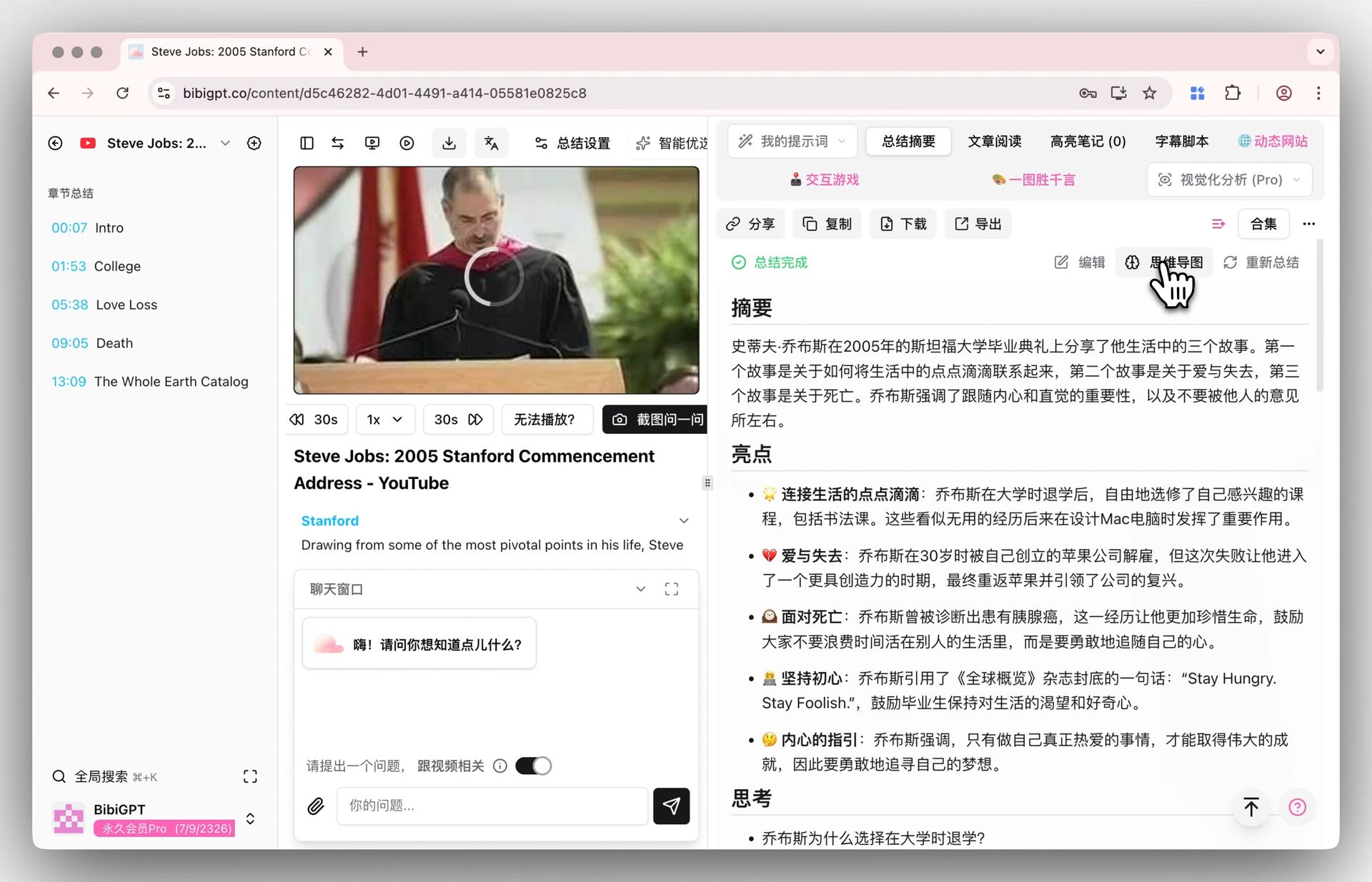 Mind map entry
This integrated "summary + mind map" design means you don't just get a pretty diagram -- you get a complete video knowledge digestion system. Learn more about BibiGPT's AI YouTube summary feature.
Professional Export: Markmap + XMind
BibiGPT exports video mind maps to Markmap (interactive web format) and XMind files. Markmap supports interactive expand/collapse in the browser; XMind files can be further edited in professional mind map software.
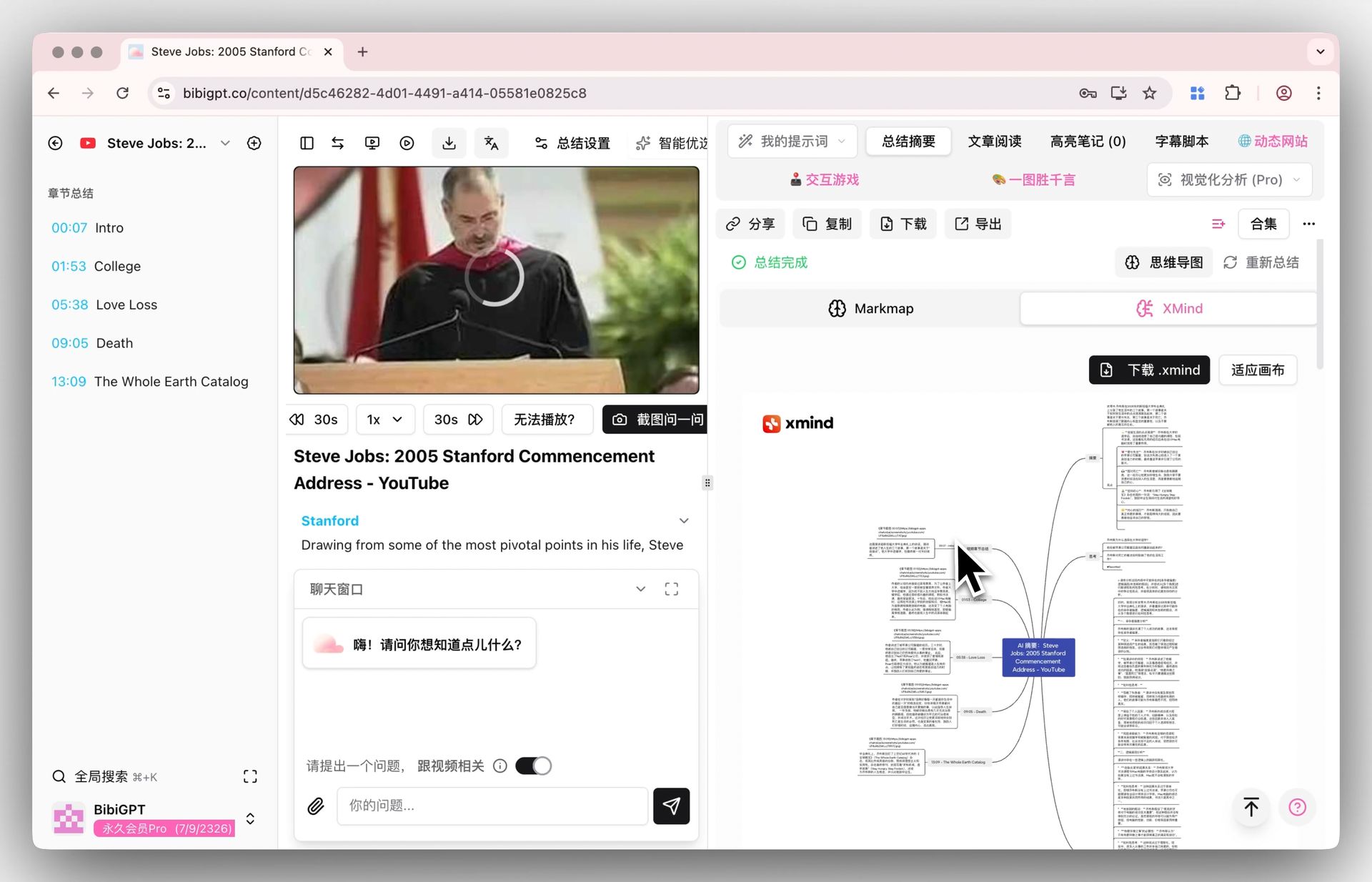 XMind display
30+ Platform Coverage
This is BibiGPT's strongest differentiator versus Mapify. BibiGPT supports Bilibili video summary, Douyin, Xiaohongshu, TikTok, Kuaishou, WeChat Channels, and more -- alongside YouTube, 9 podcast platforms, and local file upload.
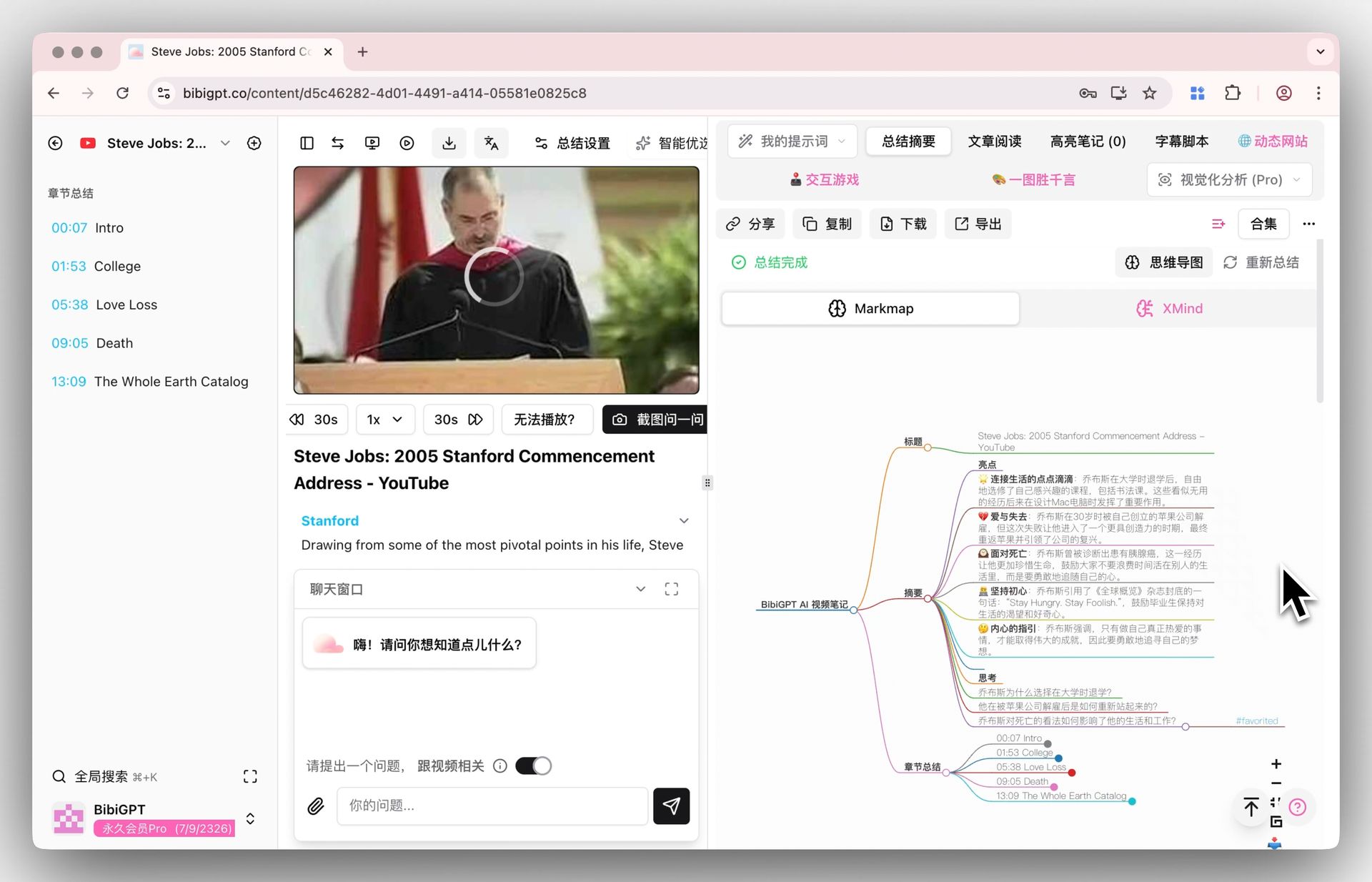 Mind map display
Beyond Mind Maps: Complete Knowledge Workflow
BibiGPT is not just a mind map tool -- it is a full knowledge workflow platform:
- Deep AI summary: Structured full-text summary with timestamp backtracking
- AI Q&A chat: Deep Q&A based on video content with source tracing to specific timestamps
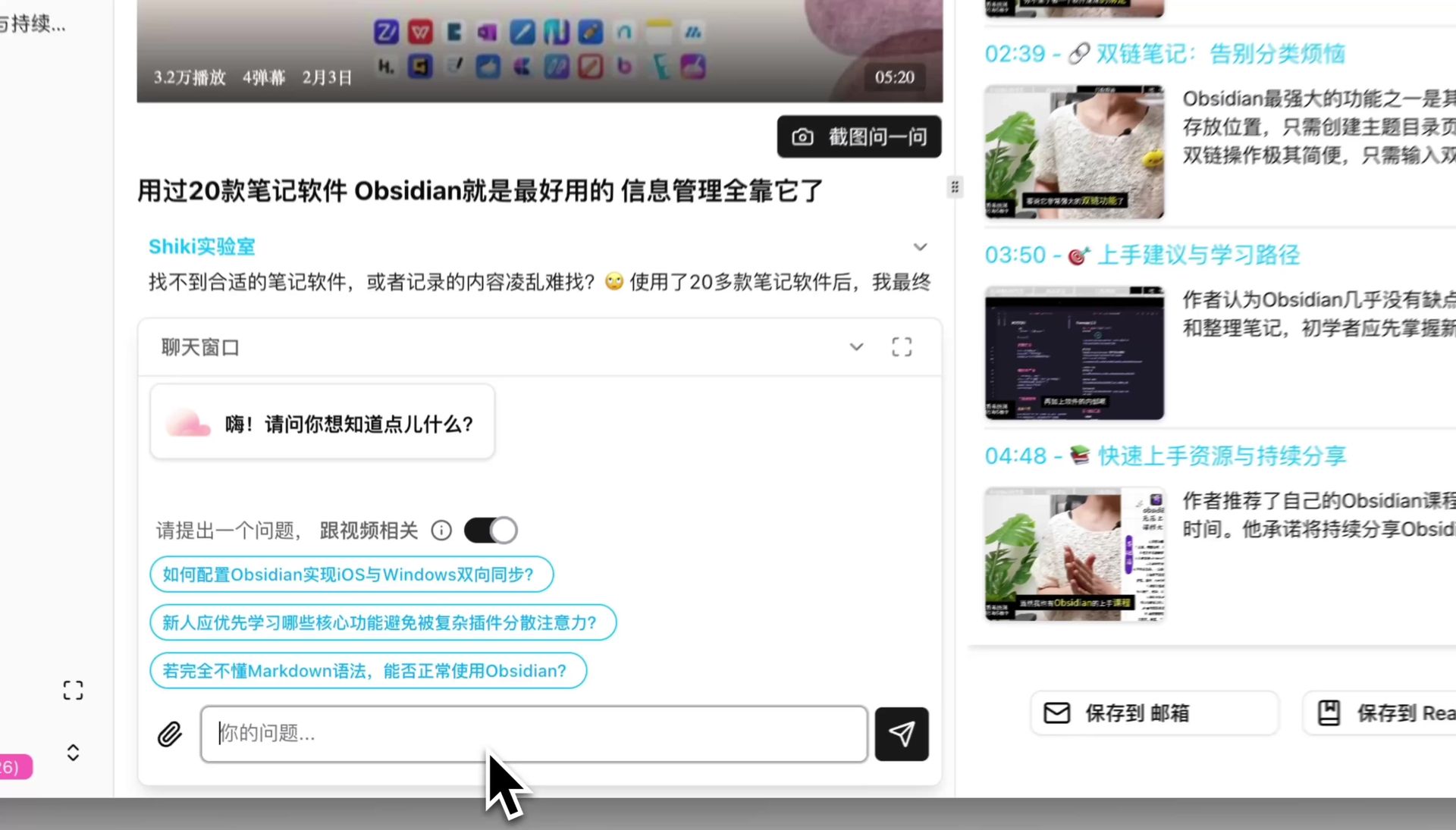 AI Chat
- Flashcards: Auto-generated spaced repetition flashcards for long-term knowledge retention
- AI article rewriting: Transform video content into articles, social posts, and creator assets
- Note sync: Deep integration with Notion, Obsidian, and Readwise
AI Mind Map Preview

Bilibili: GPT-4 & Workflow Revolution
A deep-dive explainer on how GPT-4 transforms work, covering model internals, training stages, and the societal shift ahead.
Want to summarize your own videos?
BibiGPT supports YouTube, Bilibili, TikTok and 30+ platforms with one-click AI summaries
Try BibiGPT FreeUse Case Comparison
YouTube English Video Learning
Mapify: Smooth experience, fast mind map generation, precise timestamp annotations. Great for quickly scanning video structure.
BibiGPT: Beyond the mind map, you also get full AI summaries, interactive Q&A, and flashcards for deeper learning.
Recommendation: Mapify for quick browsing; BibiGPT for deep learning.
Chinese Video Platforms (Bilibili, Douyin, Xiaohongshu)
Mapify: Not supported.
BibiGPT: Full support. See our Bilibili AI video summary guide for details.
Recommendation: BibiGPT is the only option.
Podcast Mind Maps
Mapify: Supports Apple Podcasts and audio file upload with speaker identification.
BibiGPT: Supports 9 major podcast platforms including Xiaoyuzhou, Apple Podcasts, and Spotify, with speaker ID + AI summary + flashcard integration.
Recommendation: BibiGPT for Chinese podcasts (exclusive Xiaoyuzhou support); either tool for English podcasts.
Agent/MCP Integration
Mapify: Offers an MCP Server for AI workflow integration.
BibiGPT: Provides bibigpt-skill, giving AI Agents native "video watching" capabilities across Claude Code, OpenClaw, and other agent platforms.
Recommendation: Both are embracing the agent ecosystem; choose based on your agent platform.
Pricing Comparison
| Dimension | Mapify | BibiGPT |
|---|---|---|
| Free Tier | 30 credits (one-time) | Free trial credits for new users |
| Entry Plan | $5.99/mo (annual) | Plus subscription |
| Advanced Plan | $11.99/mo (annual) | Pro subscription |
| Unlimited Plan | $17.99/mo (annual) | Pay-as-you-go available |
| Billing Model | Credit-based (non-accumulative) | Subscription + pay-as-you-go (flexible) |
BibiGPT's pricing advantage lies in flexibility: subscriptions provide stable quotas while pay-as-you-go suits occasional users and API enterprise clients.
Decision Framework
Choose Mapify if you:
- Primarily watch YouTube English videos
- Only need mind map output
- Prefer a focused, single-purpose tool
- Don't need Chinese video platform support
Choose BibiGPT if you:
- Consume content on Bilibili, Douyin, Xiaohongshu, or TikTok
- Want mind maps + AI summaries + Q&A + flashcards as a complete workflow
- Use multiple content platforms (30+ supported)
- Need integration with Notion, Obsidian, or Readwise
- Are a content creator who needs to repurpose video into multiple formats
FAQ
Which generates mind maps faster, Mapify or BibiGPT?
Both complete video mind map generation in 10-30 seconds. The difference is that BibiGPT simultaneously outputs a full AI summary, timestamps, and mind map, providing higher information density. Mapify focuses more on the mind map interaction experience itself.
Does Mapify support Bilibili videos?
No. Mapify currently supports only YouTube videos. It does not support Bilibili, Douyin, Xiaohongshu, TikTok, Kuaishou, or any other Chinese video platform. If you need AI mind maps from Chinese video platforms, BibiGPT is currently the only tool that covers these platforms.
Are there free AI video mind map tools?
Mapify offers 30 one-time credits for free. BibiGPT offers free trial credits for new users. Both let you try video mind map features at no cost. For ongoing use, both require paid subscriptions.
How do BibiGPT mind maps differ from Mapify mind maps?
Mapify's mind maps are a standalone product with polished interaction design, including presentation mode and branch expansion. BibiGPT's mind maps are embedded in the AI summary view, with the advantage of seamless integration with text summaries, AI Q&A, flashcards, and note sync -- forming a complete loop from watching to summarizing to mapping to questioning to memorizing.
Conclusion
Mapify is an excellent dedicated AI mind map tool with a strong YouTube experience. But if your content consumption spans Chinese video platforms, or you need a complete knowledge workflow beyond mind maps, BibiGPT's 30+ platform coverage, multi-format output, and battle-tested maturity with 1M+ users offer a more comprehensive solution.
Have feedback or ideas?
We value your input! If you encounter issues or have suggestions, please let us know anytime.
Submit feedbackTry BibiGPT's video mind map feature now:
- 🌐 Website: https://aitodo.co
- 📱 Mobile download: https://aitodo.co/app
- 💻 Desktop download: https://aitodo.co/download/desktop
- ✨ Explore features: https://aitodo.co/features
Experience BibiGPT now
Ready to try these powerful features? Visit BibiGPT and start your intelligent audio/video summarization journey!
Get started